So to summerize what they have announced (so far) -
* A new look task bar. Centred similar to the macOS dock by default but lacking the ability to position on any other screen edge?
* A new start menu design
* Windows have rounded corners
* Some built in apps such as the Xbox app and Microsoft Store have been redesigned (Xbox Game Pass and xCloud built into the Xbox app)
* New touch keyboard (SwiftKey?) with improved speech recognition
* New haptics when a stylus is used
* Teams integrated into Windows
* Support for Android apps built into the OS (using Intel Bridge technology whatever that is?). Apparently this works via the Amazon App Store although I am not sure what this actually means in a practical sense?
* A new widgets fly out for weather, news, etc. (appears this will require you login with a Microsoft Account)
* Improved windows snapping with a dynamic (based on your screen(s) size and layout) UI built into the maximize button
* DirectX 12 improvements (unsure if limited to Windows 11 only?)
* Auto HDR for games
* Improved experience when switching between tablet and desktop modes
* Apparently there will be "Windows 11 ready" PCs for sale "today"?
* Microsoft say they have been working with AMD, Intel and Qualcomm to optimise the silicon for Windows 11
* 40% smaller Windows Updates
* TPM 2.0 and UEFI are hardware requirements. No legacy BIOS compatibility at all?
* A Microsoft account and internet connectivity is required for Windows 11 Home setup
* 64-bit processor required (no 32-bit build at all?)
* There is a universal mute button in the system tray so you can mute yourself system wide rather than in the app
I need a local account. I set up my PC with multiple profiles. I start with a local admin account and then I add Microsoft accounts for my day-to-day work. I have one profile logged in to my personal Microsoft account. Another is logged in to an Office 365 account that belongs to someone I do work for. Etc..
Why is MS encouraging people to have one giant admin account with a work or school account connected? That's stupid. My personal account should be considered untrusted. Having it acting like the root account is just dumb, right?
> Why is MS encouraging people to have one giant admin account with a work or school account connected?
Because it makes us easier to track and make money out of, would be my first thought. Seems to be why everyone else want my everything to be connected to my everything else.
Windows professional for professionals. Windows home for grandparents. Always has been this way. I'm ok with that. The tiers of OS have different requirements and features. Expected.
Windows Professional used to be for professionals. I think there is a strong argument that since Windows 10 it hasn't been, at least not for technically competent professionals. In 10, the Pro edition still has much the same user-hostile aspects as Home, which are inappropriate in a business context. If Windows 10 Pro had the same kinds of control over things like updates and telemetry as the Enterprise and Education editions, but without the volume licensing and large-scale management features that larger organisations want, it would still be suitable for small businesses or independent professionals.
Why are candy crush Saga (whatever that is) and xbox, default installs in all 'pro' versions?
Never understood that logic. Unless they are just another form of auto telemetry.
Depends on the business. If you buy into the office365 thing it actually makes it easier to set up a business network across a number of machines without having to dork around with Active Directory or anything hideous like that. Up to 25 people I think it's pretty good. I'd much rather set up a clients business on Office365 than have to install an Exchange/AD server on their premises.
However the real reason to install Pro is to get access to the virtualisation services, which aren't enabled on Home. Most users doing development now benefit from that (think Android emulators, Docker desktop etc). The enterprise versions are just overkill for a lot of small businesses.
For me, as someone who runs small tech businesses, it's not about what you get with Pro, it's about what you don't.
Specifically, I have a problem with any operating system that will update itself in arbitrary ways without our consent and at a time we have not chosen. We no longer have control of our own business's IT resources and whether they will continue to meet our business needs in this scenario. That is simply unacceptable in a professional context IMO. Moreover, I have worked in several places over the years where long-running jobs (days or more) were needed, and you shouldn't have to ask your equipment's permission to start a job like that before you can safely start it and expect it to complete uninterrupted, and you certainly shouldn't have to ask and risk being told no.
I also have a problem with any operating system that will phone home with any data from our systems without our consent. That's all kinds of liability waiting to happen if you work with any sort of sensitive information, whether it's a client's trade secrets, personal data about customers, technical data you've been given under NDA, unreleased company statements, or simply whatever you're working on right now that you haven't chosen to disclose publicly yet. I don't care what Microsoft is or isn't doing right now, partly because of the previous point. The fact that the technical capability exists at all without an absolute power to disable it is a deal-breaker, and the convoluted mess that is Microsoft's numerous legal terms and privacy policies offers me no reassurance at all on this point.
Professionals control their own IT systems. It's really as simple as that. That's why the higher editions of Windows 10, which aren't just used by professionals but administered by IT professionals as well, don't try to pull these kinds of stunts.
> Specifically, I have a problem with any operating system that will update itself in arbitrary ways without our consent and at a time we have not chosen.
I was sitting in a keynote talk at a conference once and mid-presentation Windows decided it was time to update. Very embarrassing for the speaker and for Microsoft.
Now imagine that was a salesman's laptop being out of action and it happened at the start of a big demo to a C-suite decision maker for a potential deal worth millions.
since windows me it's been clear there's a product designed to be utterly unpalatable, a product whose purpose is to produce upsells by behaving rudely.
The real issue was driver support. If you had the right hardware you had no issues. If you had a weak graphics card Vista would not have certain features.
I think this should not be related for OS tiers. Every user should have possibility to use different accounts on their computer, and to adjust permission levels of them and choose which one to connect to MS account.
One could be sceptical that with admin account required for MS account, telemetry collection and applying some other kind of restrictions is much easier to target the vast majority of the users.
I use Win10 Pro, but have Home on a few computers for my parents and nieces/nephews. I set up the first user on all of them as a local admin and their account (local or MS) is always a normal user.
It's such a simple way of making sure they don't trash their machine that I'm going to miss it. I'm sure there'll be a new way of doing the same thing, but with 5x the effort and 1/2 the effectiveness.
Why would you be ok with that and don't demand choice? Would you give me 10$ for nothing? Because nothing is what you get in return. Pretty unstable business position.
I'm not a Windows person but recently had to go through the setup process on my parents' newly purchased desktop machine. As far as I could tell, creating a user account just locally was not possible, you had to have an online account, hooked up with a valid email address. Given that most free email providers require you to provide your phone number (I don't own a phone), I had to do some digging--- all just to create a local user account on Windows 10.
>As far as I could tell, creating a user account just locally was not possible, you had to have an online account, hooked up with a valid email address.
It's usually an option that's hidden away. It's definitely there if you disconnect the computer from the network when you install the OS.
Also, if you want the old type display drivers instead of DCH you'd have to do that. Otherwise Windows will automatically download and install DCH drivers which are a pain to uninstall.
Edit: if you're wondering what the problem with DCH drivers can be, then the problem is that they can't come with an application. If you have Nvidia display drivers installed as DCH and want to use the Nvidia Control Panel then you have to get the Control Panel from the Microsoft Store separately.
The whole point of DCH iirc was to decouple the rendering and display engine driver from the User/Control/Config interface.
This would basically allow Dell/Hp/Surface to use the same latest Intel/Nvidia/AMD drivers but have their differentiation and config apps updated on their own schedule while the OS takes care of the actual driver components.
Well the initial version of Store (it didn't really improve in iterations of 10) was horrible UX and dodgy state changes. It's essentially just a webpage and a very bad one at that.
The new store that I've been using in internal builds is far more responsive. I believe they will require a Microsoft ID to access it, but other than that I have no complaints about the new version.
Yes, the current store is a very janky UWP app written in HTML and javascript. I believe their original motive was to share the code base between the online store and the desktop client.
On a recent (i.e. the last 2 or 3 major releases) Windows 10 install (any edition) you can create a local account during the post-install setup assistant by selecting to make an offline account and then selecting "limited experience" when it tries to convince you an online account is better.
You can set up an offline account but you have to literally disable any Internet connection (pull the Ethernet cable, turn off the WiFi card, etc) so that it activates the option to tell the installer you want to install offline.
>>Given that most free email providers require you to provide your phone number
Didn't windows suggest to create a free email @outlook.com (or whatever MS have for free emails)? I have used that on a couple of computers, was no requirement for phone number and I have no idea about what the addresses I created are
If you do accidentally connect to a network, before you realise this, there's no way to get it to forget. Rebooting doesn't work. The only solution I found was walking 30m away to the other side of the parking lot out of range of WiFi.
Start the install over from scratch. You can have wifi enabled when installing. Just don't plug in a network cable and don't connect to a wifi network when it prompts you to. Read carefully, you can avoid connecting and if you do you don't connect, you don't have to use a Microsoft account.
It used to be a sneaky button, but last time I installed there was no way to do it without disconnecting from the Internet. If you're connected, you are not presented an option to create a local account, even in a way that's hard to find.
Last time I did it, the trick was to begin logging in or creating a new online account (forget which way), and from there you could actually change your mind and create a local account.
The way I see it, 8.1 was the (relatively) good version, and 10 has been... okayish. 8.1 did a good job walking back most of the interface travesties from 8, and still retained the best parts of the Windows experience. (Fullscreen apps notwithstanding.) 10 has been changing dramatically with every update, moving or replacing system/settings screens and making their own documentation obsolete.
I hate 10 a lot less than I did 5 years ago. I'm hoping 11 will be a little less screwed up, but I'm not holding my breath.
I didn't mind 10 at first but I hate it more and more as it keeps updating and breaking things. They recently completely replaced the IME implementation with a new one that refuses to do the configuration I need (Dvorak Japanese), silently replaced the dual graphics card configuration with one that ignores all the preferences I've previously set, and added weatherbug to my taskbar like some early 2000s malware.
This has been my experience as well, and I was putting up with it because of windows 10 being the "last version" on sort of a rolling release schedule. But now that they're going back on that, I don't understand why they've been making so many workflow- and documentation-breaking changes in 10 recently. Why not just hold major changes until the next release?
I thought Windows 9 was the good one that would have come between Windows 8 and 10. Because 10 certainly isn't a good one (looking at you, fantastically broken start menu search that needs frequent re-indexing).
It was less about version parity with Apple and more about avoiding bugs in applications that would have mistaken a Windows 9 for a member of the 95/98/98SE family.
That's the technical excuse they come with afterwards. The fact is while Mac Os was stuck in version X (ten), Microsoft decided to make a perpetual Windows 10 version. Now that Apple moved up to 11 and now 12, Windows is moving to 11 too. That's a big "coincidence"...
But what for? Do you really think they think people will stand in a shop and say "that laptop is only at 10, I take the one at 11"? Also, if that was indeed the intention, they should've moved for 11 earlier. The technical explanation seems far more reasonable.
It's not just me then;) Windows vista seems to be crying out for a Windows 7, XP is ok and Windows 8... I've never even used Windows 8, it's the most anonymous Windows imaginable.
All the anti-linux comments from people who tried it 15 years ago talking about how windows "just works" not looking so justified now. Thankful I use linux today. While linux has issues this in particular is one thing I don't have to worry about.
Not really, hidpi, multidpi, fractional scaling are the new Linux "sound cards", in the sense that buying modern screens and expecting them to work under Linux is an act of gambling. For example, for fractional scaling you probably end up using (broken for many drivers) raster scaling in xrandr, which is resource intensive and (being a raster operation on top of font rendering!) poor quality. But, hey, there is Wayland, you say. Well, Wayland does the same, maybe with slightly better performance because of some technical nuances, but still essentially the same, since it doesn't support fractional scales: just render everything to the next higher integer scale, then downscale using a brutal raster operation. This is the standard we have been waiting for a decade now and it's not only that its adoption and its support for important features are still far from what's required, it's also that it has design shortcomings that it's probably too late to change now. At least at fractional scales, I suspect that Qt, browsers and other rendering engines that already supported it (GTK being the conspicuous absence here) won't see any improvement but a loss of font rendering quality in the future. Now look at most of the current offer of budget laptops: FHD 13-14'' screens, good enough for most people, poorly supported in Linux even if Wayland was now shinning at its brightest, which is far from real. Not to talk about the poor fellow that wants to plug his cheap external FHD screen or, worse, that shiny new UHD screen that costed her hard earned money. The mishmash of scales a typical modern setup like this requires is too much for Linux and will be for the foreseeable future. I'd like Linux fans to be more responsible with their advice since Linux desktop is actually an expensive hobby for people with time, money and technical savvy.
Don't know why you are downvoted. It is a bit charged, but very correct. It was predicted quite some time ago and Microsoft isn't really user orientated. I probably drop Windows after 10, I use it less and less.
Certainly will I not develop against their frameworks.
There will certainly be a version available for offline installations. It won't be marketed toward consumers because offline access is now a "pro" feature they can charge extra for. It will be given to deep pocketed organizations that say "we use air gapped computers and have money to burn."
  - Windows have rounded corners
  - Teams integrated into Windows
  - A new widgets fly out for weather, news, etc. (appears   this will require you login with a Microsoft Account)
  - A Microsoft account and internet connectivity is required for Windows 11 Home setup
- A new widgets fly out for weather, news, etc. (appears this will require you login with a Microsoft Account)
Sounds daft and pointless to me. Are they mistaking their software for Apple or Android? Is Linux a usable alternative? IMHO, Windows 7 is my favorite OS, also XP, I don't love Windows 10 but Windows 11 sounds even less exciting, maybe MS should make some kind of "special edition" Windows XP that can support new features as a novelty.
I don't get it either. I've never met anyone who liked any of the dynamic content provided by MS pretending that Windows is media platform. I think these are features the MS execs want, not users.
> Is Linux a usable alternative?
Who knows. Look at Ubuntu and some of the other distros that try to push the app store model, connected accounts, etc.. These people are building the software they want, not the software I want as a consumer.
I pay for Windows. I'd gladly pay for Linux instead if it was good enough.
Red Hat seems at a glance to be more focused on making a good workstation for professional use. Ubuntu seems to be more for beginners on their home computer.
Admittedly, I haven't spent much time with Red Hat (stuck in windows most of the time due to embedded development tools). Can anyone who has used it (and something like Ubuntu) weigh in?
I use Xubuntu, which is great. Really, I would say the difference between Red Hat/Ubuntu/Debian/Fedora is largely cosmetic. I haven't actually used Red Hat as a workstation in years, but the nice thing is that on Ubuntu you can just install the gnome-desktop package or the kubuntu-desktop package, and you get that desktop environment.
So the idea that it's "more workstation oriented..." doesn't really reflect what your experience is.
At the end of the day you have a desktop environment and some packages. And Linux, especially Ubuntu with its package manager, makes it really trivial to swap out the DE if there's something that doesn't seem "power user" enough for you. (And for me, I find the default Ubuntu DE bloated and trend-chasing, but Xubuntu-desktop gives me the same well-supported packages you get on Ubuntu with a stable, no-frills desktop.)
Ultimately it really is about support. There's a lot of services and products that simply don't offer a Linux client, and that's where the trouble comes. Like I was contemplating trying out Tidal since I was annoyed with Spotify's removing a bunch of features from their desktop app, but Tidal doesn't offer a native Linux client. Zoom's Linux client is simply inferior. Lots of stuff like that which have nothing to do with any shortcomings in the OS is where I find the actual problems lie.
Again, Microsoft seems to be genuinely incapable of understandng why anyone could havev ever liked the Windows already available. As if that was some crazy unthinkable impossibility. Perhaps at some point between 60 and 90% market share you should stop trying too hard to be like the others and consider the possibility that not everything you've done is wrong?
I like the idea and motivations behind a lot of the changes a lot of the time but it’s basically never done well. It’s like… always mediocre.
Like they added weather to the Win 10 taskbar recently and it’s something I’ve wanted before… but it’s blurry! Wtf??
That’s the problem I have with MS… they can do a lot of good engineering but they rarely can do product design, so half the things they build are doomed to fail by default.
Judging by their own line of tablet computers, it seems like they genuinely don't understand why anyone in would want a desktop. Which is sad, because Windows 10 is not a nice tablet UI
When you model this kind of befuddlement, assume that it's rational, strategic action intended to secure more money/growth in the short term than the "sane choice", even if that requires a worse user experience.
They'll just see how bad the complaints are about weird UI choices and privacy, and then release Windows 12 which will be a return to Windows 10 except with less control over your computer.
No strong evidence that this will be the case other than Windows 95/2000, Windows Vista/7, and Windows 8/10.
As best I can tell from the last 25 years, alternating releases are basically alpha versions that everyone is forced to pay to test for them.
I don't really think desktops are a real source of tech competition anymore. If the FTC isn't going to do anything about vendor lock-in on iOS, MacOS, Android, or ChromeOS, they really don't have any business doing the same on Windows.
And having a client that can switch between tabs at something faster than a glacial pace. Switching from Chat to Teams took about 10-15 seconds, during which the program was entirely unresponsive. And yet it still claims that it goes faster by virtue of using a horrendous amount of RAM for a chat program.
It is, but it was also easy to click previously. By being in the bottom left you could just flick your mouse to the corner and not have to aim for a little icon. Now you can't do that. The position will also change as more icons are added which will make for bad UX as well.
IMHO, The main things of interest are the 40% smaller Windows Updates, TPM 2.0 requirement and Microsoft account requirement.
* Windows Updates need to be solved even more comprehensively (get rid of winsxs or use smaller backing, adopt sane file locking so that reboots are less required, etc.). Still any improvement can justify a new version by itself.
* Per wiki, TPM 2.0 was released in 2019. 2019 wasn't that long ago. Does that mean older computers will be unable to run W11? Many more computers will end up running Linux eventually.
* The account requirement is unfortunately. Really, MS didn't get enough users using the old method?
I stand corrected. Still, 2015 isn't that long ago, and new systems of the time couldn't adopt it immediately.
Would be odd for MS to do so - according to other news, W11 could run with TPM 1.2, so apparently they didn't increase their requirements that much. Even that would leave quite a few systems out...
My Linux mint install gets a duplicate mouse cursor appearing sometimes, just floating on top of everything on my desktop. If I don’t reboot the machine often weird things break. Like after a few days my media keys stop working on my keyboard. My trackpad sometimes stops working and needs to be power cycled. (One time after awaking from sleep my mouse was moving upside down.) The activity monitor in the tray freezes for me after a week or so. I’ve had some hard graphical freezes as well, which I assume is an AMD graphics driver bug.
Then bugs aside, I hate how inconsistent the keyboard shortcuts are between applications. I’ve been spoiled by macos where the same keyboard shortcuts to move a text editing cursor (cmd+left/right and so on) work the same in every application. Not so in Linux - and I can’t even configure it to work based on my muscle memory because IntelliJ doesn’t support using the start/meta key as a modifier. And some applications don’t support smooth scrolling for some reason.
So yeah, it’s viable. But I can’t say I’m impressed. I love having the source code, and knowing that if I want to I can actually fix these issues. But I’m still considering bouncing back to macos for my next computer.
There's always that one deal-breaker on linux. Some hardware that you need just doesn't work or the software does some very minor thing that makes it unusable.
Yeah. Though I'd say broken things are the exception, not the rule now. It mostly works most of the time. And the list of broken / awkward interactions is much smaller than the list of stuff that just works out of the box.
I got sick of any Debian based OS. On AMD hardware I get nothing but problems on Pop_OS!, Mint, Ubuntu.
Screen tearing, screen flicking, random reboots or screen freezing etc.
Been on Manjaro as the recommendation of someone on HN and it's been absolutely rock-solid. No more random reboots, no screen tearing out of the box, no flicking. Works and works well, but still have the occasional issue.
There was an update the other day where I had to find out which package wasn't being used and remove it so I could do an upgrade. If you update NPM outside of pacman it gets messy when theres an upgrade in pacman.
But after ~10 years of on/off use of Linux, then Jan 2020 putting myself on it full time, I'm a bit over it, Windows just works, since Windows 10 I've never had any issues at all. I miss just getting work done and gaming.
Edit: Oh the thing I hate most about Linux is multi-monitor setup.
I had 2x 1440p monitors, 1 was 144hz and the other was 60hz. If either 1 was connected, boot time was like 20s, very quick, if both were connected, it was 2-3 minutes to boot. Took me ages to figure out having 2 different monitors caused Ubuntu boot times to suffer. If I took the wifes 144hz monitor which was same as mine, boot time < 20s, but mix-match, 2-3 minutes.
I mostly play older games, but the ones I play work on Steam through PlayOnLinux. I've used Linux as my primary OS off and on since the 90's, I switched back again recently and I'm impressed. Almost everything worked except for the color printer, and that doesn't work on Windows either, I have to get the MacBook out.
2022 will be the year of Linux on the desktop, for sure.
As recently as a decade ago, Linux was borderline unusable for a home computer. Lots of driver problems. Lack of software.
In contrast to Apple's OSs (and increasingly Windows) which assumes you don't know what you're doing, Linux as a whole basically assumes you already know everything you need to know about what you're doing. Fixing a display issue could be a whole adventure, complete with side-quests as you worked your way to a solution. Not the best experience TBH.
Some time between 2010-ish and 2015, Linux (at least Mint and Ubuntu) suddenly became MUCH better. I'm not saying it's perfect, but things tend to "just work" much more often. A lot of the open source software improved by leaps and bounds during that period as well.
Sadly for the past few years, I game at home, and I'm stuck using windows programs at work (embedded development), so I haven't really kept up well with Linux.
> As recently as a decade ago, Linux was borderline unusable for a home computer. Lots of driver problems. Lack of software. [...] Linux as a whole basically assumes you already know everything you need to know about what you're doing.
This really doesn't match my experiences at all. Using Linux in 2008 was essentially the same as using Windows. I got my parents using Ubuntu in 2010 without complaints.
Instead of the "you have to know what you're doing" line that's been around for 30 years, I think the situation has been more "80% of the installs works perfectly" for a long time. But if you get hit by that 20%, from a driver issue or whatever, then expect a few days of debugging followed by constant hassles for the life of that machine.
And yeah, a lot of niche professional programs are Windows-only, so if you need them you're stuck. And gaming on Linux has been getting better, but only the chart-toppers and obscure indie games have actual Linux support with any regularity, with anything between those extremes rarely having any support.
Installed it for a friend. Most of his steam games were working and some who didn't I easily installed them with Lutris Iirc.
Libre office may not look super polished but it really covers any normal person's use case and beyond. The only thing he does not get are updates but automatic updates are coming soon anyways.
I am a programmer and I run Linux Mint myself on all my machines because it just works. Any software that's not in the packages I use an Appimage or Flatpak or language specific packages manager such as cargo.
If you use a high DPI screen things have been fine for many years. Mixed DPI is a different story, no idea if it works well, but it doesn't really work well on Windows, either.
I use mixed dpi screens on Linux mint. It works but it’s officially experimental and there are some small bugs. (After sleeping all my window move to one of my displays. And some other small things)
> After sleeping all my window move to one of my displays.
Well Windows 10 does that randomly as well, don't even need to use mixed DPI. Arguably "better than Windows for multihead" is a very low bar to clear, since Windows is utter garbage at dealing with it.
Games should work fine on Mint. The only reason I can't recommend Linux for most people is that there is no usable office suite. And no the libre and open office really are not usable.
I've been exclusively using LibreOffice for ~10 years, and OpenOffice before that, and aside from just doing some things differently (not worse) compared to MS Office, it's been smooth sailing.
And for most people Google Docs or... Office 365 are all they really need.
WPS Office is alright for most people, if you are okay with proprietary software from a Chinese vendor. However, it obviously doesn't cover e.g. Excel power user needs.
Or you can just use Google Docs, or even the browser edition of Microsoft Office.
I bought an Android phone (Palm Phone) for under $100 that rarely bothers me at all, definitely the least annoying Android device I've ever had. Still not really an Android fan, but it has the least shovelware of any Android device I've had.
Meanwhile, I have a Surface Book 2, an expensive laptop from Microsoft running Windows 10 Pro. I actively removed all the ads in when I got it, yet still it periodically fucks with my OS and creates new ads, such as a new not-so-helpful keyboard shortcut with Win10 1903 that advertised Office at me that had to be disabled with a Registry Edit.
So even though MS does some cool shit, I do not trust them. I paid the money, I got the pro version, and they still come up with bizarre new ways to advertise at me.
I sign into my phone with an account, but not my primary personal one. I use a secondary one I use for this and some other throwaway uses. I'm sure this isn't the norm, but I bet it's not that unusual, at least among tech people.
But if you want get android app from playstore, you still need google account. Same for iOS, and it's even worst than android, since you can't sideload apps
Yes, ONLY if you want to download them from the playstore. As you already noted, on Android you can sideload apps and get them from other places other than the playstore. So you can still get the same app from another source without an account.
Some companies like DJI actually let you download from their site directly and bypass the playstore. Notice the apple version links to the apple store but the Android version downloads the APK directly from DJI: https://www.dji.com/downloads/djiapp/dji-fly
Bypassing the Play Store is also a bad sign, especially from chineese company. This is bypassing the Play Store rules about permissions granted to the app.
From experience, companies that provide apps directly have some malware to hide.
Here is an example: GAN Cube is the world leader in Rubik's Cube. They provide an Android app by direct download [1].
Strangely this app has the permission to install other apps. That's obviously something not allowed to publish on the Play Store.
Why not create a throwaway account? When you setup the phone, just go through the process of setting up your fake Google account, and don't use it for anything aside from the Play Store for easily downloading and updating apps.
Because once you have that account, it links all apps data to it, and you give enough data about yourself to be indentified somewhere else even without the account.
> You agree to defend, indemnify and hold us harmless from and against any and all costs, damages, liabilities, and expenses (including attorneys' fees, costs, penalties, interest and disbursements) we incur in relation to, arising from, or for the purpose of avoiding, any claim or demand from a third party relating to your use of the Service
I'm not sure what is the worst: being tied to Google or being tied to a company which wants to push me in front of Google's lawyers if they get annoyed.
@cronix, @BiteCode_dev, @gruez: I know we can sideload, but it's inconvenient. Fdroid have limited number of apps, and store like apkpure is security risk. Most of regular people just get an Google account.
A smartphone isn't a desktop OS. You're free to think it's juvenile, and I'm free to prefer a desktop OS that doesn't require an account like win10 or linux.
If its anything like windows 10 was you could just never activate the license and nothing practically would be different, unless you wanted desktop backgrounds I believe. I barely notice the watermark anyhow telling me to activate windows for the last few years.
I've never heard of that one before, but it must be one of the most squatted domain phrases. There's like 20 versions just in top results and I could not figure out which one is official and which one just installs malware...
What's frustrating about the Mac is that every time they screw up bad enough that I try to switch back to other options (I was a Windows and Linux, among other things, user for 15 years before I started using Mac) I find they're still so much worse that I'd just be cutting off my nose to spite my face, by switching.
I wish they had actual competition. It doesn't seem like anyone else is targeting the same market at all, despite technically having "competing products".
This is false. A pirated Windows 10 Pro license costs like $25. These are not legitimate licenses, they're overprovisioned enterprise keys being sold in violation of the license agreement. And yes, they register differently in Windows, and can be easily detected. (Command is slmgr /dli)
Like, if you want to pirate software, go pirate software. If you're going to pay someone on a per-install basis for pirated keys, I'm gonna laugh at how easily you're being taken advantage of.
For $25 I can get a legitimate Windows 7 Pro license sticker that works like any Windows 10 license, which is perfectly legal all the way through.
But depending on your jurisdiction, the $5 enterprise keys can also be entirely fine. Sure, in a way that's outsourcing piracy. But the law doesn't have to see it that way. There's nothing illegal about buying enterprise keys, and if they are overprovisioning keys that's between them and MS, I can't even know if that's the case.
It's not perfectly legal, but reasonably more legal than the alternative (a key bought from a reseller). Those stickers are meant to be affixed to a machine sold by a reseller, and is only meant to be used for that machine. If the machine is destroyed and the sticker/key is kept, then it can be used, and it does register Windows Professional/Home installation rather than an Enterprise/Education installation, but is in violation of the TOS that it's provided under.
That being said it is difficult to shed a tear for Microsoft of all companies over this practice.
Cheap key allows you to activate windows and to bind valid windows license to your hardware, so you won't have to enter any product key anymore. Using cracks is just not safe for most people. I'd recommend to buy cheap key over crack any time.
Wait, are free pirated keys that work as reliably as paid technically-pirated enterprise keys and don't require downloading some probably-comes-pre-botnetted "hacked" Windows installer, but work flawlessly with the installer downloaded straight from Microsoft, readily available? Asking for a friend.
That is the thing. Modern days update are slow down because we spend more time computing the difference of update, check sum and other things and very little at transferring.
We now have very decent CDN ( or at least they should it really is table stake in 2021 for Microsoft ) and bandwidth should be limited by last mile.
Smaller Update seems like a marketing point they want to make. I want faster update in total time.
Uninstallation is now "experimental", and dependency support is still missing. The latter is what I'd consider a core functionality of a package manager, so my original comment stands.
Version 1.0 is out. Uninstall is no longer experimental. You really should do some more research again. You are doing yourself no service by being so smug.
Yuck. That'll keep me on 10 for the time being. With widescreen monitors it's so nice to be able to use as much of your vertical real-estate as possible.
This is a shame. I always was the odd one who put his task bar to the right, but it makes so much more sense if you have many windows open. I can scan over the titles much faster vertically. There's more space for task tray icons and I could easily add multiple rows of quick start icons in a folder. [1]
For some reason nowadays design trumps everything. I understand, it has to look good and I like how Windows 11 looks on those screenshots. But sometimes those Microsoft developers seem to forget, that with every cut feature they will annoy some users. For example, I fear the day they will finally get rid of the old Control Panel.
It's even more annoying if the change just happens because of "Design"...
Somehow it is easier for me. Can it be that I can drag the mouse faster to the right as a right-hander? Maybe because the cursor is more often on the right, because of scrollbars on the right side? Maybe because many programs have their vertical menu on the left side (Outlook, Teams, etc) and therefore the left side would be too busy?
To be honest, some of these are exactly the reason why I would keep the taskbar to the left - UI elements such as scrollbars or caption buttons are much faster to access with mouse, when they're glued to the edge/corner of the screen, because you can just "throw" your mouse cursor instead of having to aim for a 20x20px target. Having your taskbar to the right takes away that feature
Part of Fitt's Law. The corners of the screen infinitely large so they are easiest to target. As you said, just "throw" your mouse. The edges of the screen are infinitely long (1 dimension) but you still need to target the X range. Still easy to target.
UX designers use to study this stuff and apply it. Now they unwittingly undo all of these thoughtful experiences with their cosmetic changes.
> Alignment to the bottom of the screen is the only location allowed.
That's incredibly disappointing! Having the task bar at the top of the screen makes a lot more sense for me. Application bars (tabs, urls, etc. in browsers) are at the top, so why place the task bar as far away from that as possible? It just doesn't make sense imo.
Thinking though how I use UIs, I like having one sidebar per screen edge because:
- I can spatially separate OS-level and program-level controls instead of visually/mentally hunting around in the same general area of the screen
- The effective clickable surface area of a button next to a screen edge is effectively infinite. For example, you can "crash" the mouse pointer downward onto a minimized window such that the bottom edge stops your mouse pointer from overshooting, and clicking will maximize that window. If you stacked OS-level and program-level control bars onto the same edge of a screen, one of them loses this UI perk
I switched to having the taskbar on the left in 1999 or so, then when I got a super ultrawide monitor I just realized I don't need/want it visible at all and found the program linked to above.
Ughhh. This is legit something that'll stop me from upgrading for at least a bit. Gotten so used to having it on the left side that I really don't want to go back.
Strange decision. It doesn't even seem like a design challenge to have the task bar on any side of the screen. I can't see any reason for such an easily avoidable limitation.
they are integrating teams, onedrive, office, microsoft 365 stuff directly into windows 11. Doesn't that spark anti-trust concerns? Think about Microsoft was fined for anti-trust for integrating internet explorer into windows and making it the default. Looks like every platform holder is just using the dominance of their platform to push their other stuff.
Sure does, but Microsoft is eyeing the valuations of zoom and slack and have decided that the fines they’ll get are a bargain for destroying those companies and taking over the market.
Microsoft was not fined for integrating IE IIRC. They where fined because they did not allowed you to install Netscape for example.
I meant to said that they prevented OEMs like Dell, Acer, etc., to install Netscape. They gave them more discounts and such if you didn't install Netscape.
They did similar with OS/2 IIRC. Is not that they prevented you from installing OS/2 as an OEM, but Microsoft will charge you for the number of PCs you sold, not he PCs with Windows.
> Intel Bridge Technology is a runtime post-compiler that enables applications to run natively on x86-based devices, including running those applications on Windows. Intel’s multi-architecture XPU strategy provides the right engines for the right workloads by integrating leading CPU cores, graphics technology, artificial intelligence accelerators, image processors and more, in a single, verified solution.
Same for me, I have a recent-ish desktop that works just fine (Haswell) but that TPM requirement means I can't upgrade... It's forcing me to throw away a perfectly functional computer if I want to upgrade.
For me personally, TPM is the concern because of how integrated DRM is with it. Light DRM is fine, and prevents casual rights abuse by casual players. Stricter DRM gets used to lock things up and it becomes pervasive and hard to discourage. It chews extra resources, requires more power, and eventually means that some things that probably should be copied freely eventually cannot ever really be. Just imagine if Doom had been written with TPM in mind. You would never see it running on any of the myriad devices that people have had it running on, and the knowledge gained during those builds would not have come into existence.
You can still use BitLocker completely without TPM, but it needs an explicit change in Group Policy. If opted in, BitLocker setup will behave much like well known TrueCrypt/VeraCrypt, offering encryption options with a password or a keyfile.
You have been able to move the task bar to left/right screen edges for years. If your task bar is not locked, just click and drag it to the window edges.
A feature to Left align the buttons has been shown in the leaked builds.
Correct you can left align the buttons but there is no longer settings related to locking the taskbar and dragging it does nothing in the leaked build.
Hopefully that changes however with the new widgets fly-in from the left side it may be locked to the bottom similar to the dock on iOS.
I remember during the Windows 95 days users at my company suddenly had their task bars stuck to the left or right side of the screen and nobody knew how to get them back :(
Seamless interaction between phone and Windows is their mobile strategy. Windows 10 already did a lot in this direction, with the ability to link a phone, or to cast the phone screen onto a dedicated window. Allowing apps to run in Windows is a logical next step.
The other part of their mobile strategy are tablets or tablet-substitutes. Basically their whole Surface lineup, which Windows 11 aims to improve.
Except for one small detail, they appear not to support the latest Surface Go 2 tablet! According to the PC Health Check tool, my maxed out Microsoft Surface Go 2 that I bought new a few months ago (with 8GB RAM, 64-bit Intel core m3 processor) is NOT supported to upgrade to Windows 11. Wow. Their system requirements tool also doesn't say why my tablet doesn't meet the requirements, just that it doesn't.
I believe Apple is working on getting iOS apps working in future versions of Mac OS. Microsoft being able to run Android apps in Windows is probably in part a response to that.
You can already install iOS apps in the current version of macOS, but only on Apple Silicon machines and app developers can decide whether their apps show up on the Mac App Store.
>For more information, search for the System.Fundamentals.Firmware.UEFISecureBoot system requirements in PDF download of the Windows Hardware Compatibility Program Specifications and Policies.
>Windows 11 >Download Specifications and Policies, version 21H2
This is a .zip file containing multiple PDFs. From "Systems.pdf":
>System.Fundamentals.Firmware.UEFISecureBoot (page 99 of 184)
>15. No in-line mechanism is provided whereby a user can bypass Secure Boot failures and boot anyway.Signature verification override during boot when Secure Boot is enabled is not allowed. A physically present user override is not permitted for UEFI images that fail signature verification during boot. If a user wants to boot an image that does not pass signature verification, they must explicitly disable Secure Boot on the target system.
So if you want to boot an OS that doesn't work with Secure Boot, you're allowed to disable it. You just won't be able to boot Windows 11.
>20. (Optional for systems intended to be locked down) Enable/Disable Secure Boot. A physically present user must be allowed to disable Secure Boot via firmware setup without possession of PKpriv. A Windows Server may also disable Secure Boot remotely using a strongly authenticated (preferably public-key based) out-of-bandmanagement connection, such as to a baseboard management controller or service processor. Programmatic disabling of Secure Boot either during Boot Services or after exiting EFI Boot Services MUST NOT be possible.
So they don't disallow the OEM from allowing Secure Boot to be disabled.
It does seem weird to see "must be allowed to disable" in a point marked "Optional", but maybe there's a strict definition of "systems intended to be locked down" that OEMs can't apply willy-nilly to any arbitrary consumer device. At the very least, they're not requiring the OEM to disallow Secure Boot from being disabled.
The BIOS vendor would need to prevent you from turning off secure boot. Windows can't do that, except where they also control hardware, so possibly on the Surface?
Can you verify this using the verification tool? Reports on the internet say the tool reports machines with earlier generation processors are being flagged as not compatible.
I don't have any i8 or later CPUs to test with, but thus far all of my machines with TPMs have reported as not compatible from Microsoft's tool.
  There are new minimum hardware requirements for Windows 11. In order to run Windows 11, devices must meet the hardware specifications. Devices that do not meet the hardware requirements cannot be upgraded to Windows 11.

  Processor: 1 gigahertz (GHz) or faster with 2 or more cores on a compatible 64-bit processor or System on a Chip (SoC)
Following the link for "compatible 64-bit Processor" brings me to:
  Windows Processor Requirements

  ...

  Windows Client Edition Processors

  ...

  Windows 11  Supported AMD Processors  Supported Intel Processors  Supported Qualcomm Processors
The link for "Supported Intel Processors" brings me back to the original link that you claim is only for system builders and only lists i8 and above. So I'm not sure where the actual list of supported processors is.
Guess what? Last night when I wrote that comment the link said
> TPM 1.2 is a “hard floor” for installing Windows 11 TPM 2.0 is a "soft floor"
Now, presumably because everyone's hotlinking to the one place where they admitted "Well actually you don't *need* TPM 2.0" they cut and paste data from some other page and put that note on the bottom
It's amazing, through sheer will in rejecting a not-very-well-hidden truth, people got MS to bury this even further. Impressive!
One requirement on a requirement list is not orthogonal from another requirement... especially when we're talking something largely tied to CPU/Chipset generations
Just like there was a Soft/Hard for TPM there was one for CPU... but again now that's gone:
This is simple. MS wants the proliferation of features that require TPM 2.0.
So if you use a layperson's tool for identifying Windows 11 install targets, it requires 2.0.
If you use their own documents (which are now hidden) the OS will run on much more hardware.
If I was talking to my mom about if she can install Windows 11 it'd be one thing, but this is HN. If MS is saying "we want this on X, but it runs on Y"... it runs on Y.
> *devices that meet the soft floor will receive a notification that upgrade is not advised*.
> *Security: TPM Version >= 1.2 and SecureBootCapable = True*
Are you just being willfully ignorant of the fact that this is clearly the more accurate page since it breaks down the requirements into two sets, or...
Again, MS, the company that introduced special code paths for Sim City to run on their OS aren't about to lock their OS to a few years of PCs.
This is no different than other versions of Windows that had increased RAM requirements but would still boot up as long as a bare minimum was met.
> Are you just being willfully ignorant of the fact that this is clearly the more accurate page since it breaks down the requirements into two sets, or...
I am running a Ryzen 2200G (1st gen Zen) on an Asus Tuf B450M-Pro S, 32 GB RAM, 1 TB NVMe SSD (GPT). I have fTPM (firmware TPM) enabled in the BIOS. My Windows 10 detects a running TPM 2.0.
I just ran the MS "PC Health Check", and it tells me "This PC cannot run Windows 11" .
This is a brand new machine. I built it 2 months ago. It was the only Ryzen APU available to buy online here in Brazil!
They’re saying TPM 2.0 is required. If so, many Windows systems from before 2017 won’t be supported, and even some Windows systems since then may have it disabled in the BIOS/UEFI settings, and many brand new built-from-parts systems may lack a needed chip. See https://mspoweruser.com/turns-out-windows-11-does-not-need-t... for some review of the situation (which seems to be “official docs say 2.0 is recommended but actually only 1.2 is required, but the app is currently enforcing 2.0”).
Update: the 8th gen and up is a soft requirement. The Health Check tool will tell you that you are not compatible, but the installer should let you in with a warning.
Caveat: The install tool bypass has not been verified yet.
Absolutely. Microsoft doesn't have a large existing Windows Store business to protect, so why not make Apple's life harder?
I think it's also the solution that best meets the reality of apps in 2021. Big third-party devs like Netflix and Amazon will opt out of in-app purchase entirely before giving a cut to the platform owner. May as well let them use their own payment system so users get a better experience than signing up on the web.
It is such a welcome thing. Big platforms like Netflix, Spotify don't owe any revenue share to Apple, Microsoft or others. They made their own brand and have been responsible for their own success.
These big OS/device companies in fact compete with them with unfair advantages like pre installed apps, prominent product placement on AppStore and closed/early integrations.
Alright. So if Netflix wants their app to be hosted and indexed by the App Store, Apple should just provide the costs related to that because of charity? The bandwidth alone I imagine carries a pretty hefty price for an app like Netflix. By your logic, this should all be given free - which actually is negative profit for Apple .. why? Would you create an App Store, dedicate resources on moderation and app curation, as well as infrastructure, and then just give it away free? Would your stakeholders still back you if you did that?
I never understand this line of logic, and the idea that for-profit entities somehow _should_ do lots of charity.
> The bandwidth alone I imagine carries a pretty hefty price for an app like Netflix.
Apple doesn't pay for Netflix's server costs. They just host the app, there are ways to mitigate the cost of hosting the app as the other reply also mentions.
> Would you create an App Store, dedicate resources on moderation and app curation, as well as infrastructure, and then just give it away free?
Apple is not doing Netlfix any favour here, people signed up for Netflix way before iOS existed. Netflix was a brand in itself before iPhone was.
Also, let us not pretend that the success of iOS has nothing to do with the likes of Netflix, Spotify, YouTube etc. providing first class apps for the platform. Windows Phone died because of app situation despite having a fresh OS with compelling devices.
Apple has more than 40% net margins on iPhone. If they can bundle the cost of their Maps effort with iPhone, even App Store can be taken from that amount. 30% from a business just for gatekeeping is just disgusting and abuse of the duopoly situation we are in.
Thank You for your claim explanation without any rage.
>If they can bundle the cost of their Maps effort with iPhone.....
And just want to add. Apple currently put around ~$3B / year for all of their OS, iCloud, Siri and Map development which are already included in the Net Margin calculation.
A) Give me X% of revenue, and I will give you free hosting of your app, and some form of promotion.
B) No commission, but you host your own binaries. To be a valid installable app, you need to give me a hash of the binary valid to install, that I have approved before. Each audit of binaries cost X. No promotion for free in the app store.
The main problem with Option B is the potential for bad/inconsistent app download experiences. Many companies may cheap out on binary hosting and have very slow or broken downloads (especially in certain countries), which results in a kind of random "never know if this will work well" patchy UX for iOS/Android users at large.
This isn't an insurmountable problem of course. Perhaps Apple/Google could charge fixed bandwidth rates and host it themselves, or they could contractually set SLA requirements that could be verified regularly with an uptime service.
It's not like Microsoft hasn't tried very hard in the last 10 years to emulate the iOS business model, but I guess Windows users don't like walled gardens.
But they messed up so bad with the Windows store. It is beyond belief:
- By including Candy Crush and other bloatware in the store, the store started with a bad reputation already.
- By allowing manufacturers to define apps you cannot uninstall via the store, this infuriated any power user.
- By no allowing to delete any items from your "purchase history" you could never try out any free apps without them contaminating your history. They did so to prevent people from losing their purchases, but this was just stupid with free apps.
- Discovery in the store was a joke. Search results showed apps with less than 100 installs. Descriptions and screenshots of apps are often so bad that there is no way to figure out what an app does.
- Not finding a way to offer legacy apps in the store was such a fail, it is incomprehensible. It is 2021 and end users still have to download applications from CNet and Sourceforge. A security nightmare. Don't get me started on UWP and the UIs from hell caused by it.
Finally, there is absolutely no reason that the Windows store couldn't have been what Steam is now. Just MS incompetence in their vision of where to start.
--
Edit:
It seems legacy apps are coming to the store with Windows 11. Yeah! Let's see how they mess up this time.
I don't think it helps that MS have been trying to build new UI and app development frameworks for the past several years, each one with varying capabilities. I've lost track, I think UWP is the latest one but it's not UWP any more, or something?
It just seems harder to build and sell software that has that same quality look-and-feel that many MacOS apps have.
I just wonder what they'd be capable of if they had a separate OS that didn't have to concern itself with backwards compatibility. It'd be a monumental undertaking to do all that from scratch, not really worth it from a business standpoint, but it'd be interesting to see what they'd come up with if they started off with Linux.
I think this is similar on Mac. Anecdotally I don't know anyone who uses the Mac App Store to install apps. Everyone I know just downloads the .dmg from whatever website.
Except for, twist, if you are an Android developer. Amazon takes it's 20% cut no doubt, and to avoid the cut you need to make a native Windows app. Which actually isn't an awful incentive structure, but it's not 0% in the Store across the board.
Also it doesn't count if you make Xbox games. Microsoft still takes a cut there.
So it's 0% if it's a native Windows app and it isn't an Xbox Game. So let's just say Epic Games will still not be satisfied with this.
The change is that their current Windows Store is a tumbleweed wasteland with astonishingly little uptake, so Microsoft has offered some partners (I presume it's a subset or it'll just become a scam central) like Adobe to put themselves "on" the store, but not actually on it. Basically a package manager.
The announcement was that "bring-your-own-commerce" platform was going to be open to all developers (it is becoming basically a package manager), except for things categorized as Games, where presumably existing Xbox rules still take priority.
I might be wrong (not a developer), but I thought within the official stores, in-app purchases were subject to 30%, as standard, going to the platform provider. At least that's what I understand with regard to Apple and Google stores.
I see now… the Microsoft store will let publishers collect payments in alternative ways.
That’s well and good, but I don’t see that as a big deal because the microsoft app store isn’t that important.
The problem with the Apple ios app store isn’t that they have a specific, restricted payments mechanism. It’s that it’s the only practical way for developers to distribute native software to iOS devices.
I think this is important to Microsoft, and actually quite a smart move. By letting other people use the Microsoft/Windows Store app natively built into windows, with their own billing infrastructure, they basically kill off any reason to have other applications for buying/installing software.
Imagine if Steam allowed Blizzard/Activision/EA to sell their games on the Steam store, and as long as they pay their own hosting/billing infrastructure costs, Valve takes no cut?
I think that would immediately kill the need for EA/Ubisoft/Blizzard/etc. to ever need their own applications to sell software.
Linux distros also have equivalents to App Stores, and really an app store isn't different than apt-get from a lay persons perspective. Assuming you ignore payment/cuts, but it seems you're opposed to free App Stores too.
Hahahahahhahahaha. You might have a point with the likes of Debian, Arch, and Gentoo, but Ubuntu, RHEL, CentOS, Fedora, SUSE, Oracle Linux, Amazon Linux, Rocky Linux are all maintained by corporations.
Lack of curation doesn't really matter for apps, where the user will find the software independently, and just use the MS Store for the final download.
And for games, the curation will be where it matters - on Xbox games pass.
Every time this happens someone says fuck it and installs Linux. After two weeks some of them come back, but the Linux market share grows.
I want an OS that stays current on security patches, attempts to be as unobtrusive as possible, allows for Desktop Environment customization but has sane defaults. I don't want special integrations. The OS should follow single responsibility and defer special functionality to app developers.
I did this when Vista came out. I said fuck it and installed Ubuntu, I had enough of Microsoft bullshit. Then Ubuntu upgraded and moved all window icons to the left side and rearranged them awkwardly. On the next update, they upgraded the sound subsystem and I was without sound until I bought my next PC. Another update came and computer went to sleep when watching movies, so I had to move the mouse every minute to fix it.
I said fuck it and installed Windows 7.
There's no escape.
Same here. Mac has had some poor choices (Touch Bar, less ports) but at least the decisions aren’t quite that huge in terms of the OS? Not to mention Apple makes money off devices so you don’t have shitty decisions like ads in search and weird preinstalled apps.
The upside to Linux is when one of these kinds of changes happen you have the freedom to modify or swap out components to your liking.
The downside to Linux is nobody actually wants to constantly modify or maintain components to their liking and nobody can agree what a good liking is so nobody likes the way somebody else does it.
Yeah and you can only do that if you have student-level free time. I used Linux as a student. I could keep it mostly working. Now I have a job and children and I like my laptop to last longer than 2 hours and connect to WiFi reliably.
Good for you. I'm not saying that WiFi etc. never work on Linux. Just that they often don't work, have annoying bugs or require complicated workarounds.
Every time people who literally installed linux 10 years ago and think their experience from 10 years ago still scales to today comment on these posts, I'm honestly tired of it. I don't use ubuntu (I use elementary os) and I don't have weird update issues.
These replies are so tired. Every OS has issues. I bought a macbook and it was the most flakey thing ever. It literally froze up on me while doing a presentation at a national conference, and this with a bunch of nerds here at HN extoling how "macos is like unix but it just works!" Bullshit.
Same can be said about people commenting about how shit Vista was and assuming W10 must be the same. Clueless morons on both sides. Who cares about your crappy distro or your W10 Pro?
I'm not calling out Linux or Ubuntu here. I'm disappointed with all OS's, except with Mac OS which I didn't try. I can continue the story. After returning to Windows 7 which was great, guess what, Windows 8. I skipped this version, had just a customized 8.1 which was tolerable. Tried Debian, but I couldn't live with such a limited distro where my browser can't upgrade itself. Got Windows 10 which works fine, modified with Classic Shell because I can't stand new (not so new anymore) start menu.
Ubuntu is in VM for some Python work but I still don't dig the UX there. Mint is probably closest to good UX I can find because it doesn't try to force me to use my PC as a mobile device.
I've been using Linux Mint for years now and really enjoy it. It looks good, works with most things out of the box and I've had minimal issues with it.
It's a bloated distro since it tries to cater to most set ups and ships with drivers, etc that you might not need which will annoy the purists but for me the compatibility and things just working is more valuable.
I only use it on a desktop PC so YMMV.
These days I only use Windows for work as that's what my company uses and for games that don't work with Proton.
On Mint, automatic updates started failing for me recently with an obscure error because the /boot partition had too many old kernels. I doubt my parents could have figured out that one.
My most recent attempt, last year, ended when xorg and Wayland both crashed, reliably, at least once per day, on two different distros (Fedora, Ubuntu) when just using the desktop normally—not even running games or anything like that. Nope. Not accepting that shit in the year 2021. 2000-me would have been like, OK, cool, Windows does that too. Not anymore.
... and that's just for my screwing-around desktop machine. Work goes on macOS. I wish I had other decent options, but it's the only game in town. No time or patience for messing with my OS, these days.
I wish MS stopped doing redesign of their interfaces every couple of years and just fixed the broken stuff the introduced somewhere along the way.
- Settings / control panel inconsistency and the other dozen places you can change configs for a single thing
- Telemetry, ads and system crap
- Package management and sandboxing
1. Old control panels: Drivers may overlay or modify the window, so you can't really change them (don't forget: Windows supports many obscure devices like DAWs and heavy machinery, many things Linux users have never even considered connecting to a PC, and all of those have custom drivers from the device manufacturer that Microsoft doesn't control)
2. Telemetry, ads: Yes, this is a serious "bug" that Microsoft needs to fix, how do they keep accidentally adding fully-featured invasive telemetry and ad platforms into their OS? I guess that's what copying code from StackOverflow gets you!
3. Package management: NuGet?
4. Sandboxing: All modern OSs support lots of sandboxing options, not sure what you mean by this
> 1. Old control panels: Drivers may overlay or modify the window, so you can't really change them (don't forget: Windows supports many obscure devices like DAWs and heavy machinery, many things Linux users have never even considered connecting to a PC, and all of those have custom drivers from the device manufacturer that Microsoft doesn't control)
The bigger issue is that a fuckload of native Windows settings can only be changed through the old Control Panel dialogs. I hate the new Settings app, but they need to make up their minds about what they want to do instead of arbitrarily splitting everything up between the new shitty hotness and the old dialogs.
Powershell + ChocolateyGet (+ DSC if you want) does a pretty good job already. Apart from specialized software it's been years I had to install via tedious hunt for link + download + execute + go through wizards or similar. That being said, the meat of it is 3rd party so not having package management builtin is a valid complaint. Then again, if you think about what that would take: non-trivial.
I meant broken more in the sense of "anti-pattern" practices. It's been a while I used Windows to develop anything, so I might be outdated on points 3 and 4.
I understand the driver conundrum, from a user perspective, though, it's unbelievable how confusing and scattered Windows settings are by default (settings app / control panel / registry / AppData) and doesn't seem to exist a firm curatorship of that.
On the telemetry, it's baffling that it may happen even on a paid license and we just put up with it.
It's possible that having invested effort into integrating with these old control panels, the hardware manufacturer wants to keep reusing that code, and is willing up recompile for 64-bit to do so, rather than throw it all away and start over.
Imagine you have a 32 bit machine that drives something else with a controller board soldered on to the motherboard. Will it be able to run windows 11?
never have I seen anything like that that wasn't an appliance. as in vendor-managed.
so, even if you COULD upgrade to Windows 11 on something, don't, because you'll break it. I can't even think of a good reason to consider it.
if it needs to be on the network, isolate it, and let it do its job. it doesn't need to be fiddled with.
I'd also be having a long conversation with the vendor about using standard expansion interfaces and why soldering to the motherboard is a good way to end my relationship with them as a customer.
Putting the start menu button in the middle of the panel rather than at a corner seems to forget Fitts' Law. Is this a push to make people use hotkeys more or just bad design?
It's bad design in the sense that they took a part of the operating system that's been in the same place for a quarter century and moved it for seemingly no reason while leaving a bunch of other neglected issues to be dealt with later.
I guess fixing the damned control panel and various settings apps isn't sexy enough.
Frankly this whole update stinks of "oh we hired a bunch of new MBAs and they have to make their mark otherwise they're out of a job".
I cracked up at the video where he says "the start is centered... it puts YOU at the center" like no, you're clearly just trying to copy MacOS.
I could see it being easier to hit for tablets when it's not in the corner, but I find the corner a good spot for things like that on a regular desktop.. Granted, I always use the windows key on my keyboard but the other corner button, the one that minimizing everything, I use all the time. Very easy to mindlessly drag your cursor to the corner IMO.
Some of the other design features I really enjoy, but I would love a unified and sensible control panel before anything else.
I swear nobody at Microsoft (and fewer people than I'd hoped on HN) actually talk to non-technical people that use their products.
If they'd just added the option to move it I'd have no qualms but they decided to make it default and I'd be willing to put money down that the overwhelming majority of Windows users do not have super widescreen displays.
> I swear nobody at Microsoft (and fewer people than I'd hoped on HN) actually talk to non-technical people that use their products.
>
> If they'd just added the option to move it I'd have no qualms [...]
I keep mentally blaming this on designers who want to be Steve Jobs (edit:)and Henry Ford and do daring leaps in design.
Edit: I've seen quotes like "if I asked people what they wanted they would say a faster horse" a few times. There's a time for that but most of the time it is time for boring (not really, I love much of it if I'm allowed to) work on getting things right: make it work in all major browsers, make sure tabs work, make sure it works fast etc.
Right, which is more reason to move to vertical taskbars instead of filling far too many pixels with useless space. The specification note that 11 won't support vertical taskbars is infuriating as someone with an ultrawide. I don't need 1000s of pixels of unusable taskbar white space. Centering it is smart if I did want to waste all that space, but oof I do not want to waste that much space.
I just can't understand how there can be so much argument about the position of a task bar. Why can't Windows just allow people to do what they like with it? I know plenty of people who have their taskbar vertically, surely it can't be hard to have a taskbar that can go vertically, horizontally, to the edges out centred.
I will carry on using my dual bar layout on MATE because I didn't want to change to gnome 3 or unity.
Moving somewhat further off-topic, as a fan of vertical taskbars I also disliked Unity's take on it. In my own testing (going way back to Windows XP era), I found I much preferred right-hand side taskbar. As a left-to-right language user, when applications are full screened there are usually far more important application controls on the left hand side than the right. The obvious one being File menus on the immediate left edge, but that's not the only example. Unity tried to fix the File menu issue by doing the "merged global menu" thing similar to macOS, but it still didn't account for most of the rest of application stuff on the left hand edge.
But I also realizes that not everyone agrees with my "right-hand" taskbar preference. I agree that allowing customization is probably the best bet. It's odd to me that when one of the messages in the Windows 11 announcement was that they wanted it to be more personalizable that according to their notes they are removing an important personalization in taskbar placement. (Which has been supported to varying degrees of success all the way back to Windows 95 at this point.)
I swear by vertical taskbar usage. My right-most monitor has plenty of horizontal space, so my taskbar is about 250px wide, and I can read close to the full names of everything, plus I have plenty of room to see every single open window, WITHOUT combining multiple active windows of the same program. It's lovely.
I think it's ironic how often HN discusses various software development methodologies, release early-and-often, etc. But Microsoft slowly iterating on the Settings panel over time is seen as a bad thing.
They are iterating; the Settings panel gets more settings on every release. The first version on Windows 10 was incredibly sparse.
It's also fair to say that there is a novice/expert divide -- Microsoft wants the settings panel to be as simple as settings on a mobile phone. That's great. However, occasionally I need to revert and diagnose the Wifi driver on my cheap Chinese mini laptop and I need a more powerful UI than most average people are never going to need.
At this point, I can't think of a setting that my parents would need that isn't there.
The problem isn't that settings are missing, the problem is that there are related settings in multiple, entirely disconnected locations that interact in subtle ways.
I have 4 UIs on my windows machine where I can set things related to inactivity/power down states. That's unreasonable, and nobody was confused in windows XP when those were all in one place (with an "advanced Settings" fold).
But you really only need the settings app. If you are a power user and want to mess with the individual details you hit "Additional power settings" and get the old UI. But so what?
My point was Microsoft is doing exactly the right thing here -- iterating on an existing design and keeping old software around for those who need it. Everybody seems to want Microsoft to throw out everything and instantly redesign several decades worth of software and that is ridiculous. That's not the way anyone should develop software.
> nobody was confused in windows XP
I'm sure they were -- the new settings app is significantly less complicated.
While it is a totally legit point, the macOS dock hasn't been corner aligned since OS X 10.0 too and it seems people got used to it. Probably not a big deal after all most of the time.
The Dock isn't the equivalent to the Start Menu, the closest Mac equivalent is the Apple menu. That dates back to I think the very beginning of the Macintosh, and particularly in the classic era (Mac OS 1 through 9) shared a lot more in common with the Start menu. When Apple was just first barely dipping a toe in the waters of multitasking applications with the 1987 MultiFinder, the Apple menu let you switch between running applications. Also was where desk accessories went, though there were limits (which 3rd parties quickly created offerings working around :)). System 7 expanded it a lot, with a dedicated way to put aliases of docs/software in the menu. Mac OS X and the dock actually kind of split out some of that functionality for better or worse.
But through it all the Apple has stayed glued in the top left corner of the screen, the furthest left thing on the menu bar. The one time they briefly contemplated eliminating it/moving it to the center was IIRC in the Mac OS X public beta (which I think I still have lying around here somewhere, would be a hoot to try to get it running again under QEMU maybe?). But there was harsh feedback from a lot of us in the PB on that one and it was restored from 10.0, so there was never a public release of a "Mac OS" without it. And even though it's visually offset a bit from the edge of the menu and when you click the highlight box also seems offset from the side, that doesn't actually affect the clickable area one bit. You can jam your mouse to the upper corner pixel blind and it'll still open right up. They've stuck with Fitt's Law on that one at least even amongst all their other GUI "innovations" in the last few decades.
Nice history lesson, but for all intents and purposes the Dock _is_ equivalent to the Start Menu, as both are the main ways to start or switch applications for most users.
The Apple menu has nothing to do with running applications in modern macOS versions.
The start menu is a single button, whereas the dock is a large number of icons. Corner aligning the dock would do no good, as any icon other than the one in the corner wouldn't be corner aligned either.
Regardless of how you see the function parity between the two, the corner alignment argument just doesn't hold here.
I wasn't talking about the apple menu, though it is more similar in function to the start menu than the doc is... However, start does a whole bunch of things, so it's not really the same. Nobody switches apps using the start menu (that's what the taskbar is for), but people will search for apps (and files) that aren't on their taskbar already. I don't think people do that with the apple menu, I don't even know if you can do either of those things there on modern MacOS (they were talking about older versions in the above comment). I believe people open the launchpad for apps not on their doc. It's been a while since I have used MacOS, so please correct me if I am wrong.
> the Dock _is_ equivalent to the Start Menu
This is what I was referencing in my previous comment. This is not accurate. They are not even similar. The doc, however, is very similar to the taskbar. The doc and taskbar are used almost exactly the same way by users. I'd say they are effectively equivalent. That's all my first comment was trying to say.
The start button is used for many of the things the apple menu can do, but also for searching for things, from apps to files. I am not sure you can easily compare it to one thing on MacOS, as it seems like those functions are put into multiple different places, many of which are discrete apps _on_ the doc... which may have been what you meant. The above user was saying the Apple menu _was_ the same as the start button is now, but acknowledged that those functions have been broken apart since that time.
I feel like a more apt comparison would be moving the Apple Icon from the top left of the screen to the middle. That's a close enough analogue to what the start button did.
I would argue that the difference is that there isn't a one most important button in the dock like the Start button. Even if the dock was corner aligned it would only make it easier to select either the Finder or Trash icon depending on which corner it was in.
They can just do what they did in Windows 95 (possibly not in the very first version) where the start button doesn't actually extend all the way into the corner, but clicking the corner pixel teleports the cursor a few pixels inwards, so that the click hits the button.
The same fix would work in Windows 11, although it would involve teleporting the cursor halfway across the screen.
The entire idea of a start menu just seems crazy to me at this point especially when it's being used to advertise garbage. Why would I mouse around when I can hotkey?
That might be the logic they used. Maybe it is easier to press it in the new location when using tablet mode and they figure people can use a hotkey for the start button on desktop.
But having worked with plenty of users at work, it's very rare they use the windows key rather than dragging their mouse to the corner... if I tell them about the windows key, they act super surprised.
UI Designers don't give a rip about Fitt's Law or any of these self-proclaimed design "laws". Unless it's a useful authority to appeal to for beating opposing UI Designers.
That's exactly the problem, UI redesigns are almost never based objective arguments. Instead they are driven by fads and the personal preferences of whoever wins the internal argument, with users caught in the middle.
Software going through massive redesigns every couple versions should be seen as a huge negative. If the last redesign was so bad it needed to be replaced so soon, why should I trust the new one to be any better? Instead these changes often get trumpeted.
It doesn’t? Because I think it’s easier to throw the cursor at the absolute corner of the screen and click rather than have to carefully select a button somewhere along the X axis. Just a thought, I’m a macOS user myself.
I use both windows and mac and I agree. It's why I hate that the menu bar on mac can't be moved (it clashes with the window buttons), and why I don't ever use the dock (I cmd+space for spotlight instead). Hopefully this is customizable
I agree it is easier to throw your cursor at the corner than to precisely target near the corner, but I would rather have the important click targets nearer to wear my cursor already is. I have a 34 inch ultrawide monitor and my cursor is more often near the center where my active focus is. When I want to switch apps, it's easier to move the cursor down rather than diagonal to the lower left corner.
> Moving to the corner requires a swipe, pickup, and swipe
I've got an ultrawide and it doesn't require that at all; moving the start menu to the center to compensate for bad mouse speed settings is like reducing display resolution to compensate for bad text/icon size settings.
Or just press the windows key on the keyboard. It’s amazing how many people on windows use the mouse as the only ui input. After years of working with a mac and linux, I get cramps in my hand when working with mouse for too long.
Fitt's Law says that is exactly backwards. It is when your monitors are largest that you need the largest click targets. It's when things were 640x480 that small targets were easiest to hit.
Bigger, yes. But the issue here is where to position the target area. The less you have to move your cursor to reach frequently accessed targets, the better (as someone who doesn't use mouse accel this extra distance is very noticeable).
The only people using ultrawide monitors (techy people) are the same ones that use the windows hotkey and search, press enter. No mouse movement needed. The UI scale can be changed as well if we are talking about size and not aspect ratio.
I agree that the start menu isn't an issue, but switching between apps can be. I'm personally not a fan of alt-tab because it requires more thought which breaks flow compared to clicking on an icon which is generally in a fixed position.
There’s a setting for left aligned, but Fitts Law is overrated for the Start menu. None of the apps on your taskbar have ever benefited from it, and you probably click those all the time, much more than the Start button.
Taskbar buttons absolutely benefit from Fitt's Law.
Fitt's Law says that the time required to interact with an element depends on both the distance to that element and the width/height of that element.
Putting an element on an edge (where the cursor cannot go beyond that edge) essentially makes it infinitely large in one dimension. Putting it in a corner makes it infinitely large in two dimensions.
Taskbar buttons in Windows (or menu items in macOS) do benefit from Fitt's Law, just not as much as items in the corners.
Is there anything stopping a click in the lower left corner from bringing up the start menu, even with nothing visible there? The other corners do magic surprise things in Windows (like charms bar, app switching) with no UI visible as a precedent.
What's really bad about the new taskbar is that grouping and icon-only buttons seem to be forced, with no options to choose from. I like being able to read the full window titles and being able to reach any window of any application in a single click, if not space constrained.
KDE, even considering it implies Linux (with all the good and the bad of it), has never looked so attractive, as Windows' desktop environment degrades due to chasing fads.
Just bad design. There's a setting to set it hard left, but it's not the default, and the vast majority of users will have to contend with important things moving around and being harder to hit. (There's a lot in the UI that seems to be borrowing from phones used vertically. Which would make sense if the target devices were phones being used vertically.)
It’s yet another effort by Microsoft to make Windows relevant to touch form factors at the expense of productivity, desktop, and keyboard/mouse/touchpad.
It’s astonishing how little (close to zero) human factors research is done, much less sought out or taken into consideration by PM or engineering on the software side of Microsoft.
Windows 8 had a ton (!) of smart human factors research done, but people gut reacted to all the individually beneficially changes horribly when released all at once (rather than taking some time to try adapting). I almost wonder if Microsoft learned the exact wrong answer from that and decided to ignore their own research more as they stripped out the beneficial improvements from 8 into 10.
No it didn’t. I worked at Microsoft for 14 years. I know exactly how Windows 8 UX design was designed and built.
There was almost zero HF research, and the brunt of UX research done was trying to justify and fix fundamental issues with an already decided design direction, not to inform a valuable direction in the first place.
I don't doubt they did research but I don't think they were individually beneficial changes. Nielsen Norman critiqued Windows 8 UX changes and found them fundamentally lacking [1]. If this is the outcome of their internal research, maybe they need better research.
That's a weird take on this change. Centering the Start button is less touch friendly. When you're holding a tablet, your fingers are near the sides. The center takes the most effort to get to.
I think I might know what this is, and I haven't seen this anywhere else - a person's hands might cover up both corners when using a laptop. Mine certainly do from certain angles. This might be a usability for laptops (and selling laptops) where the Start icons is now visible for more users.
Ultrawide (21:9) and super ultrawide (32:9) are becoming more common. If you put the menu in the middle, it's more consistent no matter the aspect ratio.
It's only consistent as long as the number of icons/applications on the task bar never changes. Every time an additional program is started, the button will slide further towards the left.
With the older left-aligned positioning, users can just flick their mouse to the left corner to open the start menu, or the right corner to minimize all windows. Buttons are in the same spot every time.
> seems to forget Fitts' Law. Is this a push to make people use hotkeys
I feel this is a general problem with Fitts' law: Anything that's used often enough to deserve to be in a corner should really only be accessed by hotkey.
Getting rid of tiles and similar seems like a substantial improvement, and might address part of people's complaints about Windows 10. The most important question, though: is Windows still "evergreen" with free updates, or will people have to buy Windows 11? The latter would mean we can't count on Windows systems being up to date. I was happily looking forward to the day when software could just support Windows 10 and no other Windows version.
It's one thing to force an update that just makes background improvements. It's another thing entirely to force a UI update that breaks your workflow.
Most of us just got the people we support used to the new design now they're going to up and change it completely again.
My Grandmother has basically given up using the computer because she doesn't have the mental energy to relearn a UI every time some MBA comes along wanting to "disrupt" the status quo.
It's basically akin to the company that manufactures your car showing up at your house while you're sleeping, moving the steering wheel to the center of the car, re-arranging buttons on the console, blacking out two of the windows because it looks cool, then leaving a nice little note on your front porch: "We upgraded your car, it's so much better!"
Software developers around the world don't have to build software compatible with your old car, and get blamed for any incompatibility.
There have already been posts showing that there's an option to put the start menu back on the left if you want that. Hopefully there will be options to deal with other inconveniences. As it stands, this already looks like it fixes many of the complaints people had about Windows 10; in that regard, parts of it are exactly what many people asked for.
I don't want people to deal with a UI they dislike. I also don't want developers having to deal with a no-longer-evergreen OS. Windows was the last OS to move to the evergreen model; when Windows 10 came out, it was a great relief to many developers, who saw a point on the horizon where there was only one version of Windows they would have to support, and it would always be up to date.
Remember, the alternative isn't just "oh well, I guess we'll support Windows 10 and Windows 11". One alternative is "guess we'll build a web app instead", or "guess we'll drop support for Windows 10" (in which case people still need to upgrade, but they blame app developers instead of Windows).
I'm sure the option will exist to not upgrade, at least for a while. But if the default is to upgrade, app developers get much less of the blame if they expect and depend on that upgrade.
> Software developers around the world don't have to build software compatible with your old car, and get blamed for any incompatibility.
That sounds like a problem for software developers, not my grandmother. Now she can't use _any_ software because she has to relearn the OS every few years. She doesn't have that much time left on this earth and I don't blame her for not wanting to expend the mental energy on learning something that's just gonna change for no apparent reason a few years down the road.
As an audio application developer who still supports users on OSX 10.6.8, I have to ask, what is this about "Windows was the last OS to move to the evergreen model"? Do the breaking changes in MacOS version updates somehow not count anymore?
If developers don't want to support multiple versions of an OS, there are plenty of domains where that isn't an issue. The desktop seems like a weird place to complain about this issue, though, since this is a challenge inherent in the fact that users have choices and freedoms.
I'm not suggesting that apps should drop such support instantaneously or gratuitously. Rather, I'm just suggesting that in the normal course of development, as an OS version becomes sufficiently old and has genuine issues that make support non-trivial, and if the upgrade to a newer version is free and automatic (so it's reasonable to expect people to upgrade), an app developer may at some point say "we expect at least this OS version; if you're using an older version, you're welcome to try, but we don't test on those OS versions so we can't offer any support or respond to bug reports from those OS versions".
I absolutely believe that the "you're welcome to try" part of that is important, assuming there's no known issue (which there may sometimes be). Developers also have an upper bound on available support bandwidth. I don't think apps (or websites) should prevent users from even trying, unless there's some specific technical reason (e.g. a known incompatibility that's producing substantial support burden just to triage, or a library or API that simply doesn't exist on the older version). I do think it's reasonable to say "please upgrade and try again, and if you're still experiencing the issue we'll take a look".
Along the same lines, if a user reports an issue to a website where it doesn't function properly in Chrome 12, or Firefox 9, it's entirely reasonable for the site to respond with "please upgrade, we don't support outdated browsers". It's a little more questionable for a site to say that about a version released the previous month, unless the site is a tech demo for bleeding-edge technology. But at no point do I think a site should actually block users attempting to use older browsers; at most, it's reasonable to show a "not supported or tested, might not work" message.
I agree with this 100% and it blows my mind that so many in tech take the opposite stance. For the people who just see a computer as a tool, which is probably the vast majority of users, they just want it to work and then get out of their way. Very few are interested in spending a bunch of time relearning a new UI just to keep up with the latest design fad.
All of this bias towards churn is probably great for my career options so I guess that's something. But stories like this make me really feel for the millions of less tech-interested users who get frustrated by big changes like this. Within the tech bubble it's easy to forget how many things we take for granted as simple are actually quite hard for many people.
No, once 20H1 was released it got cut into its own release branch. 20H2, 21H1 and 21H2 are all just updates on top of that branch. You can tell because their build numbers are all 1904x.
Windows 11 is based on the mainline branch after the above (though it too has been cut into its own release branch now). of course, some changes might be ported back and forth between releases.
So machines not eligible to be upgraded to Windows 11 will stay on Windows 10 and get 21H2 and who knows how many more updates.
Oh Windows users, what a crazy bunch. I personally would never use a piece of software that updated (or downgraded, depending on the perspective) against my wishes.
I found a link to a tool[0] that checks your PC compatibility with Windows 11, but it seems that many many people with powerful devices are getting a "No" answer.
So now we finally know that 2025 will be the year of the Linux desktop. There will be no more supported Windows version for older hardware, and Microsoft's love for Linux will finally blossom into forcing migration for millions of computers. This is the most interesting part of the announcement, and I hope that desktop Linux distros will take advantage of the situation. Of course, Microsoft could reverse course by then.
I believe they have said, or hinted, that it will be a free upgrade. Microsoft has an incentive itself to get as many people on one build itself to lower legacy costs.
> is Windows still "evergreen" with free updates, or will people have to buy Windows 11?
It's a free upgrade, just like 8 -> 10.
I assume Microsoft is doing this because of the hype that typically surrounds new Mac OS versions. I have no doubt that this could have been one of the evergreen updates, if only Microsoft hadn't been calling Windows 10 updates 'exciting' things like "21H2".
That hospital is dumb and will likely face issues in the near future then. Win7 isn't supported by Microsoft since early 2020, which means no more security updates. Given hospitals are getting more and more frequently targeted by ransomware... Well, we'll see how that goes.
There's still win8 and win8.1 to worry about though, and win10 also has LTSC releases that stay supported for at least 10 years IIRC.
What I don’t get is hospitals buying things like MRI scanners, with Windows based “controller” with no upgrade path. The hospital, and the manufacturer, knows that the version of Windows they’re running will be EOL before the hardware, yet nobody ask the manufacturer how they plan to deal with that fact.
The promise of Windows 10 being the last Windows could have but an end to that nonsense.
The manufacturer of the MRI machine doesn't care. In their mind the "upgrade path" is to buy a new one. That might support the current iteration of Windows + their drivers until the next Windows is released. Sure it's nonsense but the hospital can't just not have an MRI machine. They need one and someone will capitalize on that need.
MRI machines aren't like a copier. They're million-plus dollar room-sized installs that require massive facilities support, custom spaces, and in many places in the US, a certificate of need to allow you to purchase and install it (distributed geographically by population and governmental formulas).
I suspect the 'replacement' or 'upgrade' market for such machines is very very low. Major capital expenditure intended to be amortized/depreciated over many years.
Why does it matter? Just don't connect it to the internet and there should be no issue. Why would you want to update software that could potentially break your super expensive machine if it already works?
So what you’re saying is, this can’t have happened because nobody would be dumb enough to buy a convenient Internet-enabled smart device and then actually connect it to the Internet:
And also that this problem definitely won’t get worse as more and more of these devices are built on platforms that want to require you to sign in with a cloud service…
Of course people are going to do silly things, but you can't protect people from stupidity.
>And also that this problem definitely won’t get worse as more and more of these devices are built on platforms that want to require you to sign in with a cloud service…
Which is why it's so important that not giving network access to medical machines becomes standard practice.
It blows my mind that any would be accessible from the internet. These devices shouldn't be networked at all if possible. But at the very least they should be on their own network, preferably physically isolated instead of VLANs.
Windows 7 is absolutely still supported through an ESU subscription through 2022. There are plenty of organizations who are using that program to continue to use Windows 7 in places where it makes financial sense.
A buddy of mine with a Subway franchise is finally being prodded by corporate to upgrade his Windows 7 hardware. They still have support for Windows 7 for a little while, but not long -- it's apparently done by August 31st this year. And, their upgrade path is Windows 10 LTSC, which will expire in 2026.
Anyone has a good guess why Microsoft needed to bump the version? All of these updates seems something that can be easily updated to Windows 10 in several or one half year update.
Is this something related to it's corporate clients or licensing services? Really can't understand why a need to create a new version with so much hype, when they've announced in the past that W10 will be the last Windows version.
I'm betting that getting out of support / lifecycle requirements is part of the major version bump. Internet Explorer 11 support is likely tied to the lifecycle of Windows 10.
I am certain that they said 10 was to be the final version of Windows. On the strength of that I decided I didn't want 10 so my only option was to jump ship (to Linux). I wonder how many others did? Saying that I doubt I would want 11 either, but that's academic now.
> Really can't understand why a need to create a new version with so much hype, when they've announced in the past that W10 will be the last Windows version.
Money is the answer. It hurts sales prospects when you say it's the last version ever.
The lack of support for start menu folders and named groups of apps probably means that not only with the Start Menu suck even worse than in Win 8-10, but third party replacements will no longer have the data available to restore a decent experience.
As with the “task bar only can be attached to the bottom of the screen”, um, “feature”, I really don’t get this. Okay, sure, MS targets a default UX that I’m not partial too, fine, maybe its better for more of the market; lots of it is subjective so I don’t expect my tastes to be catered to in every default. But why throw roadblocks in the way of what people who don’t prefer the default experience have been doing for years to optimize their personal experience?
It's even more annoying if the change just happens because of 'design'.
Can you imagine being the developer who says:
"Well, let's redesign that thing to make it look awesome. And well, let's also remove all those existing features, which only complicate the code. Don't need them."
Never in my life could I work at my current company with this mindset without being thrown out in an instant. It's such an odd way to approach redesigns.
The trailer made me feel like a dumb windows user who doesn't know how to do anything. Those big zoomed in windows, buttons and other interfaces felt popping directly on face. What does it offer for power users?
It's hard to overstate just how bad the Windows 10 UI is compared to 7. Just look at this example of how Windows 7 visually shows you the differences between the various desktop stretching/fitting options, and Windows 10 leaves you guessing:
I agree with that dropdown part, but the UI in the first screenshot is laughable, especially for the scroll bar and menu bars, you surely agree. The Windows 10 UI is much cleaner and so is the macOS one (unchanged since 2001, however there's no tiling support at all):
W7 was the only MS product I ever paid money for (as a student), and feel like it was a great deal.
Would gladly keep paying for security enhancements for it and don't really see anything that W10 (or W11 for that matter) offers over it for work or gaming.
It's a real shame that taking away controls from power users seem to be more important than providing a great product. But I guess when you're a monopoly you can do whatever you want.
What control is taken away from power users? Most things can be toggled in the registry, and won't go away due to compatibility reasons. And patchguard can be disabled extremely easily. Same with DSE. I can't think of a single thing a power user can't do on Win 10 that they can on Win 7.
Can you make the interface of W10 look like W7? How about easily removing bloatware without being an internet detective?
Customize those ugly flat panels that MS stuck everywhere next to Windows 3.1 legacy selection boxes?
Also, yes. I guess if you are willing to spend an extra 10-20hrs of your time to configure group policies and registry tweaks and removing telemetry to get it into an "acceptable" state...for exactly the same experience, then it's fine. Even then, I keep reading horror stories about settings being reverted after updates and the OS generally not respecting uptime over vague "security" updates.
I don't find that acceptable, unless MS cuts me a check for wasted hours of my time every time I have to fix something that wasn't broken. For comparison, my W7 system has been rock stable since 2016, with most system downtime due to physical hardware changes and updates.
To be fair, some use cases were improved in W10. Mobile (bluetooth) connectivity seems to be working great. So are things like making a wi-fi hotspot and networking in general. (I don't have in-depth knowledge about other improvements because they're outside of my use cases)
I work at a company where the majority of the employees complain about every new version of Windows, some rather aggressively. They resist adoption until the last possible minute. Then when they upgrade, what do they do? — continue to use Windows to make cool stuff so our company continues to grow and, in reality, persist with the same exact workflow they had the week before... it just looks a little different. Then the complaints die off, and, well, on to other things....
and then management have to upgrade PCs because it runs noticeably slower and tinker with services even more because it interrupts workflow (remember the windows update popups during weather forecasts?)
Hmm, nice improvements, but is it just me who doesn’t care about them at all? Most of them feels like change just for the sake of change, but not an actual improvement.
There is a severe bump in hardware requirement. Prob the main reason the even did this (big enough to warrant some kind of LTS). Obviously that doesn't sell so there so other random changes
> change just for the sake of change, but not an actual improvement.
That's a lot of software change. I couldn't care less about aesthetic changes in MacOS, windows, android, xbox, but they're all forced on the users no matter what. If I had the choice, I'd still be using whatever android version my galaxy s3 had, the windows 95 UI, and the Mac OSX UI. But the easiest way to make people want something new is to make it look new I guess
To clarify there are still local accounts in all versions. However to complete the setup a Microsoft account is required in the Home edition. You can then create other local accounts.
In other editions you can create a local account during setup.
In the leaked build it is possible to cancel out of the forced Microsoft account requirement in Home by closing the screen with a simple Alt+F4 however that may be changed in the final build.
I bet the TPM isn’t 2.0. I was hoping buying into AM4 would mean I could keep this board longer too, but the but the 5xxx chips aren’t compatible with the original chipset.
My machine is super fast, but I guess unless I feel like staying on insider (which will have the TPM requirement patched out for the next little while according to MS), I’ll need to upgrade sooner than I planned.
I am running a Ryzen 2200G (1st gen Zen) on an Asus Tuf B450M-Pro S. I have fTPM (firmware TPM) enabled in the BIOS. My Windows 10 detects a running TPM 2.0.
I just ran the MS "PC Health Check", and it tells me "This PC cannot run Windows 11" .
This is a brand new machine. I built it 2 months ago. It was the only Ryzen APU available to buy online here in Brazil!
The first rule of UX design, as far as I'm concerned, is: Don't make me think.
Moving stuff around? You just made me think. You'd better have a good reason for that, better than just "it will play better on touch devices". I'm not on a touch device, so you just slowed me down to solve a problem that I don't have.
I agree. Teams is pretty bad about this. Every few weeks some buttons get moved around so you have to look for them. Instead of fixing problems it seems they just keep changing the UI.
I have wondered that too, I don't like the look of the new taskbar, I was hoping they'd do more with it with some of the user concepts floating around (such as a rounded floating taskbar.) I'm sure the true reason is that is what MacOS does, so they just copied it.
With (ultra)widescreens these days moving the Start Menu and Search boxes to the center of the screen makes a lot of sense. Literally brings them "front and center", and I guess if the menus/windows/boxes are moving to the center, moving the icons that open them to the center makes sense.
As a vertical taskbar user (since way back in XP days) though, I'm definitely upset by all the wasted space. I'm perplexed why they aren't allowing vertical taskbars at launch. I'm sure telemetry suggests most users keep a bottom taskbar.
OS aesthetics just seem so bland and meek these days. I think Win7 Aero/OSX Lion/Compiz cube thing was the peak and after that everything became homogenized and boring. I want my computer to look cool, goddammit
> "Microsoft is also integrating Microsoft Teams directly into Windows 11, for both consumers and commercial users."
Not that I have any objections to Teams per se but attempting to drive adoption by bundling got Microsoft in trouble in the IE era; didn't they learn their lesson? Either way, probably the first thing I'll be doing after a fresh install of Windows 11 is uninstalling Teams.
Yeah, I thought of this too when I saw the integration, but a lot of things have changed since the antitrust issues at the time. If there's bundling issues, then I don't know.
The one thing I lament though is that using the same platform for work and personal communication tends to trigger some anxiety reflex in me.
I sometimes dread the long "quick call" in Teams, so hearing the call notification even in a video has me looking for my headphones :(
I'm with you on this reaction. Sometimes hear the message notification while watching Linus Tech Tips' WAN Show. Always triggers a spike of anxiety because I think someone is looking for my help with something on the weekend. Ugh.
Neither iOS nor MacOS are dominant in their respective categories. You can argue that the right metric to look at is market share by revenue and not by devices sold, and iOS does increase its footprint significantly at 42% of global smartphone revenue [1] (cementing itself as the single largest player), but still, arguably, not monopoly levels. I couldn't find a similar figure for the Desktop OS market, only (what I assume) is for devices currently running [2]. Sidenote: I think it's interesting to note that Windows market share has been steadily declining over the years, from a peak of ~91% a mere 8 years ago to around 76% in 2020.
Given this, by bundling a chat/productivity application (that has nothing to do with the OS product that Microsoft is selling), Microsoft is using its huge leverage in one category (OS) to increase its market share in another unrelated category (chat apps). This matches one of the conditions for US anti-trust action [3], and could even match the predatory pricing [uncited, hard to prove] condition (Microsoft bundling Teams for free indicates the cost of Teams is being absorbed by the Windows or some other business unit).
It's just teams replacing skype and easy enough to disable, the issue with IE was strong arming I doubt Microsoft is going to strong arm slack at any other level.. same goes for Onedrive/iCloud
Relevant snippet from the Wiki article on the Microsoft antitrust lawsuit:
"The plaintiffs alleged that Microsoft had abused monopoly power on Intel-based personal computers in its handling of operating system and web browser integration. The issue central to the case was whether Microsoft was allowed to bundle its flagship Internet Explorer (IE) web browser software with its Windows operating system. Bundling them is alleged to have been responsible for Microsoft's victory in the browser wars as every Windows user had a copy of IE. It was further alleged that this restricted the market for competing web browsers (such as Netscape Navigator or Opera), since it typically took a while to download or purchase such software at a store. Underlying these disputes were questions over whether Microsoft had manipulated its application programming interfaces to favor IE over third-party web browsers, Microsoft's conduct in forming restrictive licensing agreements with original equipment manufacturers (OEMs), and Microsoft's intent in its course of conduct."
To draw parallels between that lawsuit and this discussion:
1. I guess the download effort of Slack isn't really a concern anymore. And while I have no idea of the feature parity between the free versions of Teams and Slack, the free versions of both apps should probably be sufficient for casual users (i.e. the inertia of entering payment information is not a concern).
2. I have no idea if Microsoft has added any secret sauce to Windows 11 that would make Teams run better on Windows owing to tighter in-house integration. But if this is true, and Slack (or other competitors) won't be able to use this to boost their own performances as much, I suspect this could be a big deal.
I think they learned their lesson very well. Microsoft suffered little for bundling Internet Explorer into Windows. The court case cost them some time and money, and in return they made no substantive business changes, and shut out browser competition for years. They had a plan and it worked. Why shouldn’t they do it again?
Yes, it worked, and far longer than most corporate initiatives do. The antitrust trial was decided in 2001 and Chrome didn’t launch until 2008. Microsoft owned the pathway to the Internet for Windows users for a solid decade.
If you can even uninstall it. That's honestly my biggest gripe about Windows besides the fact it's proprietary is all of the stupid shit it comes bundled with that you will never use and can't remove.
Does that mean it's finally becoming a native app? By far the worst part of MS Teams is that it's slow and can't really help when it can't connect to its servers because it's just a web page.
WebView2 is shipped/serviced by Windows (auto-updates with Edgmium at roughly the exact same pace as Chromium/Chrome), and it's a shared control with a single install which Windows can optimize memory usage/performance. As opposed to Electron packages its own Chromium, updates have to be shipped inside the application at the application's pace (including and especially security updates), and the install size and memory usage/performance is bloated for every Electron app bundling lots of the exact same Chromium DLLs and whatnot.
Most likely easy to disable. Pretty sure I have Cortana and Microsoft Store but I disabled the services, removed the Taskbar icons and never think about it heh.
I wouldn't be surprised if both of those are still running in Task Manager's process list if you look, under unassuming names like SearchUI.exe. It's quite hard to disable Microsoft's malware in my experience, a lot of it relaunches itself, or comes back after an OS update. The number of running Microsoft processes goes up every year.
I've given up. If you have a computer with a spinning rust disk this crap alone will saturate the I/O and become completely unusable. (then you have OEM bloatware which has also become harder to remove and bloated software in general on top of that.)
At this point I just hand people thumbdrives with PopOS on them when they complain that their computer is slow. Both OSes run Android apps and between that, the web, and wine most people hardly miss anything.
Eh, I do have misgivings about Teams and such tight Teams integration since my company chose it as its default communication platform.
My biggest beef is how limited I am as user with configuration ( the notifications are too big for my taste -- and I can either choose that they show or don't) and that UI somehow feels worse than webex.
I'm on MacOS, not Windows, but I really concur with you on the notifications. They're huge, they stay on screen too long, and they can't be dismissed early. I hate that they chose not to go with the standard MacOS notification system.
Another MacOS annoyance: Teams seems to exist in every virtual desktop, so even if the main window is in (say) desktop 3 and I'm in desktop 2, if I cmd-tab to Teams it won't take me to desktop 3. I have to manually switch desktops to get back to Teams.
I tried switching to Windows about 2 years ago from macOS. I found that the lack of a good replacement for Preview was a real deal breaker for me. I tried a lot of different things to make it work. It wasn't the only thing, but the fact that I spent so much time finding a PDF viewer/light-editor that didn't have adware, was free, and had enough functionality was difficult (in my case I was unsuccessful) on Windows. Hopefully they'll include a great PDF viewer/editor. Making PDF ubiquitous on macOS was a real smart move.
I'm the opposite. I can't believe that Finder is the best Apple can do for a file explorer. It is an absolute abomination and after 4 years of using my MBP I still hate it passionately every time I have to use it.
I agree that preview is nice, as is Spotlight. But for me, OSX is getting too locked down at this point as a "power user". The sandbox makes apps take obscenely long to open like as if I've been teleported to the 90s with spinning disk laptop hard drives. A bunch of useful preview extensions all broke with Catalina's latest efforts to lock things down more and more. I hate how many hoops you are forced to jump through to get any non appstore app to get installed.
I thought OSX + MBP would be a solid and stable experience but I've been plagued by a well known kernel panic based error very frequently when I plug into a dock, resulting in hard reboots.
I'm definitely going to switch back to Windows with my next laptop. I'm sure there will be things I will miss, but OSX hasn't lived up to my expectations. I do most of my work on an Ubuntu box via VNC/SSH, and the lack of CUDA support makes the MBP kinda useless for prototyping ML/DL stuff as well.
When Vista came out I was one of the few ones that loved it and was excited about the slew of features that Windows Explorer brought. Every field of photos and MP3s was visible, sortable, groupable, editable.
Then I tried macOS 10.4 and found the Finder an absolute joke in comparison and other than QuickLook in 10.5 there haven't been any improvements since. The only things that the Finder has going for it are QuickLook and the columns view, everything else is pretty subpar.
Nowadays I don't do much file management (or so I lie to myself) so my Mac is good enough for that.
That's so interesting. I tried to learn Windows Explorer shortcuts but I could never get the kind of fluency I had with OS X Finder. For example, I had to use a mouse to select a file in order to change the name, but I was able to do it with a keyboard exclusively in MacOS X. Also, I was never able to master the File Explorer's layout where they had the entire file tree in one pane and then the specific directory contents in the other. I always found Finder in MacOS X easier to manipulate: I could jump through the different views easil (command-1,2,3,4). Granted, the column view was very inconsistent, but I found the other views "just worked" the way I thought about them.
> I'm the opposite. I can't believe that Finder is the best Apple can do for a file explorer. It is an absolute abomination and after 4 years of using my MBP I still hate it passionately every time I have to use it.
Brother, I feel you. I hate finder so much I operate almost exclusively from the command line in os x.
The 3 panel thing is weird to me. There's no way to customize it, and it just feels really awkward to use. The UI is chock full of stuff that does not matter to me.
What's wrong with the Finder? I don't have any complex requirements beyond an occasional regex file renaming, but I'm curious to know what file manager capabilities Mac users are missing out on.
I did. Preview just had too many features that I was used to. Preview was a great reader...and if I found a great reader on Windows I found that it wasn't a great annotator (which Preview was). Man, I tried so many different things. Eventually I just gave up.
I really do like Windows, but it has a lot of issues for me:
Pushing its users to Microsoft Accounts, telemetry, ads, bloatware it automatically installs, and last but not least inconsistencies all the way through the OS - and adding another design-layer with windows 11 wont help that.
I think microsoft really need to address some of this and get back to the needs of "prosumers". I personally want a slim but nice looking OS.
The only thing keeping me away from Linux at this point are games. I know, Proton opened huge possibilities but unfortunately it is not enough in my case.
Either games won't work because of DRM (e.g. FallGuys), or the game itself runs fine but needed mods to run online-multiplayer are not possible on Linux. (e.g. Command & Conquer 3 + CnC-Online)
"Pushing" really is the thing that bother me most about Windows. Just so pushy about a lot of stuff. Putting things here, there, switching it around, turning it off when it was always on, and vice versa. I just have the feeling that it very strongly wants something, and that's not what I want.
Windows as a requirement is really unfortunate. I have the same reasons as you to keep it around. Win compatibility came a really, really long way, but anti-cheat will always be a problem, which cuts out a good chunk of games.
I've said for years the day I can reliably play League of Legends on Linux you'll never see me using anything else at home again. Just frustrating that gaming is still largely a best-effort crapshoot despite all the work by Valve and others.
Last summer all I had was a linux box to play games, and I found that a lot of games I wanted to play (like the witcher 3) worked surprisingly well via Proton. I think the main issues come from the massive GaaS like LoL and Destiny that have so many moving parts and points of failure.
Quite a lot of stuff in that new UI looks directly pilfered from apple. And "you can run android apps" sounds like a direct copy of macOS running iPad apps.
Even the (in windows' case, completely nonsensical) decision to center the taskbar feels like a ripoff of apple ui.
Looks like a ton of nice little QoL improvements for the vast majority of people especially with Snap and Multiple Desktops, with monitor layout memory. Hope that taskbar can still have programs with "non-combined" windows, as opposed to dock style. Using PowerToys Run personally seems like it's going to sidestep most of the complaints I'm seeing from this comment section.
My guess is they are just making a macOS style application taskbar default. I actually already use it that way on Windows 10, but there are occasions when I miss having minimized application instances in little rectangles. But these days I can run so many applications at a time that it quickly becomes too crowded to be of any use.
I didn't hear anything about availability, previews, etc. Did I miss something? I listened to the live stream in the background, and also skimmed through The Verge's article and live stream.
As a happy Windows user, this looks exciting.
I hope that there'll be a Windows Pro upgrade path that's not pocket-heavy, so I can update my 8 year old laptop, and my recent desktop without paying too much.
Congratulations on incrementing a number and changing things so I'll be annoyed by a marginally different set of things? I can't raise to caring about something which should be done at this point. To some people it is important I'm sure but a lot of us just want the OS to keep doing the basics and get out of the way.
One of the biggest arguments I hear for using Windows instead of Linux is that people are used to the UI.
I've been using the same FVWM config and shells inside Xterms since I started using Linux 18 years ago, meanwhile Windows has gone through something like 4 redesigns.
Apart from the UI there seem to be some interesting gaming upgrades backported from xbox into windows (direct storage and autohdr). Autohdr in particular works really well on my xbox / tv combo.
Microsoft and Apple both said a few years back that they had "finished" their respective operating systems and were no longer going to do versioning like this.
I think we're beyond that now. So many illegal monopolistic activities have happened in the past decade that I've lost all faith in the US government. If a new Teddy Roosevelt doesn't come around soon, it's gonna be the railroads owning the country all over again.
I hope embedding Teams will lead to antitrust like IE did. This is basically making everyone use Teams and will cut out a lot of competitors and other companies who have some form of collaboration built-in into their product.
"Everyone" in a casual sense. You don't have to use Safari, iMessage and FaceTime on Apple devices, but for all intents and purposes "everyone" does because it's the default. Similar to Internet Explorer on Windows - clearly inferior product, but it took years for it to become common knowledge among the non-technical folks that you really should install a better browser.
Windows is extremely hostile to user's privacy, usability, and anything else you can imagine.
Microsoft has extremely hostile business practices for both consumers and competitors and yet nobody cares.
All Microsoft needs to do is to show a nice list of features nobody asked for even if you are forced to upgrade your machine because high minimum requirements.
Wasn't 10 supposed to be the last Windows ever? Isn't that how some of the more annoying update habits were justified to the users?
I am underwhelmed with Win 11. I did not see a feature that felt sufficiently useful to justify coming back. I am not sure, who would consciously choose it outside of business sector and gaming.
Let's hope it wasn't as bad as the "revamp" in Windows 10 where that dumb ribbon replaced a usable toolbar for good, where Quick Access apparently was necessary because obviously the file directory listing wasn't obvious enough...
And pressing tab to get to the other pane now gave focus to the list header when in details view, forcing you to press tab 30 times to get between the left and right panes.
I think the most useful Explorer version was the Windows 98 one or possibly XP, but it went downhill in Vista.
Let's hope they had a change of heart and just reverted to that old version!!!
It's mind boggling to me, that Microsoft went with a redesign here. Personally the Windows UI never bothered me that much. I just feel like that they could have focused more on things like, stability, the search functionality or, and I'm not even kidding, printer and scanner support.
There's nothing wrong with redesign as long as they do it consistently across the whole OS, but from my experience, they reskin like 30% of the stuff and everything else stays inconsistent [0]. If they're gonna work on UI, I'd like to see them actually grow that 30% rather than keep changing things up.
I agree, they should have done the boring but worthwhile work of updating the control panel, font selector, etc. But nope. Add more inconsistency. And make the start button harder to click while you're at it.
Looks like some pretty nice improvements, particularly in regards to window management.
From the video, it sounds like they're adding persistent grid layouts, with apps able to be assigned to specific tiles in the grid, and Windows remembers and restores those positions when you restart apps or switch monitor layouts (e.g. when connecting a laptop to a docking station). Looks like they've also expanded the multi-desktop feature to integrate nicely with these new persistent grid layouts, with labeled desktops for particular tasks.
The new native support for Android apps also seems like it could be really useful, depending on how well-integrated it is with the rest of the OS.
40% smaller Windows updates? I think they are missing the point. It’s not the size of the download, it’s the time it takes for Windows to work out its package dependency treee, it’s ridiculous SxS system that was only ever a massive kluge, and the incredible number of forced reboots.
If it takes me no more than five minutes to run an apt update && apt upgrade —-yes with no reboots, how on earth is it that Microsoft is still so behind the eight ball? Note that apt upgrades everything in minutes, whilst Windows does not.
I am looking forward to performance improvements. It would be great if the core window services were optimized to use less resources to improve the windows experience on less impressive hardware.
I think an interesting thing mentioned at the end about the Microsoft Store is that if developers use their own "commerce engine" they keep 100% of the profits.
Looks like Windows Monterey, with the "Start menu" now being a Spotlight clone!
I am unsure if the removal of the titlebar is a good thing - there is still an alt-space menu to the left of windows that do not have an icon top left, and double-clicking on a titlebar is a convenient place to double-click; this isn't possible with no titlebar (eg. in Chrome/Firefox at the moment).
Full GUI support is available now in preview, so by the time Windows 11 launches, it should be ready for mainstream support. It uses Wayland and RDP natively. I haven't seen any announcement of if this will be used for the Android support layer, but it will likely be using something similar.
At this point, I feel I don't have the energy to hate unjustified changes in user interfaces anymore such as integrating Microsoft Teams with the taskbar.
As someone who doesn't use Microsoft Teams, as long as I can right click and remove the button from the taskbar so that I can move on until the next "forced UI change", I'll be good.
I wonder if Microsoft would ever release a flavor of Windows targeted at the user who wants a minimalist but equally powerful OS which gives the user absolute control.
Someone who wants local only accounts, bare-bones UI, no tablet or touch screen support, no app stores or telemetry, no integrations, just plain old Windows.
Very wishful, unfortunately. The entire goal of this update is to move windows closer to an AppStore model where MS makes money off of driving the behaviour of its users and monetizing external developers. Even on the server, admins have less and less control over the services running.
I honestly was expecting more "innovation", more daring decisions and deep convictions that "this new way", even though it might get some backlash, will prove to improve the wellbeing of it's users, even if they don't know it yet.
I haven't seen anything like that since the days of Steven Jobs and it kind of saddens me. Have we reached a plateau in tech? Are we just up for making more of the same, just a little different, as long as we can get VC or increase the stock price? Are there no more Wright Brothers? Alex G. Bell? Elon Musk for more industries?
Sorry for the sad comment, but this release just disappointed me. Idk what I was expecting, but it wasn't just another Windows...
I was hoping 11 would get rid of a bunch of old Windows backwards compatibility cruft. Make Windows 10 the long-run version and Windows 11 the forward looking one. Almost like what Apple did with Mac OS X.
Mac OS X has direct linage from NeXTStep that was first released in 1989 -- four years before Windows NT.
When it was originally rebranded OS X there was so much backlash from developers and Apple had to go back and spend a year creating a new API (Carbon) to mimic the one in Mac OS classic.
There is no reason to complain about "backwards compatibility cruft". An OS exists to run software and an OS that runs less software is less useful. Over time this backwards compatibility stuff is less and less significant -- you can run several copies of Windows 95 entirely in the L2 cache of a modern system.
They tried that with Windows 8, the backslash was so enormous that I think they will be on the safe side and stick with 'familiarity' for the foreseeable future.
Win8 re-design was completely unrequested, most people hailed Win7 as the best Win UI iteration. Win 8 was a desperate, unguided attempt to make the Win UI fit on tablets, which failed, hence the full-screen "Start screen"
> That was the message from Microsoft employee Jerry Nixon, a developer evangelist
That was just one employees comment at initial release and the guy probably just intended to communicate the idea Windows 10 will get continuous incremental features updates for a very long time without version change not make a lifelong promise they'll never make another version again (even though that's the literal meaning of what he ended up saying).
Upgrade wise it'll be free and automatic just like any normal Windows 10 update assuming your hardware qualifies.
Note what Microsoft has said about the taskbar: "Alignment to the bottom of the screen is the only location allowed."
Screens are much wider than they are tall, if this has to be fixed it should be on the left/right side of the screen. (As appropriate for the direction in which you read, i.e. left-to-right or right-to-left).
Re. the UI, I can't believe my eyes! When Windows (with 10) finally arrived at a sharper, better UI than anything else (albeit destroyed by ads and constant privacy violations) they suddenly throw that out for a crappy version of the KDE 5 Plasma desktop, a remnant from last decade ...
> Windows updates are 40 percent smaller, and more efficient as they now happen in the background. Hopefully that will mean that Windows 11 doesn’t disturb you in the middle of work.
I wonder why this was never done sooner considering Windows is basically synonymous with “enterprise.”
I think most people scratch their heads when they hear Windows 11 because it seems like the same Windows but skinned with a slightly new UI. This is also from a company which puts function over form.
they are integrating teams, onedrive, office, microsoft 365 stuff directly into windows 11. Doesn't that spark anti-trust concerns? Think about Microsoft was fined for anti-trust for integrating internet explorer into windows and making it the default. Looks like every platform holder is just using the dominance of their platform to push their other stuff.
Sounds like the business plan is:
Murder zoom,
Burn down slack,
Destroy steam
I’m surprised they aren’t trying to eliminate Facebook by integrating a social network and messaging.
Perhaps the year of Linux on the desktop will come about when all the giants of the industry get together to fund a viable competitor to windows because they get fed up with Microsoft trying to “compete” by sucking the oxygen out of the room with features forced upon users.
I guess they wouldn’t exactly announce it if they fixed search, but I still don’t understand how it has steadily devolved to so far beyond useless for the past decade either.
Not a fan of the Android apps installable and discoverable onto Windows...but through the Amazon appstore. Weird, and I'd much more prefer installing to PC from Google Play itself.
Probably not google because google wouldn't play ball. I wonder if users will be able to (easily) sideload android apps since not everything is in Amazon's app store and apps there are often not updated as often as the google play store version.
Right, that was my assumption too. Sideloading would be my way around, but I'm guessing there may be some runtime signing or containerizing involved as well, else every Android vulnerability just became a Windows vulnerability.
Honestly, yes. Someone else mentioned Google Play Services being a probable point of contention. Overall, with Surface Duo, Microsoft Launcher and Google's work towards making Flutter along with the leverage and developer interest they'd gain through having the Windows install base using the Play Store, it seems like a fair relationship.
24 years ago my company moved from mac to windows (granted macs would crash every 20 minutes). At the time we were given a windows laptop to try for a bit, with the rollout a month or so later. When I went to shut it down I asked how to... 'press start', I was told. I thought 'nope, they still don't get it... pressing start to stop... send it back to them and tell them to try again and harder'. Its still true.
That old joke ... But i have a solution for you: You could use that fancy thing called a "power button" - no joke, it will actually help you in turing of the computer - or do you want to only start it with this button?
Jokes aside: cmon, its not a big deal to open the windows menu to power of the machine. The Word "Start" is now missing since Windows Vista which released 2007 - nearly 15 Years ago!
I don't know what can replace it right now, for non-technical users, but the market is ready for an OS that isn't tied to hardware (MacOS) and doesn't require as much expertise or effort as Linux variants (especially when running specific software).
Microsoft is here with Windows 11, integrating teams into the OS, because they want to shill it, not because it's what users want. They are making claims about it being more performant, but that's hard to imagine when considering their promises for backwards compatibility.
Windows is a bloated nuisance OS that only stays around because of legacy software and DirectX. The folks at Microsoft who work on Windows have demonstrated for decades now that they care more about implementing new features than they care about user experience, consistency, and reliability. Here comes another UI overhaul instead of simply fixing the trash menus and numerous other problems the OS has. Why?
> "Now is the time to abandon Windows. I don't know what can replace it right now, for non-technical users"
???
Complaint: Microsoft have spent years adding many features and even people with no expertise can use it. This is, somehow, bad.
Suggested course of action: Abandon it.
Complaint: There is nothing else comparable, because everything else has fewer features is harder to use, and can't run software people want to run.
> "the market is ready"
The market is still giving money to Microsoft hand over fist. Consumers have basically run to Android phones, iPads, Chromebooks, Kindles, Alexa devices, macBooks, and away from desktops entirely. What are you looking at which suggests it's ready for a change of consumer desktop/laptop OS?
I think Teams integration is more of an acknowledgement that video-calling and workplace collaboration is a default usecase for desktop computing (like email, calendar, calculator, text editing).
>They are making claims about it being more performant, but that's hard to imagine when considering their promises for backwards compatibility.
I can run Windows 95 programs on Windows 10, not sure where the knock is coming from on backwards compatibility.
>Here comes another UI overhaul instead of simply fixing the trash menus
From the leaked ISO, the menus are much improved and overhauled. Sure, I want a modern tabbed File Explorer too, but it's clearly being worked on.
The knock on backwards compatibility isn't a complaint about backwards compatibility, per se. It's about how so much of the OS is held back due to that support for old software.
The trash menus I'm referring to, while the language is a bit strong, are how there is no unified design throughout the OS. It reeks of implementing new features halfway and rushing it out, since most of what the user sees is now "new".
>Windows is a bloated nuisance OS that only stays around because of legacy software and DirectX
The reason it stays around is because of it's entrenched market share at very large enterprises. Until there is a replacement for managing huge numbers of end user devices centrally that is as easy or easier then Active Directory that won't change.


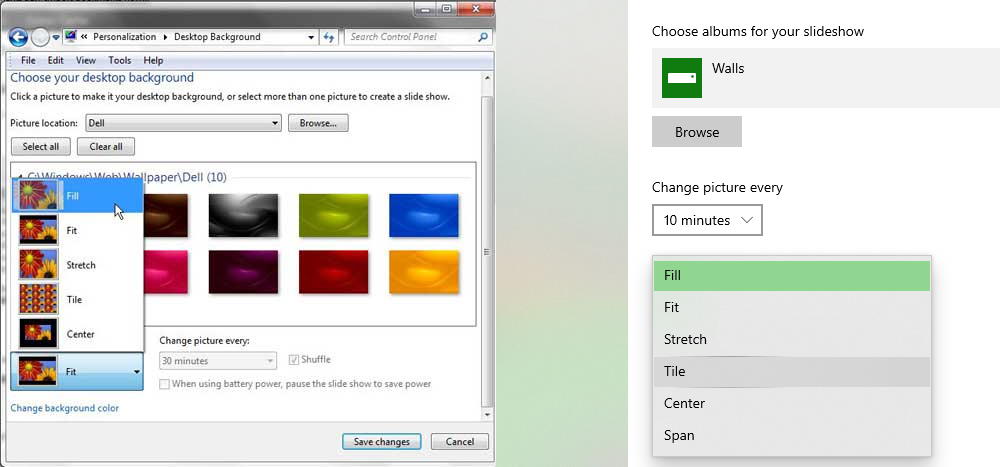
:max_bytes(150000):strip_icc()/ListViewMojave-5b871558c9e77c0057b844be.jpg)
Introducing Windows 11 - https://news.ycombinator.com/item?id=27619354