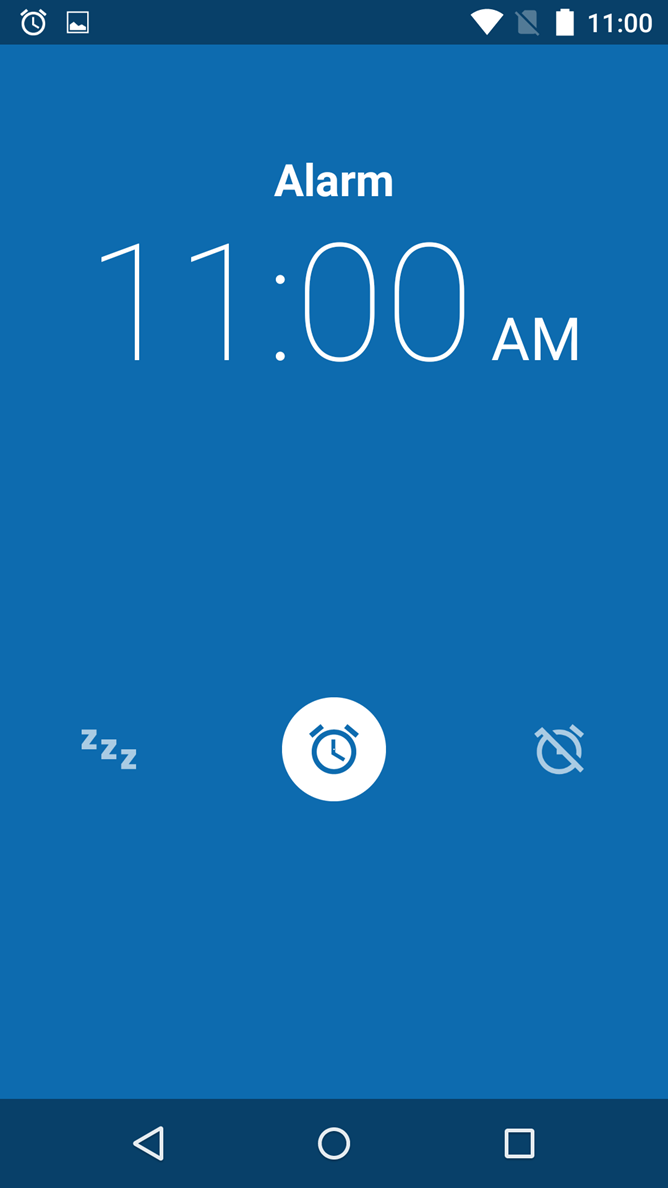
Why do giant companies do so many hilariously dumb things?
As organizational complexity increases, design debt and responsibility becomes diffused among larger and larger groups of people. Leading to the bizarre situation where no individual has power or responsibility over anything specifically.
Any individual interface element might have taken input from as many as 100+ different people over many years, each with competing interests and goals (no, I'm not joking). Combine this with the precedents and decisions made on projects in the past (design debt), and you end up with stupid outcomes like this.
As a multiple FAANG alumni, I've seen this firsthand hundreds of times.
I think it's cute that people think IC designers or engineers have the power to make any real decisions inside large organizations.
What's more likely, is these stupid icons were part of some design system somebody created 7 years ago (have to stay consistent of course!). The circular floating buttons were a precedent somebody set 5 years ago on a completely different product (god forbid it feels "off-brand"). The colors were set 6 years ago on some project where this kind of application was never thought of.
And finally, the order & placement of the icons was changed 15 times by some PM, then the PM's boss, then the accessibility guys, then the brand team, the brand team's boss, then the director of marketing, etc. etc. The tie breaking vote going to whoever is perceived as having more soft power inside the org at the time.
Hence, the inevitable outcome of big company stupidity.
> Why do giant companies do so many hilariously dumb things?
Implicit here is the claim that giant companies do hilariously dumb things a greater fraction of times than small companies, but I have seen absolutely zero evidence of that.
If you think the buttons in Gmail are bad, check out the UI of almost any site or app made by a randomly chosen small company. Doing things well is hard and doing things not very well is often sufficient. We take for granted that small businesses are kinda crappy at almost everything and yet still we get what we need done and the world moves on.
For example, my local luxury chocolatier is Theo. They have a very nice looking website. Take a look at the chocolate finder: https://theochocolate.com/chocolate-finder. It tells you to input a "postal code" which to most means a zip code (https://en.wikipedia.org/wiki/Postal_code). But when you type in a number, it tries to autocomplete addresses so you end up on some random street at an address that starts with your zip code. This is literally me picking the first small-ish business I could think of and clicking around for less than a minute.
We notice the mistakes of giant companies because we spend 99% of our life these days interacting with them and because the mean quality out of giant companies is somewhat higher, so the mistakes stand out as relatively worse.
> Implicit here is the claim that giant companies do hilariously dumb things a greater fraction of times than small companies, but I have seen absolutely zero evidence of that.
I don't think that's necessarily what is implied. Small companies make decisions with many orders of magnitude less resources applied to making those decisions, so we expect the outcomes to be significantly worse on average. If Google spends 100,000 times the resources on its decisions but the outcome is only 10x better than the output of a random small company, that is notable.
The real problem is that small companies assume that Google must know what’s it’s doing and that even though google is trying to solve different problems, the only right thing to do is try to copy them.
> They have a very nice looking website. Take a look at the chocolate finder: https://theochocolate.com/chocolate-finder. It tells you to input a "postal code" which to most means a zip code
It looks like Theo is a US company, so perhaps "zip code" is more appropriate but those of us in the rest of the world are generally frustrated by websites which present a form field which could be called the generic 'postal code', meaningful to anyone in the world, labelled as 'zip code', something which is specific to the US.
Looking at the Theo website, it appears they use BigCommerce, which is an Australian ecommerce as a service site, which explains why they don't use 'zip code'. Although, your usability complaint about the behaviour of the field absolutely stacks up and suggests they might be using the wrong form widget there.
Many many sites have these "it's more easier and also convenient I swear" finder pages that refuse to just give you a map to click on. Wanna see if you can pick something up there next time you're in $city? Better google for a zip code in that city.
In this way there are a lot of web developers making money preventing businesses from acquiring all of the customers who might be interested in them.
"It tells you to input a "postal code" which to most means a zip code" really? Get off your US centric view of the world my friend (which is often a UI problem in and of itself) only the US and Philippines use Zip codes.
While I think on one hand you're right, on the other hand I don't think it's really an error, because to end users the company is a monolithic entity, and the complex circumstances that led to something breaking for a particular user aren't important because at the end of the day their thing is broken.
Absolutely. Plus, and organisation can do dumb things because a single wrong person in the hierarchy of such a system can make a bad decision that takes hundreds of man years to undo.
The reason small startups can innovate faster than large enterprises is that they can’t afford to make stupid mistakes. There’s no such evolutionary pressure on enterprises, unless it until the scale of the stupid mistake becomes life threatening for the company.
> So, a company can do dumb things, repeatedly, also if all people working there are bright
> For large organizations, in a way, the whole can be less than the sum of its parts?
They can be, but I don't think it is inevitable.
By way of analogy, large herds of herbivores are arguably much stupider than the individual animals, while insect colonies are considerably more intelligent than their components. Packs of predators (eg. wolves) generally seem to be approximately as smart as an individual, at least so far as hunting is concerned.
Human organizations vary considerably and it isn't hard to come up with examples ranging from 'dumb as a bag of hammers' to 'smart as a whip'. Analogies to various mental illnesses may sometimes apply as well.
I think it's less of a moral narrative, and more to do with the way our brains process information - at a physical and organizational level, the human brain is like a series of stacked filters, cutting extraneous (or what our brain thinks is extraneous) information down to a size that can be interpreted by the higher cognitive functions within some acceptable limit of stress. The exact boundaries of what and how much information constitutes stress is different for everyone, itself produced by a learning process.
Throughout our lives the configuration and extent of these filters changes in response to stimuli, yet another series of feedback loops and filtering processes that exercise meta-control over the large-scale structure of our brains.
The end result is what you describe - people turn companies into singular, personified entities, because our lives are completely shaped by interactions with mostly-understandable people-units. Most people just don't have the mental model to process the behavior of multi-national conglomerates (I certainly don't) so our brains filter the incoming information (observed behavior) until it becomes something we can successfully process without too much mental stress (i.e. pretend it's a person).
> The end result is what you describe - people turn companies into singular, personified entities, because our lives are completely shaped by interactions with mostly-understandable people-units. Most people just don't have the mental model to process the behavior of multi-national conglomerates (I certainly don't) so our brains filter the incoming information (observed behavior) until it becomes something we can successfully process without too much mental stress (i.e. pretend it's a person).
IOW, humans have and apply a theory of mind to other humans, but don't really have one for corporations (or other large organizations which are composed of humans, but whose organizational complexity is somewhere between that of a slime mold and an ant colony), so we (mis)apply the human one to the group.
This is far from a new phenomenon (although large orgs used to be less common), and many people do have what amounts to a TOM for small groups of people, so at that scale we are much less likely to anthropomorphize, but above a certain scale it becomes inevitable, particularly since it is often to the advantage of various humans within the org to encourage and leverage that anthropomorphization to wield authority, evade responsibility, or both.
The interesting thing is that we have much less trouble seeing groupings of non-humans (eg. herds, flocks, insect colonies) as fundamentally different than their components merely writ large, with behavior patterns all their own. OTOH, we certainly still have a tendency to anthropomorphize both the individual non-humans as well as the groups, so perhaps with human organizations the problem is just that anthropomorphizing the individual humans would be redundant.
Organizations can be very consistent in their behavior as a part of their internal organization and culture. Treating a corporation as a Chinese Room is a useful abstraction.
I like how UK English uses plurals when referring to organizations. Rather than "Google is bad", it's "Google are bad", in recognition of the fact that Google is made up of lots of people.
That’s because it’s a single organisation. Just because it is made up of tens of thousands of individuals doesn’t stop it being a single entity.
You (and all other humans) are made up of thousands of bacteria and other specialised cells, but we don’t treat you as plural, although you are also a single entity consisting of tens of thousands of components.
> Why do giant companies do so many hilariously dumb things?
Because as they get bigger and hire more employees you inevitably move back towards the mean. There are only so many good designers and good PMs out there.
However, I would argue that the level of skill of any individual employee is made irrelevant inside big companies.
If Google pays 3X salary to get the best designer in the industry, it's completely wasted, because this person will be hamstrung by the much more powerful forces of bureaucracy and design debt.
If you place that same person high enough up in the org chart that they have power to make decisions...then they can't design anything amazing because they're just another manager attending meetings all day and not designing.
It's a catch-22. Hence why companies commoditize labor into pay bands.
You might as well just hire modestly above-average people at modestly above-average salaries who are easy-going and get along with their peers without drama. This is basically what most company interview processes are optimized for.
Maybe you shouldn't focus on getting 'the best person' on the correct place, but try to make 'the best process' for evaluating and improving UI/UX and mandate it's followed everywhere.
One of the projects at my workplace decided to document every design decision from all viewpoints including the final decision made. Seemed to help a lot against people arguing in circles and/or bikeshedding.
And that way lies large corporate Agile. All work becomes crap, because you can no longer tell the difference between good people encumbered by bureacracy and crap people using the bureaucracy as an excuse.
My experience is to manage people effectively, and apply just enough process for each person and job.
Process works though, because not everyone on your team is going to be an "A" student, and if you have 500 employees, you simply don't have the time and bandwidth to make a custom process for each person. There's wide ranges of ability at every company, even prestigious FAANGs and investment banks and pretty much everywhere. The great benefit of layering on heavy process and bureaucracy is that you can get homogenized, reliable, reasonable-quality, but not consistently outstanding, output from the A, B, C, and D players, without terrible risk that someone who doesn't know what they are doing (who every company has) fucks everything up. As the saying goes, every process you encounter is scar tissue from a past fuck-up. What you sacrifice with all this bureaucracy is the absolutely brilliant output you could be getting from the A players, but the cost is usually worth mitigating the risk of disaster.
You're absolutely right, and that's the reason large companies end up being so inefficient.
Eventually, some nimble whippersnapping startup who only hires "A players" eats the large enterprise's breakfast. But to satisfy the shareholders, the startup takes on more work and to cope with that work, they start hiring B players... and so it goes on the enterprise merrygoround.
There's no real solution, just different ways of playing the game.
> My experience is to manage people effectively, and apply just enough process for each person and job.
Sounds like you have a decent lightweight process-making-and-revising process. Most organizations don't. Instead, most organizations create processes mostly ad-hoc in reaction to some trauma, and then never remove them. It accumulates, like scar tissue that only ever gets thicker unless it is ripped away, which just causes different scars.
>As companies get larger and more complex, there’s a tendency to manage to proxies. This comes in many shapes and sizes, and it’s dangerous, subtle, and very Day 2.
A common example is process as proxy. Good process serves you so you can serve customers. But if you’re not watchful, the process can become the thing. This can happen very easily in large organizations. The process becomes the proxy for the result you want. You stop looking at outcomes and just make sure you’re doing the process right. Gulp. It’s not that rare to hear a junior leader defend a bad outcome with something like, “Well, we followed the process.” A more experienced leader will use it as an opportunity to investigate and improve the process. The process is not the thing.
“The best process” makes it sound more mechanical than you probably intend. I think you mean: “focus on propagating tools and habits which raise the quality of design conversations”
> mandate
The problem with mandatory processes is that people don’t take responsibility for the outcome of a process over which they have no power. Processes should be tools people can pick up to improve clarity.
Then HN would be a proper social media site, and by tradition we'd all have to start saying how awful it is, and endlessly post links to articles about us quitting it. /s
dang maintains a separate notification system for HN. It's been around for a long time, but not many people seem to know about it (only 2137 people are subscribed).
In the small group inside the large FAANG-adjacent company where I work we test designs pretty thoroughly with users to settle these kinds of debates/decisions. Surely we're not the only ones.
Many companies I am familiar with are "agile" in the sense that they work on a new chunk of the waterfall every two weeks; or just justify having NFI what they are doing on the business side by just slow dripping requirements over how much time/money they have.
Arguments over features basically yield to whoever has the most soft power, which is they you see the C suite so invested in the outcome of various features... it's literally theirs.
I think the mean arrives a lot sooner than that. The situation where PMs and managers and goddamn copy writers start changing the design is commonplace even in smaller orgs. If you hire a competent designer to build an accessible and attractive application, just let them do their job! If you want design by committee instead then just fire the designer and get on with it.
As a designer, feedback from a good "goddamn copy writer" is invaluable. If they can't succinctly describe the thing I've designed to somebody who doesn't already know how to use it, or they can't fit what they need to say into the spaces I've left for them, it's often a sign that I haven't designed it very well.
There are exactly zero good product/project managers out there. There are some really nice and good and capable and kind and talented people who have this label attached to them. There are some good product/project clerks. There are some good product/project directors. There are some good product/project evangelists. But no good product/project manager. The term is a pariah on the well being of teams and productivity and delivering the right product to the right people. Many peers have been placed in this position over the years, in every case, they've become less likable people because of it and we're no longer a net positive collaboration. In every case, they themselves were less happy and felt less about themselves over time.
Maybe some of you have experienced a good product/project manager (who wasn't really just masquerading as some other responsibility), but I stand by my assertion. My sampling of this "position" remains at zero good ones.
Your assertion is hard to engage without knowing the distinctions you identify between "manager", "clerk", "director", and "evangelist", and what it would mean for a so-called manager to be "just masquerading as some other responsibility".
They might hire the best developers and designers, but the internal politics get in the way of them doing their jobs. UI in particular is prone to antipatterns such as bikeshedding and highest paid person in the room having the final say.
Most first class work out in the world was not produced by teams of only extraordinarily talented individuals. Most of it is done by fairly regular teams who take the care and attention to do good work.
> Most first class work out in the world was not produced by teams of only extraordinarily talented individuals. Most of it is done by fairly regular teams who take the care and attention to do good work.
What you're describing is an extraordinary team composed of regular individuals.
In automotive, aircraft and many other industries, it's commonplace for them to manage multiple concerns and balance them more or less at the same level of importance.
Comfort, internal space, manufacturability, safety, and so many other aspects are carefully taken in consideration during the design phase. Trade-offs are constantly made in order to reach a balanced design. And that, for some reasons I can only speculate about, doesn't seem to be happening in the software industry.
For quite a long time, technologies advance way faster than our ability to fully understand their possibilities and implications. I believe it explains, partially at least, our current struggles.
> As organizational complexity increases, design debt and responsibility becomes diffused among larger and larger groups of people. Leading to the bizarre situation where no individual has power or responsibility over anything specifically.
This is extremely true in my experience, but how can you fight against this as an organization scales? Just simplify the org structure and define strict definitions for what each level is responsible for?
But then inevitably you have either overlap or conflict between these small teams, because one of them needs something that's within the other's responsibility. Larger structures necessarily form.
> Why do giant companies do so many hilariously dumb things?
Humans suck at dealing with complexity. Companies are semi-arbitrary globs of humans. Even an extremely small company has enough complexity that one person may not understand it all or make mistakes dealing with it.
The bigger question is, how does any company get anything done at all?
> Why do giant companies do so many hilariously dumb things?
When you have N IT specialists with years of intimate experience with a certain design paradigm designing stuff, it becomes extremely difficult to even consider outsider perspective.
How many working on laptops have touchpads that never ever upon release move the pointer slightly? Close to zero. Mouse people may not even know of this issue.
I just had an idea that might explain why this happens.
Firstly, I've observed a phenomenon when I talk to a programmer about a problem I want to solve. They might get excited, learn a bit of the problem domain and then go off and build something that kind of solves part of my problem. But then I'm stuck in a endless cycle of explaining the rest of the problem, to someone who isn't really interested, then waiting for a new iteration and then evaluating how it doesn't completely the solve the problem until the programmer gets bored and goes off to find something new and exciting to do with computers. Programming the computerwas always the end for them. They don't actually care about the problem. I care about the problem. So for me computers are a tool to solve my problem. I might as well write the program myself because it's less work to become a mediocre programmer than to intimately understand the problem.
My theory is that something like this happens in interface design. There are designers who love to create beautiful designs, and we love that, but beauty is the end of it for them. They don't actually care about the problem that the program (website, app, whatever) is supposed to solve. If they were stuck in a job filling out forms all day they would quickly learn the lesson to put the reset button out of the way. If they were intimately familiar with the problem, the better design would be obvious. And so it is that people with no "design skills" can point out the obvious mistakes of the designers.
It's also true that good design is hard. Starting with a blank sheet and creating something, let alone something good, is daunting. Perhaps the hardest part is having the humility to admit, "I don't understand the problem sufficiently" and the empathy to care about the problem enough to learn it well.
This is why in so many problem domains, especially outside technical problems for IT people, proprietary software is the only option, or the only complete option. The best way to ensure people pay close attention to those last areas of fit and finish, and make sure they get attention from people with the different sets of skills needed to do a good job in all of those areas, is to pay them. That means you need a really solid revenue stream, and initially need enough capital up front to get the project going.
I know, there are open source business models which work for some companies and that's true but generally in the sorts of technical problems for IT people. Compared to the IT industry as a whole those are edge cases. They seem more important to us embedded in the IT industry, but compared to the overall multi-trillion dollar global IT industry they're peanuts.
There's a third category: "enterprise" software, where the people doing the purchasing are completely disconnected from the people using it and the developers. This results in appalling UI disasters like Lotus Notes.
There used to be meme among my friends that we’d express how much a piece of enterprise software sucked by how expensive we thought it cost. For example, “Wow, this sucks. This must cost $500k a year.”
It was scary how close we got to some published prices.
This is why most linux distros have interfaces that are missing minor features and can be frustrating for users who don't have command line experience. For example, why can't I easily make a shortcut in ubuntu? Or how about the fact that you can't get full file paths shown in the default file manager, I often know what directory I want to get to but have to figure out what maze of folders I have to go through to get there.
> Or how about the fact that you can't get full file paths shown in the default file manager, I often know what directory I want to get to but have to figure out what maze of files I have to go through to get there.
Seems unlikely, given that in MacOS you could e.g.:
- Drag and drop the file into a terminal to insert the path
- Copy and paste the file into the terminal, which inserts the path
- Press Command+I to show a popover describing the path to the file
- Enable the "show path bar" option in the Finder's "view" menu, which will show a nice graphical representation of the path to the current location at the bottom of the window (which lets you copy the POSIX path to each item)
- For more advanced users, run the command `defaults write com.apple.finder _FXShowPosixPathInTitle -bool YES` to show the full path to the current folder in each Finder window title
Also in the same ballpark, you can right-click on the window title and see a dropdown with the parent directories. Which primarily lets you navigate to them.
Ah, and also if you alt-rightclick on an item, you can copy its path to the clipboard. Or you can open the ‘Edit’ menu with alt pressed and copy the path to the current folder. Apparently there's even a shortcut for this.
MacOS has been a pain for me with this; in some of the later revisions it's always a pain to get around to the right place. I don't spend time learning Mac in depth; I'm mostly a Unix person, using a Mac as just a terminal to the stuff I actually deal with (which mostly is web based or run on a datacenter somewhere.)
It's certainly fine if you work a lot locally with the Mac; but for me, the cost-effective thing has been to fumble around each time (since I only do this a few times a year) rather than memorize handling that I use so seldom.
The parent comment was complaining about that being impossible in Linux before the conversation switched to Mac. Which is it?
Also, nothing to memorize about copy & paste or drag & drop. I would say you’re used to Linux GUIs not doing what you expect so the obvious solutions aren’t even considered.
Where did Linux enter into it? I just don't typically use GUIs much, and I use the Mac GUI much more than I use Linux GUIs. But I've used command lines since I started with computers (before GUIs were common.)
> Also, nothing to memorize about copy & paste or drag & drop.
To a terminal. I thought Linux was the one where you needed to open a terminal to do basic things, yet from my experience it's usually MacOS that needs a terminal for such basic things as turning off mouse acceleration.
Windows also has a similar problem: The URL might not actually have the "true" path. It's so infuriating each time I try to get the path to my Downloads folder on Windows, and end up getting "This PC\Downloads". Please. I'm a grown up. Give me the real damn path...
Seriously, Linux has a lot of UX issues, but hiding the full path of files is a problem that plagues literally every single OS file manager. It seems that at some point, all the major OS makers agreed that users are too stupid to understand a file hierarchy, and came up with tricks to hide it.
> It seems that at some point, all the major OS makers agreed that users are too stupid to understand a file hierarchy, and came up with tricks to hide it.
And this is why I find myself mostly in the text shell.
Were I to go graphical the minimum I want is a simple address bar that I can override the current path with a specified path at will.
Maybe a tree view like in Windows 95 Explorer just to pretty things up. Some of the modern comforts like thumbnail images would also be welcome.
I wish they would stop insulting their users who have taken the time to understand the underlying technicalities of a file system. All this should be user-configurable in a good file manager. SpaceFM and PcmanFM come closest to what I've specified.
Hm. Cater to the 1% who have shown that they're able to learn complex concepts easily, or support the 99% who would rather not think about internals and use a computer as a simple tool.
That's not a difficult question. The only time it makes sense to expose the internals is if you build a specialist tool for people who like internals exposed.
This means that no, it shouldn't be "user configurable" either. You don't want a combinatorial explosion of states in your UI for a tiny set of users in the general purpose case, and you don't want to create a honking fat tool for specialists who'll only use the specialist path.
The computer industry is discovering what the mechanical tools industry has known for a while: You can build a general purpose tool that's simple & straightforward, or you can make a specialist tool.
Pretty much any specialist will be slightly unhappy with the specialist tool and modify it to their own requirements, but you can't build a specialist tool that makes even close to all specialists happy. The specialists will also continue to use the generalist tool if it gets the job done, but they'll complain every step of the way.
Being able to see the path in Finder doesn't seem like something that only 1% of users would want, though. I've seen "normal people" get very frustrated because they couldn't figure out where they saved a file. They saved it in a folder called "Documents", but they then tried to find it in a different folder also called "Documents". Hardly seems problematic to show the path to the folder.
I find this annoying as well, but it only happens when you use quick access shortcuts. And then once you're in a sub folder it'll display the full path in the title bar provided you turn on "Display the full path in the title bar" in the Folder Options.
Navigating directly to c:\Users\MyUser\Downloads will also show the full path in the title bar.
It seems some of these shortcuts have "special" behaviours in explorer.
According to https://superuser.com/questions/1362386/always-show-absolute... Windows does not mess up the path (yet) if it is a UNC path of the format \\Computer-Name\Users\MyUser so you can pin these folders to Quick Access to benefit from bookmarking folders while keeping the ability to copy folder paths easily.
In macos I don't have to edit random .conf files in system/application directories just to make my wifi work correctly. The graphical UI is configurable enough that I rarely need to modify anything outside of my normal user directories.
Where as in ubuntu the forums/stack overflow usually say "go to this file at /sys/whatever and write in this". Hence the need for full file paths.
Right, and I mean there's no way to discover that hotkey if you don't already know it, which is why requiring it for a common UI function is bad design.
I think the things you are complaining about are more personal preferences and being accustomed to Mac / Windows system.
> why can't I easily make a shortcut in ubuntu?
> how about the fact that you can't get full file paths shown in the default file manager,
Is it any worse than needing to find the setting to display file extension in windows?
I am on Cinnamon desktop as it's a bit old school and predictable (for people who have been around since windows 98). I right click a file and I have an option to create a link. And my default file manager shows the full file path in the address bar . So I don't think it's a Linux problem rather than a Gnome 3 problem. But I am sure plenty of people don't mind Gnome 3 (everyone else at my work used the standard Ubuntu desktop.
Thank you for posting this, a thousand times. It really clearly illuminates precisely why in open source the interests of the user and the developer are fundamentally differently aligned than in commercial software. Not miss-aligned necessarily, but differently aligned.
In open source the developer has the power, they get to decide what they work on and nobody can tell them otherwise. The best a user can do is post a begging letter in a bug tracker. It doesn't matter what the user thinks, even a majority of users, all they can do is ask.
In commercial software it's the user putting bread on the developer's table. The user feeds and clothes the developer's children, and/or pays for their supply of mountain dew. If the user wants something, bye and large they get it, or at least they have a pretty solid chance of it more often than not. A vote for a feature speaks a lot more convincingly when it's backed up by a wallet.
There's nothing wrong with open source or free and libre software. It's great, I love it, but a lot of it's proponents seem to think proprietary software is some sort of crime and genuinely don't understand why proprietary software dominates so completely in so many domains outside of IT infrastructure.
If you don't have the skills to make the open-source changes you want yourself, but you have the money to make it happen, there is nothing stopping you hiring a developer to build the patch that you need. I don't know of a reliable way to do that with proprietary software.
> there is nothing stopping you hiring a developer to build the patch that you need
unless it's accepted upstream, you've got an ongoing maintenance problem on your hands. getting an idea in isn't always just about time/resources/money. if your idea doesn't fit their 'vision', it won't be accepted, regardless of how much you have funded your feature. do you now take on maintaining a fork? sometimes the answer might be 'yes', but I suspect in most cases it's going to be 'no'.
I've worked for two ISVs who's business model was partly based on exactly this. Their customers would directly fund the development of custom features they needed. The first company developed cellular radio network planning software, the other developed business middleware.
And the decade-plus-old bugs I've filed on Google's various tools say what?
(I've given up either reporting bugs or, where at all possible, using their software, as it's abundantly clear my interests and theirs are not in the least aligned.)
How much did you pay Google? Thanks for lending support to my argument that paying for software is the best way to ensure the user and developer's interests are aligned.
You were specifically contrasting open-source and proprietary (commercial) software.
The Google model dominates the proprietary world presently, and even long-term shrinkwrap / clickwrap vendors such as Microsoft are shifting in whole or part to advertising-supported software.
What I pay for Google software is indirect, but given a roughly $100 billion global spend on online advertising, allocated largely among the world's richest 1 billion people, that amounts to about $100/year for the privilege of tools which frustrate rather than delight me.
As I've described in "The Tyranny of the Minimum Viable User", odds are strong that mass-market software of any stripe, including proprietary whether paid, subscription, or advertising-supported, will fail to address power-user / elite-user interests:
Some people pay for Google apps on a custom domain ($12/month exactly), but I don't expect Google to even answer the phone since that's small change for you.
At a certain scale (much smaller than Google's, probably already at about 100 customers) it's impossible to please _all_ users of your software, so you try to please the majority. And whatever you change, there will always be that 'one guy' whose workflow will break.
Good luck convincing a commercial software developer to apply the changes you want. It's rare that a company, commercial or not, changes software because of what customers want (marketing department koolaid doesn't apply).
Developers know best, even when they don't, because they're the ones doing the actual work. But in the FOSS ecosystem you have: i) the freedom to do the changes yourself ii) the freedom to offer help with design, documentation, ideas iii) a public bug tracking and issues manager
Let me know when you can do this commercially.
On a tangent: it is indeed a crime to use commercial software when there are libre alternatives; every use moves the needle one tick deeper towards Eternal September
> Developers know best, even when they don't, because they're the ones doing the actual work.
For me, a large part of the fun of being a developer is enabling others to do stuff they otherwise couldn't. As such we absolutely entertain feature requests and similar, and implement a lot of them.
When sales come back from a sales presentation laughing and telling of jaws hitting the floor, it's almost always due to features that started as a suggestion from one of our users.
Very often though the feature requests are trying to solve XY problems. Often there's a better route to achieving what the user wants, which almost always is some way of avoiding redundant work or other workflow simplifications.
Us devs often do know best when it comes to edge cases and limitations, and about other use-cases that this particular user haven't considered.
However most requests are born from something real, so we will usually inquire what the user is after, in an effort to determine the impact and alternate routes. I might even contact other customers who I know use that module or have a similar work flow and ask them what they think.
And based on that implement changes that make the program better not just for that user but for all our customers.
What do you mean by "proprietary" in this context? I believe that the availability of the software's source code to its users is unrelated to the fact of whether the actual development of such software is paid or not.
Moreover, free and open source software (free as in "freedom", not necessarily free as in "free beer"), makes it generally simpler for the regular users to provide input regarding the features they need changed. So, in a way, it also helps to achieve the goal you describe:
> The best way to ensure people pay close attention to those last areas of fit and finish...
>I believe that the availability of the software's source code to its users is unrelated to the fact of whether the actual development of such software is paid or not.
This is true, and I've seen that happen too, one of the companies I worked with would sell source licenses to customers, and as I understand it this was very common in the mainframe business going way back. The software vendor retained rights to sell and distribute the software though, that's what I mean by proprietary.
I've seen these arguments for open source and libre software before many times, but there's a huge discontinuity between the theory and what actually happens in reality. In the real world there are tens of thousands of small and large software houses producing niche software for diverse use cases for businesses all over the world. Hundreds of niche engineering design, test and optimisation applications, B2B services, audio and video tools, chemical engineering tools, automation and industrial control systems, booking and billing systems, here are an almost infinite variety. Most of them are only known to people actually in these niche specialisms. In that world customers paying for customisations is stock in trade, it's entirely normal. In fact the company I'm at right now is paying the vendor for customisations to our incident and change management ticketing system.
In comparison open source, outside nerdy IT oriented tech projects, might as well not exist. It's minuscule. Barely even a footnote.
> simpler for the regular users to provide input regarding the features they need changed
Don't get me wrong, a good interface needs to take user feedback into account. But trying to accommodate the union of all features needed by all users is a recipe for madness. Somewhere you need an engineer, PM, designer, CxO, or someone who can make judgement calls and decide which user needs are more important than others.
> proprietary software is the only option, or the only complete option.
If only that were true. I've watched a completely non-IT person work with both vanilla Gnome 3 and Windows 10; they found the former far more intuitive and unobtrusive (not looking at the individual apps, just the basic desktop UI). Proprietary design-by-committee doesn't necessary make for better solutions: hence the numerous complaints recently from people (often with accessibility issues) trying to book vaccination slots on government websites.
It’s always been notable to me that the thing that killed Flash wasn’t the wars with the usability community 20-odd years ago, it was the iPhone. People dumped these garish interfaces because a beautiful device came along that refused to run them, not because they were in many or perhaps most cases terrible for the task at hand.
I think a lot of the methodological knowledge built by usability people has probably been ignored in favour of a metric-driven approach these days. That approach is very good at identifying bottlenecks in existing workflows or deciding between two ideas, but ultimately lacks the empathy you describe. You can only really build that by engaging directly with users, and watching them suffer at the hands of your creations.
I've always felt it a bit weird that iPhones quickly became the norm for all designers I've worked with, them hailing it as a so great to use. While I'm stuck not knowing how to find stuff, it's always hidden behind some undiscoverable swipe gesture. The home button used to have 10+ or so different functions based on context. They way you touched the screen (click, long press, 3d touch or whatnot) mattered.
Do normal users know all this? Or do they just only use the 10% easy functionality of the phone and is happy with that? Maybe articles like "17 Things You Didn't Know Your iPhone's Home Button Could Do" is a sign usability has been sacrificed in order to have a clean&neat design.
I have a half-baked still-gooey thought about this, but it's really around the time of the iphone (and the take off of the smartphone) that discoverability got thrown in the trash. Search bars instead of menus became the primary means of interaction, and ironically you can only find something with the search bar if you already know what you are looking for.
Of course menus don't translate well to touch devices, and menu systems can quickly become unorganized junk drawers for functionality, but it feels like discoverability was never fully solved on touch devices.
As an Android user it's also a problem here. The settings menu got a Search feature a few releases ago and its a sad concession that people have no idea where to find things in the Settings menu.
And it also has the same problem you describe - you don't know how to find something unless you know what it's called. And even if you do find something, there's no breadcrumb trail to learn how to find it without using search. You have to look at what's on the current page and like some kind of reverse engineering sherlock, think about where a designer could possibly have put this page. It's insane.
I have never understood the hype about the iPhone interface. I had an early Android and I loved it. Then, for a year or two, I had an iPhone 4 which I got from work. I never learned to love it. It always felt a bit obtuse and like it didn't quite do what I wanted. I felt like the interface was sacrificing usability for a superficial sense of elegance and efficiency for smoothness of animations.
When that phone stopped working I got a decent Android phone and it felt so much more comfortable.
Actually, having 10% common functionality easily available for unsophisticated users, and the rest hidden but fast to access, is good UI.
Sure, discoverability is good to have, but it is not a failure that you need to be told about it as long as it only contains features useful to power users.
Requiring experts to undergo some training to make the most out of their devices is acceptable UI if the final interactions are optimized for their use; double so if it doesn't interfere with usage by untrained users.
Yes, but I just feel that I have to help my parents with the most menial of tasks, but even then I sometimes cannot figure it out without googling.
I wonder if it's kinda a stockholm syndrome or if it caters to one's ego somehow. After discovering a feature, one feels smarter / more connected to the device, compared to if it was actually easier to use from the get go.
Examples of such tasks? I gave my 65yo mom an Iphone a few years back and there were literally zero issues after the quick intro on how to launch apps etc
I wish my 71yo dad was as proficient as your mom. He doesn't remember anything he doesn't do regularly.
For example, he texts frequently but doesn't know how to check his email. Because I am the tech support child, he reaches out to me for iPhone help. However, since I am not an iPhone user, I always struggle and sometimes fail to solve his problem.
Perhaps this is a sign I have not dedicated enough time to learning this new OS in my family ecosystem, but I do feel it is the least-similar to the other OS's I have used. It's like if my dad was learning programming and asked if I'd help him with his Lisp program. No thanks.
Though maybe I am just a luddite and the universe is written in iOS.
Yeah. You are supposed to say "dumb, little ole me, look how smart this this thing is, hiding all this cool stuff...isn't that neat!" It fits well with the kind people our society churns out. Victims that blame themselves.
Interesting. I've worked in design orgs since the iPhone came out and in my experience it's always hovered around 50/50. Maybe it's an East Coast, West Coast thing?
I will say that when it first came out the direct manipulation of the iPhone UI was a qualitatively different experience compared to any other touchscreen for a very long time. Back then most Android reviews included caveats like "stuttery", "janky", or "low resolution", and these had the cumulative effect of spoiling the illusion of direct manipulation.
Today the gap is much smaller and easier to ignore, and the iPhone has added lots of hidden affordances like swipes and double, triple, and force taps to cater to expert users at the expense of novices.
How is it as the expense of novices? They were fine without it before and they’re fine without knowing about it now. But if they do end up wanting to do some of that advanced stuff, it’s one Google or friend-suggestion away.
It's a persuasive argument, and one I've used myself.
One danger is if the affordance is triggered accidentally. For example, my kids like pushing buttons and swiping when I wouldn't think to do those things and accidentally switch apps or enter into guided access modes without meaning to. In my case I occasionally trigger things like sticky keys unintentionally.
Another danger is if application developers start assuming that they can rely on users knowing hidden affordances and use swiping, double-tapping, force pressing, right-clicking, etc in the core application workflow. Not an Android iOS example, but last night one of my kids started playing Stardew Valley as their first non-tablet game. It has a steep learning curve since it relies on multiple different keyboard keys and on differentiating between right and left-click, whereas I wouldn't consider right-clicking to be a novice skill.
On Windows anyway, I think most users are very familiar with the right-click context menu. A lot of people don't even know the keyboard shortcuts for cut/copy/paste because they just right-click and there it is.
For complete novices, the first thing they do is click the mouse, and since there are only two buttons it doesn't take long to figure out that left-click is the primary button, and right-click brings up a menu with handy options (practically everything has a context menu in Windows). But with the Web, where context menus are rare, I wouldn't be surprised if it's not as well-known anymore.
I think you may be right about the web. It is not my experience that novices think to look in right-click context menus on the web, with the exception of text operations like copying text that you mention, and sometimes link actions. (I'm basing this off dozens of usability studies on web-based applications, it may be different for older windows applications.)
I have theories -- maybe it's because most web apps do not bother with context menus (outside of text operations), maybe it's because more people have developed their mental model from touchscreen devices where context menus are less commonly used, maybe more people are on laptops with trackpads that do not make right-clicking as obvious, maybe because there's no visual affordance indicating which onscreen elements have a useful context menu and which have the standard webpage context menu so it's a guessing game. I don't honestly know. But I am confident that if you place key functionality in a context menu of a web-based app that most novice users will not discover it on their own. As per Jakob Nielsen: "...be warned: less skilled users rarely use these [context] menus." [1]
Once end-users learn how to use your app (and therefore are no longer novices) then they seem to have no trouble remembering and using context menus, so it's a great way to expose expert affordances.
In the case of my kids I can also say that the Stardew Valley user interface (such as keeping right-click and left-click actions straight) has been the most difficult part of the game so far. And it doesn't seem like it was particularly necessary distinction to make -- there seem to be few cases where both right- and left-click actions are equally appropriate.
> [...] but ultimately lacks the empathy you describe. You can only really build that by engaging directly with users, and watching them suffer at the hands of your creations.
While that's the only way to build empathy, you should be aware (and beware) that it is also a good way to build contempt (as counterproductive as that often is). Many of the "dark patterns" probably originated that way.
Could you explain more? Most dark patterns seem to me to be metrics-driven tricks to maximise people accepting GDPR or spam opt-ins, or making additional unintended purchases etc. I don't believe they come from any sort of process of watching users on a task and talking to them. If you're saying that understanding your users allows you to better be hostile towards them, then yes, I agree, but that's bad user interface design by definition.
I mean I hat I've observed developers and designers who, when forced to watch users struggle, have the reaction "damn, they're stupid" and further that dark patterns are sometimes motivated by "I bet a lot of people are stupid enough to..."
There's a certain corollary effect to what you describe that perhaps applies to "modern" interfaces (both web and native desktop/mobile).
Concurrency is excellent as an idea for systems design but horrible for user interfaces. Nothing seems to provide a stable interface and some concurrent process considers it it's privilege to suddenly modify a list of things I'm choosing from .. resulting in the items shifting just a few milliseconds before I click or tap my choice, which results in the wrong choice. This shift happens not only in vertical lists, but also tab-bar style buttons.
To be precise concurrency isn't to blame for it, but it's more like laziness. The interface elements should be locked in place if the system detects that I'm about to select something. Whatever else is waiting to show up can wait, because I obviously didn't need to know about them a few milliseconds earlier.
> items shifting ... before I click ... results in the wrong choice
Or a window from a different app pops up (the app took a while to start), steals the Enter key press, interprets Enter as "Yes do [something]", and then does it (but I didn't want that!).
Why can't OS windows be click & mouse disabled for 2 seconds, after they open
I think at one time there were a number of designers who transitioned from the print/magazine/brochure world to the web. They tended to prize "pixel perfection" and aesthetics over UX and functionality. This way of thinking is fine for making static landing and marketing pages, but is very counter-productive when you are building user-friendly, interactive and responsive applications. This is opposed to people who are actual UX experts who know how to trade off asethetics with usability.
This mirrors my experience as a UX designer coming from the usability side.
Many graphic design refugees are interested in learning about usability, user research, heuristics, Fitts' Law, GOMS/KLM, etc. But it takes time and energy. I've found that some small companies with no established UX team start out gravitating to shiny portfolio examples and end up putting visual design (VX) folks in charge of interaction design which sometimes goes poorly e.g. https://medium.com/intercom-inside/the-dribbblisation-of-des...
"Too many designers are designing to impress their peers rather than address real business problems." This has its parallel with the developer world, where tech choices are made to impress the peer group (including those in other companies likely to be hiring you) rather than address the business problem at hand.
There certainly were, I worked with a bunch of them. They were all talented, came from print and shifted to web + print. My job was to turn their gigantic Photoshop files into hand-crafted HTML, usually tables to layout carefully cropped and compressed JPEGs, and form elements :)
Your comment makes me think of the distinction Simon Wardley[1] makes between Pioneers, Settlers and City Planners. The former are the ones who get excited by making something new (and not solving the problem), the latter are the ones who get excited by making sure things keep running flawlessly.
I do believe there are programmers for every category though.
Kirk McKusick had a similar metaphor around road building, with some people hacking a path through virgin jungle with a machete, some bulldozing the road, some paving it, some adding lamp posts, and some painting the lamp posts.
As someone who both designs and programs for the better part of his life, nobody is really safe from that phenomena. If programming and designing is communication this is akin to go "let me say something", sprouting an interesting point, leaving the inplied punchline hanging and exiting the room while ignoring the reaction. If it happens once, okay — if it happens all the time, maybe you should do something about it.
The thing is: both design and programming are more often than not messy when things get real, but every programmer wants to create clean and beautiful code and every designer wants to create aesthetical designs. Many intuitively perceive this "beauty" to be in tension with the complexity of the problem that needs solving. The goal of programming and design is however not to create beauty, but to solve problems and do so beautifully and clearly communicate these solutions, because it doesn't matter how beautiful your code/design is if nobody understands it. Beauty is the cherry on top that you get to achieve once the cake below is done, tastes well and puts a smile on the faces of all the party guests. If you are good you might already plan the cherry into the shape of the cake at the very beginning — but confusing the cherry for the cake IMO means you are either not there yet in terms of your profession or the thing is a toy project to try things out specifically — which is totally acceptable if everybody involved agrees and totally egoistic and shitty if they don't. Don't agree to serious projects you are not willing to commit to once the initial interest fades.
Really good designers are about integrating both usabilty and aesthetics in an iterative process, and do so in such a way the problem is solved, and solved beautifully, all while reducing the cognitive overhead needed by users.
And this cognitive overhead is really what should drive us. The work of programmers and designers is so beautiful/dangerous because it multiplies to a thousand people for a thousand hours. Our decision affect people on a daily basis. Removing a papercut might seem like nothing, but if it avoids irritating even ten other people who use that thing 10 times a day, isn't it the obvious thing to not half-ass on, not to toy around with?
Btw. Design that is only about aesthetics is something that I call "styling" maybe we need a similar word for programmers who toy around?
There's a research field called Semiotics of Human-Computer Interaction studying user interfaces from that angle. Developers usually have a technical background from maths or engineering, and often are not aware of the importance of linguistics in our field.
Both programming languages and GUIs are languages (artificial, sure, but linguistics also study those) which are used to write expressions that can be read by humans. Semiotics, the study of signs and their meaning, provide methods to analyze how users make sense of the software artifacts (products and tools) delivered to them.
One researcher called the user interface a designer's deputy, i.e. a messenger that conveys in its entirety a message that the programmers wants to communicate to the users.
This deputy must stand on its own, since it's the only information available to the user.
Users then perform sense-making on the symbols in the interface, to infer the meanings of all elements [1]. Notice that the user can't see what each interface element actually does, since they don't have access to the code; they can only guess what it does from the available symbols. If the symbols lead the user to infer an incorrect meaning, communication breaks.
I think you're missing a few steps in your development process, or at least one. Normally it goes like this: problem->solution->implementation->testing. Each step has a role associated with this: user->analyst->coder->tester.
If you go straight from problem to coder, you shouldn't be surprised that you don't have a proper solution, because nobody really made a proper solution. That's like building a house without an architect. Hire an analyst.
I don't know. The projects I got involved in that had an analyst involved tended to have reams of documentation for the obvious features, completely missed the non-obvious features and was wildly wrong in parts.
This is what agile was created to solve. It was an acceptance of the reality and an attempt to live with that rather than trying to bend it to your will.
> I think you're missing a few steps in your development process, or at least one. Normally it goes like this: problem->solution->implementation->testing.
There should actually be testing associated with every step:
Is X a real problem worth solving (severity or cost x frequency)?
Would Y be an appropriate solution (test a mockup, prototype, or stub UI)?
Does the Z implementation work (as in, not just does the problem get solved when Z is used, but does Z actually get used to solve the problem)?
If I know that the user changes what he originally wanted, damn right I give the thing to the user instead of wasting effort on perfection and edge cases that get thrown out.
I partially agree that designers love to create beautiful designs and they don't care about the products.
This is giving a false complacency to what outta be a tight intergration between design + developers with an oversight from the product owner. It is simply inexcusable. We're actively creating a culture of disregard/complacency/ignorance by not shedding light on this as a huge problem in UX/UI design.
I think the problems with creating a working solution run both ways. I’ve been involved in many design sessions where the subject experts didn’t understand how to make their envisaged product useful to their audience. It’s a common problem in programming as well, you can write code that performs well and is correct but the interface is such a mess that it’s completely unusable by anyone else. If someone is designing for beauty alone they’re caught in the same trap, the composition will work well by itself but its purpose will be unintelligible. Producing a good design requires working with all parties involved including the end users.
You literally described my job, I bridge the gap between design, code and make sure there is a thorough implementation of both, I have skills that overlap in those areas and so I can advise clients properly for any gaps that might have arisen. My bible is About Face : Interaction Design.
Haha, yes! And that book is pretty ancient. I think the first edition dealt exclusively with building Windows desktop apps because the web wasn't ready yet. It lays out some of the blindingly obvious UX axioms that a lot of devs just don't bother to think about. One of them is "hide the ejection lever" (a metaphor for the ejection lever on a fighter jet) for exactly the kind of thing MJD is discussing. Have those irreversible, destructive controls be present and findable, but really hard to click by accident.
I think my favorite lesson was their term "implementation-driven design" that I still see pretty frequently. It's where you build your UX to match your system architecture and is the opposite of "user-driven design". Like building forms that are just one-to-one with the database tables. It's why I cringe every time I see devs on hacker news saying they don't need managers or designers to build products because you'll end up with an implementation-driven design more often than not.
Speaking as a programmer who only occasionally interacts with design and considers himself largely terrible at it, reading "About Face" is probably the single book that helped the most to make me (slightly) less terrible.
It is always good to hear this! Especially the part about smart products and posture is very good to know by heart. So many apps still just botch their posture or completely forget the users intent and context (if they even consider it!)
This sounds like a flawed development cycle. Where's the end-user testing?
In defence of the developers/programmers, many people are really bad at explaining what they want, not least because it's often not what they actually need.
If a designer is designing something that looks good but doesn't work well (i.e., solve the problem), they are bad at usability/UX. They should be getting user feedback on their design before it's implemented - that's what user-centred design is about.
There's often a gap when it comes to understanding requirements - between the end-user and the developer, between the designer and developer, etc. Requirements gathering is actually a specialised skill and one of the key duties of a business analyst.
I think it's simpler than that, in this case. What OP is describing is essentially a *control panel* (a small interface of grouped inputs for common tasks). This is an artifact of engineering design, where physical space and materials are usually at a premium, both in construction and usage. Once you've designed and built your controls, that's it; there's no spiriting a secondary interface out of thin air.
However, with dynamic display-based interfaces, you can do just that. Much as I tend to loathe Apple's design, the way they handle iPad shutdowns is quite good: first, you press a button; then, the entire display changes to focus on this task. If you want to shutdown, you then have to perform an entirely different gesture to confirm. This layering of visual feedback and input types escapes the control panel paradigm and correctly takes advantage of the freedom that act lends to better communicate with the user.
Unfortunately, doing so often means eschewing standards and best practices to find a solution that should work better for users. That is extremely difficult to get right; it's not very surprising that designers would purposely decide to use a flawed but known model instead.
We need to get it out of our heads that designers only do things because they're visually satisfying. They are making purposeful and critical decisions to meet a design objective.
I think it's important to note that product lead, system architect, and UX architect are distinct roles, each with distinct responsibilities, for a reason.
It's not my job as a coder to care about your problem past what has been described to me. It is your job, as product lead, to care about the problem and design a sufficient information architecture, subdomain map, and other documentation to model your problem.
This goes both ways. It is not your job to care about my problems past how it impacts the product. I don't expect you to know or care about how we design the software or how it is implemented; whether we use snake or camelCase, if we use openssl or pgp, if we choose mysql or postgresql.
I just think it's important to outline that much of your comment can be applied in the inverse, and saying that "It's less work to become a mediocre programmer than to intimately understand the problem", is the same as saying "It's less work to become a mediocre product analyst than it is to intimately understand how to code".
I agree with your last point, it's important for every department to have humility and empathy for the problems of their peers. But, it's not a problem to be figured out by designers and coders; it's instead an issue that extends further and requires effort from everyone involved, and at every level, to support.
I agree here. I think a big part of the problem, even in big companies, is that those roles blur too much.
In particular, it is frequently the case where a product lead says something like “we need a way to...” and leaves the implementation open to discussion to all.
This often leads to a programmer, who is more deeply concerned with how that function will operate on the data, coming up with a “how about a button that...” and/or just implementing the button as a suggestion.
And then the UX architect and product lead, knowing that they don’t want to piss off this coder for fear of future pushback on their ideas, just caves and says “fine”.
That’s the most common scenario I’ve seen at larger companies. That, and having woefully inexperienced UX and UI designers in the first place.
I sympathize with what you’re saying, though I would like to point one thing regarding your first part: writing software is sometimes a way to wrap your mind around the problem and think about it. When trying to solve something new I like to start writing code early on because that gives me a canvas on which I can start drafting ideas. It’s more concrete than a whiteboard but can still be very abstract and flexible.
That’s how I identify what I understand and what I don’t.
I think partly it is because UX is measurable (“A is less usable than B and thusly bad”), whereas aesthetics are not (“different tastes”). A kind of means to escape personal emotional accountability.
The problem is also what we do with the ability to measure. Typically, we're making easy things intuitive, and difficult things impossible. This is exactly the wrong way to go about things, if you care about delivering value to users[0]. We should be making the easy things easy, hard things possible, and forget about the whole intuitiveness thing.
There's this widespread belief now that software is only good if a user who never saw it before can become proficient in it in seconds to minutes. I think this is one of the most devastating, dangerous ideas in computing. The only way you can achieve a learning curve like this is by removing almost all functionality from software - make it so dumb that it really takes only a minute to figure it out entirely. Sadly, this is what we see in mobile and web applications these days.
What worries me here is that we've conditioned everyone to assume software is immediately and fully discoverable. Nobody is expected to read the manual these days, and so manuals are not provided, and since manuals are not provided, any feature that cannot be made apparent without explaining it in the manual goes away.
(Even with kitchen appliances, the situation isn't that bad. When a person sees a particular appliance for the first time, they do read the manual, or get someone to show them how to operate it. Maybe it comes with the fact that buying appliances is expensive and overall a hassle, whereas software is too easy to procure?)
--
[0] - I highlight that condition, because it's my belief that most software vendors don't care about delivering value to users. They care about making money off users, and there are many cheaper ways to do that than creating a truly useful and ergonomic product.
> The problem is also what we do with the ability to measure. Typically, we're making easy things intuitive, and difficult things impossible. This is exactly the wrong way to go about things, if you care about delivering value to users.
Right. We're prioritizing learnability over usability.
> We should be making the easy things easy, hard things possible, and forget about the whole intuitiveness thing.
Whoa there... Another way of thinking about 'intuitiveness' is in terms of affordances. We mustn't throw the baby out with the bathwater. While it is too much to ask that every function should be obvious upon first seeing the UI, it is not too much too ask that every function should at least be obvious in retrospect after trying to use it or having it demonstrated, and of course leveraging affordances and interaction patterns the user is likely familiar with from elsewhere should be given priority.
> Whoa there... Another way of thinking about 'intuitiveness' is in terms of affordances.
Yes, of course. Thanks for bringing this up. I apologize, I went a bit too far there - what I meant was just "intuitiveness" in the sense of expecting people to be immediately able to work well with something they see for the very first time, with no explicit learning or training.
I also don't mean to ignore familiarity with UIs in general - yes, unless you have a good reason, it's a good idea to copy design elements users are well familiar with (if they're not completely insane, or dark patterns). This matters particularly on mobile and desktop. On the Web, everyone is used to websites looking different from each other, but there are still higher-level patterns (like footer with company info, "contact" link somewhere on the site, site logo redirecting to home, etc.).
I totally agree about affordances, and mental handles in general. "Obvious in retrospect" is a great way of putting it - once you know a feature exists, or used it briefly, it should be easy to find it again. Once you familiarize yourself with a bunch of features, it should be obvious where to find them, because they should fit a consistent mental model. In a way, it's the job of the UI - to let the user learn the correct mental model of the application, and how it manipulates underlying resources.
For that to happen though, you as a software team need at least to a) have a consistent mental model yourself, and b) design both "backend" and UI around that model. I think this is one part where we fail frequently, but unintentionally - the developers and the designers don't spend enough time ensuring they have a shared mental model. When this happens, you have UI that may be consistent with itself, but feels off when used, and every now and then you see surprising behavior or incomprehensible error messages - that's the "backend" model leaking out.
I *try* to make my software initially intuitive and gradually discoverable. I think a gentle learning curve is better than a completely flat one.
I thought quite a bit recently about the problem that you are talking about (diminishing end user value in software). I think the source is that we have a lot of devs and designers whose only experience is designing for maximized conversion rate or maximized engagement. As opposed to professional software.
They have no habit of designing for value.
And *that’s the culture*. Go to any awwwards gallery - all of the websites or webapps mentioned there are essentially ads with minimal content.
Which isn’t too bad, since it leaves a market untapped through the collective arrogance of the incumbents...
I agree and I think your ideas form a good model to explain so many issues we've been facing more and more often.
Some days ago I wrote here in HN about the change my stock broker made on their default home broker. It immediately becomes obvious that the people responsible for that design have never performed anything nontrivial with stocks. They created a symmetrical, colorful platform. The symmetry is enforced, therefore you don't have the flexibility of setting up your quote-boxes any longer (perhaps because that would break the artist's concept). Just to mention one of many issues the new design brought.
The same applies to the Google Meet example in the article. Functionally, you'd never want those buttons presented that way. But placing them like that makes them look nice and symmetrical and Gestalt-related stuff, so that's the way to go and deal with it, dear users.
> Perhaps the hardest part is having the humility to admit, "I don't understand the problem sufficiently" and the empathy to care about the problem enough to learn it well
I agree, but don't see that happening, not in the short term at least. I had an argument with a designer some time ago about how much longer the project was going to take and how her ideas were actually substracting value from a user perspective. But she ended the discussion with a "this project has my signature, my reputation is in there". And that's what my criticism against current UX trends is all about. Artist's concept trumps user needs, project maintainability and everything. They are investing all the resources on graphic design matters and this is obstructing the whole field.
Some UX folks argue that designers like those "aren't true UX designers". I agree, but those "false" designers seems to be outnumbering the "true" ones. The latter may eventually have to found a new discipline.
This is the kind of thing project-based courses ought to train programmers to expect: Yeah, you're a legitimately good programmer, but programming mostly comes down to solving other peoples' problems, so you can't rest on your laurels. There's a whole, wide world out there of companies that need bespoke software, and most of the actual effort in writing that code is ensuring it properly enforces the business logic of a business you know nothing about.
Therefore, in this project you'll be helping a professor from some non-CS department write educational software. You have to balance accessibility with pedagogical accuracy, as guided by someone who doesn't secretly know that some specific algorithm is the magic key to solving the problem.
There's a 2nd order problem, where the stake holder doesn't actually know the requirements until they see a sample implemented. "I'll know it when i see it" style. This is often the case, with bespoke software.
If the stakeholder has such a clear vision of their end result, they probably won't need you to help them implement it!
The single most important lesson I learned in any of my software engineering courses was to listen first, build later. And keep asking questions until you understand the full requirements of the project! So much time and effort is wasted when programmers build first and ask questions later, and the whole process is needlessly frustrating for everyone involved.
You're spot on re: humility and empathy. I see so much hubris in programmers/computer people thinking they/we can fully understand the world's problems, much less solve them.
This is a pretty lazy explanation of a problem, leaning on somewhat disparaging stereotypes like "nerds just want to nerd out" without even giving specific examples or looking at deeper reasons this might be happening.
For starters, what context have you even experienced this in? From your description it sounds like both you and the programmer (or designer, as the case may be) are just doing this as a side project. Of course there's not going to be the incentive to follow-up and do the hard work of finding actual product-market fit if it was supposed to just be a fun learning experience from the beginning. Did you ever communicate with them what your expectations are, what the end goal is, how much of a time commitment you expect, and was the other person on the same page and equally invested in it? Also, why are you expecting the programmer to both figure out the nuances of the product and implement it? What is even your role in this, what do you bring to the table?
It sounds to me like you did not communicate well or did not set expectations properly about this project, and now you're blaming the other person for doing a bad/lazy job.
You're describing me and my ''kind'' of programmers very well.
I try to make myself interested in your problems. However, most of them seem really ''otherworldy'' to me or are in a domain I don't care about about. I became a programmer because I like the art of the trade, and I keep myself interested by writing interesting code.
If the product manager dictates UI and UX design then they are the UI and UX designer and their title is meaningless.
But what I think you really mean is that people are often in a blame culture that strategically puts up responsibility defenses which distracts them from producing a good result and focuses them on red taping to cover their asses. It is quite possible in these organizational structures to produce absolute shit and tick all the boxes and get everything approved and make sure no one in the position of actually doing stuff gets blamed for anything.
Not saying that it's their personal fault that certain companies are that way, but it is possible to have some self respect and march back up to the manager and say hey this is shit and we should do a better design rather than waste time on this (ok, yes in a more articulate and respectful way) - if you think that risks your job then it's probably going to be more fruitful working somewhere else anyway. Disclaimer: yes I know real life has other restrictions that means not everyone can do this.
Architects - of the original building sense have a similiar misplaced emphasis problem being more about appearances and "advancing the field (read: novelty)" than functionality. Brutalism was an infamous example for making downright needlessly depressing buildings to live and work in that don't even save on maintenance in spite of eschewing ornamentation. Other fun foibles include putting the duct work on the outside of the building, the mold trap that is Fallingwater, and accidentally having a skyscraper melt a very fancy car with its glare before they had to sandblast it away.
It is kind of a tautology to say it but this hints at it being a human organizational social issue behind the pathology if it keeps cropping up.
I agree that good design is hard and often involves substantial work beyond just making something on the sheet.
> There are designers who love to create beautiful designs, and we love that, but beauty is the end of it for them. They don't actually care about the problem that the program (website, app, whatever) is supposed to solve.
They're essentially aestheticians, not designers. Yep, I hate them too.
I am beginning to think that hiring for enthusiastic programmers might be a mistake. Get on old cynical bastard like me. I just want to make my own life easy, and that means writing the easiest to maintain code that I can. Not trying out some new tech that has promised to solve all my problems.
I like that theory. It may explain why the Google Workspace (/G Suite/Google Apps) icons are now so indistinguishable. If one looks nice, why not make the others look just as nice?
This is exactly right. I also see this from programmer side-projects. The programmer finds a new cool idea, makes a MVP, then gets bored and moves on. Github is a holding yard for such things.
Nothing wrong with writing simple side-projects and moving on, that's an excellent way to learn. Not everyone can afford to donate a bunch of their time in maintaining a project for free, especially considering it's often such a thankless task.
The fact that the code is available means someone can fork it and make their own changes and improvements.
It’s not necessarily about getting bored. The research/experiment process can be the goal in itself. Not everything is about building a finite product.
Slight rant, but I feel like phone interface design keeps getting worse rather than better.
We don't have to go back to skeuomorphism of the old iphones, but whenever I use my phone I have no idea what's tappable and what's not. There's even this trend now of not making it obvious what's even a text box or what's not. It /looks/ nice, but it's infuriating to use. And then you have the weird gestures that are completely undiscoverable. Like pulling down from the top right to get the utility menu thing. I mean, yeah, I know it's there, but I never would have actually discovered that on my own. Also now there's this trend of just hiding everything to make an app look minimalistic and simple even though it's not. So I have no idea what it can even do when I look at it. And I /still/ have no idea how to properly line up apps side by side on my iPad. I mean I kind of do, but I constantly forget, and worse, once I do have them lined up, it's hard to get rid of them. It's all insanely undiscoverable.
I wish UX designers would realize it's not all about being pretty, you have to actually give people an idea of what things actually DO. All the clunky old interfaces with the bevelled buttons and huge scroll bars and stuff might have been ugly as sin, but at least they weren't a constant confusion.
I think this is partly why older folks often say something along the lines of "you young people are so /good/ at technology". We've had so much exposure that we've built up a mental model of how even non-intuitive / hard to discover things should work. Sometimes when I update my phone after a number of years or try and operate someone else's phone when they ask for me to "fix this problem" it's hard because of that exact problem, I don't know where or how to access the thing I want.
But it's not all bad; you can't put heaps of buttons on a mobile interface because of the limited screen size and lack of precision with pressing them, so some amount of 'magic' and hiding is necessary imo.
I thought about that, why was I good at technology relative to my parents? It was because I had no job, and little responsibility, so I had the free time to go through every single setting in the control panel and see what it did, or every single setting in my phone and poke around, and it was only after spending that time that I actually became 'good at technology.'
In contrast to my father, who gets off work and tries to do something with his computer and has an issue. It's simply faster for him to call me from my room and have me, whose invested tens of hours poking through all the pokable things already to solve his issue. Simply put, between working, commuting, being an adult, etc, my father had no real time to invest this time in pure discovery, when what little precious time he had as an adult had to be divied up in the most valuable way.
I see that now as an adult, free time is precious. You don't have the time to learn like you did as a kid, when you could just throw 8 hours at something. I barely find the time to play my guitar for a half hour a day between working and being exhausted after the working day. I can't imagine having to learn how to use a computer, at this age. I simply have no free time to invest in such with all the other things life throws at you to prioritize, and what free time I do have I'm mentally tapped at that point, and I fully expect in a few decades at this rate to become a technology dinosaur just like my parents and grandparents were.
Symbols on fuckin' telephones. I still cannot reliably answer telephones; growing up in a world where picking up the handset was to close that circuit and answer the call, the need to pick up the handset and then operate fucking buttons is still such a pain. I get it, there has to be an operation, because the phone could be in any position and any orientation at the moment of the phone call, being used for something else. But still.
These things have huge resolution now and the user can pick their language; would it really kill them to write words over the little icons? If in English, perhaps "ANSWER", "HANG UP", "MUTE" and so on, but the magic of words is that it doesn't have to be those exact words ("HANG UP" and "END CALL" are completely different sets of words yet in the context of a phone call, mean the same thing to almost everyone - magic).
Words. They carry so much information. So much. I know, people want to find some magic picture that carries full meaning to all cultures, but there simply ain't no such picture and there never will be; there's no shame in using words. Please. Use words. I'd even happily take them in a language I don't even speak, so long as it used an alphabet I could read (or even not - I can read some common software related words in Japanese simply through having sounded them out a few times). For me at least, words are easy; the ever-changing mist of icon-style-du-jour is not.
Along these lines, I admit with shame that lately I’ve been switching to airplane mode before looking up or modifying a contact, because it’s not obvious to me which combination of symbol-labelled buttons will do this without initiating a phone call. I feel old.
And don't get me started on trying to click on a missed call to either find out more about the number, access the voice mail or simply get rid of the "new notification" dot. I more often than not start calling the number although that's the last thing I want to do.
My favorite was UI of a smartphone where a Hangup button when pressed will end a call and will display a contact screen of the other party with a Call button exactly at the position where the Hangup button was. So when you are about to end the call and the other side hangs up first, at the moment you pressed the Hang up button, it has turned into Call button and instead of hanging up you actually start to call them back.
I'm in the "text or GTFO" team, and the opposite is an especially annoying trend in desktop webapps. My bank rewrote their UI to icons-only a while ago and it's complete shitshow. I randomly click around to go to the screen I want because icons are non-descriptive at all.
Having said that, text has an annoying feature of needing to be localized, and localization of button texts is tricky because you want a very short string, in order to not overflow, because you have very small screen estate on mobile.
(It doesn't also help that some native built-in components have APIs that show the icons only, without text)
This. It is confusin for me as someone who grew up with internet. We have a huge screen, use it. Geez. Forget about my parents and older relatives trying to figure out how to hangup. I miss the green and red buttons on Nokias..
There is no creativity any more. Everybody is too busy following apple
What I definitely don't want is four almost identical icons with nothing to tell me what any of them do, or swipe gestures that are impossible to discover, or (the worst) swipe gestures that expose icons.
And then, the absolute worst of all, the useless "upgrade" that offers zero additional functionality, but changes the location or design of all the icons of an app that you've already learned.
A few weeks after I got my first touchscreen phone, I had to google for how to answer it.
I had assumed you'd just tap the "answer" button, but that failed more often than not. It never would have occurred to me to swipe a minimum of 3cm, starting with the answer button, and I must assume this knowledge has spread to users by osmosis rather than discovery.
The accept button animates on most phones in the way you need to move it. But it's true that I've seen many first timers get confused, probably because of the inherent pressure that accompanies a phone call.
I'm on stock Android using the stock Google made Clock app for my alarms and I still sometimes need to double-take and make sure I'm not snoozing instead of turning my alarm off.
This[1] is what it looks like when the alarm goes off. (Swipe left to the "zzz" snooze icon or swipe right to the off icon). I can't always rely on muscle memory because I am not always consistent in which direction I put my phone down on the nightstand. This is not the best UI for a person who has just been woken out of sleep and still groggy.
There is also plenty of room to replace those three icons with "Snooze" and "Stop Alarm" buttons. Plenty of room even for multiple snooze buttons of varying duration. There is a downside to the button approach, though. I have one app that uses buttons to snooze or stop the alarm and I almost always touch some random one when I'm pulling the phone out of my pocket. That's why I like some apps that use buttons that have to be held down for a second or two to register for certain actions.
Phone interfaces are a minefield for me for some reason. It's too easy to accidentally push a button you didn't realize was a button when you were trying to scroll down the screen but pressed it too hard when you did so. I run into lots of pitfalls like this. I grew up in the era where the OS interface was a "READY" prompt, so I've seen most of the paradigms out there over the years. Nothing has annoyed me as much in recent memory as having a touch-sensitive interface on a slick, compact phone with rounded edges that I desperately don't want to drop.
There is a solution, but at this point, I think no vendor has the guts to apply it.
The solution is:
1) Publish Human Interface Guidelines that detail a rich set of standard gestures, how various tappable elements MUST be marked, and how they SHOULD be arranged.
2) Publish abridged HIG for end-users as a part of user manual for the device/platform. Aim for closed-world reasoning, i.e. the user must be able to build a mental model of, "if I can't see this functionality here, here or here, it does not exist", and not "it may be hidden somewhere else".
3) Tell app developers to stick to the HIG or GTFO.
I know, wishful thinking.
The decay started long, long ago. The other day, someone commented on HN with a link to a piece of old Microsoft WinAPI documentation, I think Windows 95 era or older, where there was a side note on window styling and "escape hatches" that unfortunately had to be built in, because marketers are marketers and desperately want to fuck up usability to put branding on things. Back then, platforms already gave away too much control over styling to software vendors (where originally this control resided with end-user).
You know, by the Win 95 era the GUI toolkits would take descriptive code informing what kinds of interactions you can have, and automatically add the correct markings and widgets.
It's interesting that nowadays, with all the work gone into sandboxes and frameworks, nobody seems able to do that.
Nobody cares to do that. Declarative UIs, where you describe what is being represented and what can be done with it, and the framework styles it up for you - these are desirable by developers and users, but not by people holding the money to pay for development.
The best phone UX experiences I've ever had was swiping/multitasking on BlackBerry 10 OS. I wish Android liberated it.
- Swipe from bottom to wake.
- Swipe from bottom whilst inside an app, peaks all open apps, once let go it fully minimizes the app. During a peek you also see the number of unread notifications on the left.
- Swipe from left to go back.
- Swipe from bottom, then to the right to access the BlackBerry hub, which aggregates ALL emails/IMs/notifications in a single list (can be customized into groups).
- Swipe from bottom left corner towards center hides on-screen-keyboard.
- Top swipe displays app specific option/help/misc links.
- 2-finger swipe from top revealed quick settings (wifi, flashlight, etc). No notifications here (they're in the hub)!
- Not swiping, but it had a clean, single unified location for all app notification/permissions/etc which feels much easier than Android.
I feel if BlackBerry released the Q10 2-3 years earlier we would have had a totally different phone ecosystem today. I still miss it.
> The best phone UX experiences I've ever had was swiping/multitasking on BlackBerry 10 OS
It's a pity more haven't experienced the useful aspects of BB10's interface (10.3.2 IIRC was when it received a much appreciated UI appearance update, fwiw).
I've tried Android, iOS, Windows Phone and BB10 is still my favorite. Windows Phone in particular was surprising in how unintuitive various of the gestures were in comparison.
As a side note, on their phones with a physical keyboard (which featured touch detection on the surface of the entire key array) text interactions were much improved. Finessing text selections was particularly easy compared to using the touch-screen. Double-tapping the keys (without depressing them) brings up the loupe and from there one can hold down Shift while gliding around the keys to adjust the selection, much like a laptop with a touchpad.
It doesn’t sound like most of those gestures are particularly discoverable though, which is sort of what the parent comment is complaining about when highlighting widgets that don’t look like widgets. There are lifesaving bits of UI in iOS for example that I didn’t know about for years, like holding the space bar to get directional control of the cursor. I like that it exists but I don’t feel that good UI can be something you not only have to be told how to use, but didn’t even know it existed.
They were discoverable, though. It boiled down to "swipe up from the bottom to go home, swipe down from the top for settings", and at first start-up it forced you to perform these two actions before setting you free.
Swipe left to go back worked anywhere (you didn't have to start from the edge of the screen) and dynamically showed the page being pulled off the stack, so it was super discoverable. All of the swipe gestures worked this way—"peek" was core to the interaction model because it made users feel in control, and let them cancel an action by just dragging back to where they started.
The two-finger swipe from top was only to bring the system quick settings while in an app (the two-finger gesture was also only added late in the OS's life, at the behest of power users); the quick settings were available on the home screen with a single swipe. While in an app, a single swipe brings up the app's settings.
The only non-discoverable gesture was swiping the corner of the keyboard to dismiss it, and it was also totally useless. The advertised way to dismiss the keyboard was by long-pressing the space bar (there was an icon showing this).
I suppose it was this bottom left swipe I was really picturing, and I will admit my experience of iOS colours my enthusiasm for invisible bits of UI in general. I can accept it's possible to have a small pool of gestures and still allow users to build a strong, consistent mental model of how to interact with a device.
A tutorial on first use is probably not enough to have most users remember the gestures or even just which options there are. Maybe spaced repetition would be a better approach.
There were really only two gestures you had to learn: swipe up to go home, and down for settings, and these are fundamental to using the device (so very hard to forget). Pretty much everything else came naturally.
On the home screen, swiping down gave you the system quick settings, and in an app it gave you the app's settings, so the two-finger gesture was just a power-user shortcut to the system quick settings while in an app.
Swipe left to go back was very discoverable, and worked differently than iOS or Android, because the entire OS was built around the idea of stacks of pages. Swiping left was just pulling a page off the stack (fluidly animated and cancellable, and you could start anywhere on the screen). There was also a back button on the left-side of the toolbar that you could tap to do the same thing.
Swipe up and to the right to go to the notifications Hub was also discoverable. The Hub was the left-most page on the home screen, so "up-right" simply combined the gestures into one fluid gesture; it was also totally optional.
Black and white low resolution interfaces were great exactly for this reason.
512 x 342 x 1 bit color created some pretty fantastic usability.
I've wanted a modern consistent, monochrome interface for a while as a general computing interface.
I've been looking at the e-ink devices for inspiration.
Forced contrast, forced visibility, it all has to be apparent. I've been hacking lua for this holy grail for about 6 years now, before that in perl, then in C since around 2001 or so.
I've got foot pedals, midi controllers I use for general computing, lots of little hacks. Multiple 4k monitors in portrait mode, lots of hacking with arduino sensor packs. Still not there yet.
Interfacing is the current limitation in computing. I've got 128 cores, hundreds of gb of ram, and no good way to use it other than the current paradigms. There's gotta be something better
I agree and think that a good chunk of the apps I use on an every day basis slowly get worse UI over time.
Spotify on Android is pretty awful at this point. Now I can't tap and hold to get to the context menu anymore, now I have to use the triple dot button. Why remove that? Usability is also pretty terrible. Why can't I load the list view of an album I have saved? What the hell. Same with entire playlists that I have saved and downloaded.
Snapchat (I wish I didn't have to use it, but it's the main for of communication a lot of my peers use) keep changing things constantly when nothing was every broken. Over the past three years, they've changed the order and number of tabs they have at least four times.
Google Photos on Android is also annoying separated IMO. Give me an order by date and an order by album/folder. Please just load the folder structure. I assume they do things the way they do to maximize use of their cloud storage, so it is likely intentionally awful for local images.
The official Reddit app is absolutely awful and slow. Reddit Is Fun (third party app) is, and always will be, my favorite Reddit experience. Clean and fast.
That was kind of ranty, but I just wish UI's were simpler on mobile.
It feels like at the same time they keep hiding functionality the add some very in your face ways of telling you about the functionality or soliciting feedback. "Hey we added a new feature", "Did you find this screen helpful?", "want to make the most out of this app?". Instead of thinking about UX rules and applying them I'm constantly in some sort of AB test or survey when I'm trying to get stuff done.
A couple of examples getting in my way at the moment, the android (or nokia) phone app added a full screen "call your favorite contacts with just one tap" image to the favorites screen. I could do this until they added the obnoxious message, now I have to scroll down to even see them. The other would be netflix constantly AB testing me on whether to show the next episode button or jump back to the home screen, just make a decision, the constantly shifting interface is worse than either option.
I often feel like I’m the only person who likes the sort of extreme skeuomorphism of Apple circa 2007: it wasn’t perfect, but it didn’t have the soulless corporate feeling of flat UI styles.
Skeuomorphism has the problem that everything looks like a photo - it doesn't advertise what's usable clearly either.
The problem with flat UIs is that they're also in the middle of abandoning any conventions on what's interactable as well.
Ironically Windows circa 3.1 and definitely by 95 had this nailed: is it greyed out? 3D? You can interact with it. Not 3D? You can't. 3D but greyed out? It is contextually disabled.
Simple and clear at a glance. What that interface got wrong was the MDI motif - multiple document interface never really worked as well as Microsoft wanted, although if they'd made the leap of making it tiling by default they would've got there.
The worst thing is the new dialer. It's bullshit. It took me an hour to figure out how to paste a phone number into the damn phone. Turns out, you hold your thumb over an invisible UI element and then the paste popup appears miraculously. I nearly threw the damn thing across the room when I figured it out. Throw in a box and remove that headache, although it won't be nearly as sexy I'm sure.
You definitely are not alone - I still love the old school Aqua UI. I just switched to Linux after almost two decades on Macs, and the primary reason I chose Elementary OS and Window Maker (I use both) is their somehow retro look and feel.
> Slight rant, but I feel like phone interface design keeps getting worse rather than better.
In my opinion, my interfaces are getting worse rather than better. I feel like a few years ago, a lot of the major companies hit a tipping point with UI optimization and realized a LOT of what they were doing was unnecessary (and perhaps even costing the business money). Anything that didn't clearly serve a purpose got removed - streamlining for a few core usecases.
I haven't seen iOS in a while, but it's sad to hear that it is going downhill. It seems to me that there's a bit of an echo chamber in phone UI: it's done, and reviewed, by heavy users, who already know how it used to work and take a lot of glitches in stride. Maybe I am trying too hard to explain why everything is two steps away from being good.
I recently got an Android 10 phone, from a vendor I had never heard of: Ulefone.
I was coming from a Sony Xperia compact running Android 8 - roughly the same hardware, except not rugged. I presume Sony polished Android a little bit more than Ulefone did, but even taking all that into account, Android 10 was full of shockingly bad UI "decisions".
First: the Do Not Disturb icon in the pull-down thingy is a but when enabled a appears in the top bar.
Second: Pulling down the pull-down thingy once displays a row of 6 icons with no labels. Pulling twice displays 5 columns of icons with labels. It takes extra planning to rearrange the widgets in 5-column mode such that I get the 6 I want in the first row but also a logical grouping in 5 columns.
Maybe these are Ulefone-isms, but whenever I trip over them I imagine how hard Steve Jobs would have fired someone who put this stuff in front of him.
Just yesterday, I wanted to make a normal voice call to someone I usually contact via WhatsApp. When on their contact page, I couldn't tell which icon would make a WhatsApp call and which would make a PSTN call. The WhatsApp phonecall option appeared with the phone's "phone" icon, and the PSTN option had no icon at all. Both had text saying "voice call".
Oh, and don't even get me started about my Android TV. FFS.
>And then you have the weird gestures that are completely undiscoverable. [...] I mean, yeah, I know it's there, but I never would have actually discovered that on my own
I noticed a lot of UI problems like this when my parents changed from Windows Phone to Android and I had to help them. There are a lot of small actions that make sense if you used Android in the past (since they've been slowly introduced) but are completely bonkers to anyone picking it up now:
- To reject a call, swipe the "Accept call" icon down (this one is particularly horrible);
- To enable Wi-Fi, bluetooth, etc. swipe from the top;
- To dismiss a notification, swipe it to the side.
Another annoying trend is buttons that look like text boxes. Oh. A white rectangle with a gray border? I guess I’m supposed to type there. Nope. It’s a button cleverly disguised as an input.
I wonder if part of this is a business problem, not a UX problem:
- most of those apps with the hidden interfaces have no business being on a pocket computer in the first place
If we stopped playing the game of maximising engagement, and returned to "practical usefulness" as the primary driver for application design, we'd probably make better apps.
It's for this reason that I only ever open my investment account on tablet or desktop. I'm much more comfortable with the full-size dashboard and more visible information architecture.
After having spent 10 years in the US nuclear navy, i am surprised at how many things are obvious in that organization that no one else seemingly has any idea about:
"When I came to Washington before World War II to head the electrical section of the Bureau of Ships, I found that one man was in charge of design, another of production, a third handled maintenance, while a fourth dealt with fiscal matters. The entire bureau operated that way. It didn’t make sense to me. Design problems showed up in production, production errors showed up in maintenance, and financial matters reached into all areas. I changed the system. I made one man responsible for his entire area of equipment—for design, production, maintenance, and contracting. If anything went wrong, I knew exactly at whom to point. I run my present organization on the same principle."
-Admiral Rickover, creator of the US Nuclear Navy
the hang-up button in between the audio- and video- mute buttons results from the lack of responsibility described above. any single person would agree this is wrong, therefor no single person is in charge.
I've always liked Apple's DRI[1] concept. You have a single responsible person who is the final decision maker about the [product | feature | initiative]. No more dodging tough calls and diffusing the responsibility over a project across 5 different PMs, 3 designers, 4 tech leads, and 2 executive sponsors, so that really nobody is responsible for anything. The buck stops at a single, known decision maker. Most company cultures can't quite manage to do this, as everyone seems to have to have this weird fractional "ownership" of some part of the product.
In addition to what you said, you need these DRIs to actually care. And they need a good mechanism for feedback since they’re not going to know what’s broken if everyone is afraid of harshly criticizing or even cancelling the entire product.
You need Steve Jobs at the top. What happens with DRIs today at Apple is complacency sets in since no one is complaining, feedback (demo days with Steve) is getting weaker and less threatening. And, shitty ideas get democratized and perpetuated since no one is there to put an end to it.
good question. In the US, the nuclear navy is basically a separate organization. they are still in the military chain of command, but the nuclear portions are all separately: managed, manufactured, repaired, operated, trained, audited etc.
It probably depends on how "sexy" the UI in question is meant to be. I've read that on submarines, every pipe that leads to the outside ocean has a primary control valve in one place, each with a physical handle that is turned sideways when the valve is closed. Thus, it is immediately apparent by looking at the valve array whether any valve that potentially opens to the ocean is properly shut before deep-depth dives.
I appreciate the OP's point. In fact, I accidentally hung up a video conference literally today due to pretty much this exact issue (no, it wasn't Google Meet). I even appreciate the colorful language and style of writing. Sometimes is just feels good to get one's frustrations out. However, allow me to defend the UI designers.
The thing the author doesn't seem to realize / acknowledge is that UI/UX design is about balancing enormous numbers of competing constraints and concerns. It's a human problem, and like most problems of this genre there is no "best" answer, only different sets of weights for different, often competing, concerns. Simplicity and ease of use are good things, but they are almost always at odds with flexibility and power...also good things. Do you make things bigger with more space so they're easier to see, or do you make them smaller so you can fit more things on the page? Do you use color so you can communicate more and catch the eye more quickly, or do you avoid that so that your app is friendly to colorblind users? (Yes, I know there are color schemes that can achieve both to a decent degree.)
These kinds of tradeoffs are lurking almost everywhere you look in UI/UX design, but this kind of nuance seems to be lost on the author. He only seems to see his set of priorities for a UI. Yes, there are plenty of cases where one thing is pretty objectively worse than another, but usually it's more subtle than that. I'm way more impressed with someone who can talk intelligently about the tradeoffs than I am with someone who fixates on something that very well might have been traded off and rant about it.
> It's a human problem, and like most problems of this genre there is no "best" answer
For this specific problem (Google Meet UX/UI) sure anyone agree with: don't put a destructive action that requires no confirmation (leaving the meeting) next to a common action (mute/unmute yourself). If designers don't get that right, sorry but they are not competent designers. It's like a programmer that, in order to "balance enormous numbers of competing constraints and concerns" decides to not escape user-provided HTML in the frontend. Well, that programmer is not a competent one.
Another classic case of this is your car's "key fob" buttons. You usually have three functions on three similarly sized buttons right next to each other: lock doors, unlock doors, and... SOUND THE DEAFENING ALARM. Really? Can anyone spot the one that doesn't belong next to the others?
On my key fob the alarm button is small, red, and inset into the side, and it requires a lot more force to push. I've never pushed it accidentally. On the face are Lock/Open trunk/Unlock, but it's not obvious that you have to hold the trunk button for two seconds for it to work (this is probably because you have to manually re-latch the trunk if you unlock it).
I agree with you about the tradeoffs and the importance of looking at the problem from all angles, but I would argues that this is clearly the case wher aesthetics won over usability, which should _never_ happen. It should be easy to visually separate the "hang up" button from other, much less destructive and more commonly uses buttons (especially "mute"), for example with some small amount of separating space. The only reason this is not done is that it "wouldn't look balanced" and designers would be unhappy.
In my experience designers are the worst people to hire for UX because they often sacrifice usability for aesthetics. Programmers fare a bit better (usable UI usually doesn't conflict with the code quality), still not perfect though. Casual users are probably best, with some education in usability of course.
Completely agree. And the thing I love about your comment is that even though you've found solid argument for why the OP's criticism was right, you articulate the tradeoff and explain why you think it was the wrong one. This is a dramatically more effective and compelling approach IMO.
If you happen to do design work and are looking for a job, I'd love to chat and see if there are any possibilities for collaboration. If you're interested, feel free to drop me a line at my username at google's mail service.
Zoom solves this problem by.... adding a confirm popup button. As far as I can tell they're the only meeting app that does that, I find it almost annoying most of the time but very useful when I hit it by accident.
That popup annoys me, because I never hit the button to leave a call by accident. It used to annoy me even more because there was a time last year when it was impossible to leave a call by keyboard only on Windows, because all methods of normally closing the window would trigger this popup, but you couldn’t submit that popup by keyboard. Now at least I can Alt+Q Enter or something like that.
(I confess that the first time I encountered this I opened Task Manager and found and killed a Zoom.exe process all by keyboard, just on principle. That was when I discovered that Zoom has two processes so that the main one can restart the call if the call process crashes!)
But you know one potential factor for my never hitting it by accident? They use text labels (“Leave Call” / “End Call”) rather than an icon. Much easier to get right.
It feels like one of those things where the context of the meeting/call should be taken in: was the scheduled time of this call for an hour and you've left 10 minutes in, maybe a confirmation dialog is more useful than when you've decided to leave within a few minutes of the finish time. Doesn't cover all the edge cases etc., but just observing that "the right UX" is super contextual and not a one size fits all thing.
Whether taking that context into account is a good idea is very debateable.
The more contextually 'intelligent' a system is, the harder it is for the user to model it, and ease of user modelling is often more important than reducing the number of interactions need to complete a task.
In this particular case, it wouldn't be possible to know if your keyboard sequence that quits a call would feature an unnecessary enter at the end or not.
I've often wondered why this kind of confirmation couldn't be conditional on the confidence that the click / touch was intentional?
As an example, my favourite pet peeve was using Visual Studio with old-school, upfront locking source control (like TFS), and then accidentally drag and dropping a file or folder due to lag in remote desktop, or a failing mouse which sent two click events in 1 ms or something. VS duly pre-emptively locks the 10k files in the folder you just dragged, and begins a 5 minute operation you'll have to somehow undo later, even though it should be fairly obvious from the click events that it was non-intentional.
Going back to the meeting example, surely solid, accurate taps in the center of the hang-up icon could be taken as intentional, but a kind of glancing, less accurate one needing confirmation?
That type of approach is the way forward in UI. Maybe if we call it something silly like MLUX it will catch on sooner.
Another instance of the same principle is that if an unexpected button/element appears and I click it in <30ms or whatever the fastest possible read+react time is, the click isn’t intentional and should be ignored or confirmed. This should scale over time based on user familiarity and speed.
This culminates at:
> as the technology became more sophisticated the controls were made touch-sensitive - you merely had to brush the panels with your fingers; now all you had to do was wave your hand in the general direction of the components and hope. [HHGTG]
Doesn't fix the problem of accidentally turning your video on when you meant to shut the call off. I've taken plenty of calls in places where it'd be more professional to keep the video off (especially when outside home)
> The thing the author doesn't seem to realize / acknowledge is that UI/UX design is about balancing enormous numbers of competing constraints and concerns. It's a human problem, and like most problems of this genre there is no "best" answer, only different sets of weights for different, often competing, concerns.
To underline this point, I think in general design suffers from a lot of bikeshedding at tech companies. There are likely many designs tucked away in discarded files that addressed this specific pain point, too, but were discarded at the request of some PM, or manager, or director. Then there's the process of user testing and experiment design that is used to validate UI/UX of products like this. This design may have actually tested well even if it wasn't the team's favorite... I've worked places where that data is used to override a designer's opinion.
Now apart from all that of course, Occam's razor probably applies as well I guess... perhaps this bit of UI was just poorly designed. But I see a lot of chatter on HN regularly about design being superfluous, subversive, unintuitive, "bad" when really I think many (most?) designers are unhappy with the designs that ship out as well.
There’s also the issue of trying to balance what you know to be good vs the desires of the person actually paying you. Fighting this directly doesn’t get you very far (you’ll most likely be replaced by someone more pliable) and some people cannot be convinced of some things.
Everyone and their mother has an opinion on what they think is good design. I am thankful that as a developer I am not having to fight over pixel pushing.
I think the trade off here is that if you don’t put the end meeting button there, users will get frustrated because they can’t find the end meeting button.
Off-topic, but I'd like to give this line of thinking a name some day:
> this particular problem is apparent even to a blockhead like me
> So it must be extremely obvious
"I'm not an expert, and even I can see that" sounds reasonable, but it's often used to disagree with experts. Whereas it's not unlikely that while it may look obvious to a layman, someone with more familiarity with a problem might know about non-obvious trade-offs that come with the "obvious" solution.
All of which doesn't necessarily relate to the article, the rest of which I'm going to read now - I just found it interesting, and wanted to share.
There's an aspect of UX design that is obvious to users and not obvious to programmers:
Not all UI elements should have the same visual weight
If you have 3 buttons, probably one of those buttons will be pressed 80% of the time, and the other buttons pressed less than 10% of the time. How do you style those buttons?
As a programmer, we like to think of the three buttons symmetrically. We want all the buttons to look the same and behave the same, because then they're easier to style and easier to reason about. Our instinct is to make a button class and then place all the buttons next to each other in a nice neat table.
To a user, the three buttons are different, and it should be obvious which one is the button you're expected to press most of the time. From the user's perspective, "Submit form" isn't really the same type of UI element as "reset form". The submit button should be big, bold, colorful and obvious. My eyes should naturally settle on it. The reset form button (if it exists) should be small and non-obvious. Its an advanced feature. It should be out of the way and most people should never notice it.
My email compose window has this problem. It has 3 buttons - "Send", "Save Draft" and "Discard". When I'm writing an email, I'm not choosing between 3 equivalent options. I hit send about 80% of the time I type an email. Once I've written an email, if I visually hunt for the obvious button on the screen, my eyes should naturally settle on "Send". Styling should make that obvious. But no - there are 3 buttons I have to choose from. They're all next to each other, and they're all styled in an identical manner. The interface makes users actively hunt for the "Send" action. This is bad UX.
This post cracked me up. The follow up post to this is just as good.
When I first started developing software in the mid-late `90s I bought a book published by Apple called "Apple Human Interface Guidelines". I expected it to be a very technical book, but it felt more like an 5th grade level school book with lots of cartoonish illustrations and very simple language. At first I was very disappointed. I sped through it and felt I'd learned nothing.
After a few days I picked it up and went through it again. It only took about 10 minutes to read it. It explained how the GUI widgets were based on UIs that people were familiar with, like the old Radios in cars with push buttons that changed the radio station and check boxes used on printed forms and then it began to dawn on me just how brilliant that design was, and how well that book was written. So well most any 5th grader could understand it.
In my own software I've been tempted to use one of the many "Icon" galleries we have to choose from now but decided not too. I opted for simple links and buttons with short but descriptive words, like "Preferences" and "New Document" and "Reports".
There are icons for all of those, but my users don't need to learn what those stand for, and really don't want to. It's silly for me to expect them to learn the purpose of an icon in my app when every other app they use might implement them for a different purpose.
Sometimes "a picture is worth a thousand words" is not a good thing. Sometimes just a word or two is a lot better.
Shouldn't the submit button be obviously on the right? It's an operation that goes forward in the procedure, in time, like the x axis the process should point right.
Do all web forms have a left aligned button by default? I just realized they do on HN but if you'd asked me 5 minutes ago I'd have told you it was on the right.
I'm surprised to see so many people insisting that the submit button should be on the left. Next time you get a dialog box (or equivalent) on a platform that has user interface guidelines, pay close attention to the button placements. You'll find a preference for right-aligned buttons.
Windows: "Right-align commit buttons in a single row across the bottom of the dialog box, but above the footnote area. Do this even if there is a single commit button (such as OK)."
Mac: "Any buttons in the bottom right of a dialog should dismiss the dialog. An action button, which initiates the dialog’s primary action, should be farthest to the right." (Also noteworthy: "Separate destructive buttons from nondestructive buttons.")
Not necessarily. Having the submit button first means it's the first action the user sees since most people (at least Westerners) read left-to-right. However, your reasoning with having the order the opposite with the submit button last is spot-on.
No specific advantage has actually been attributed to either choice of order. What matters is (1) keeping the order consistent throughout an application, and (2) following the provided style guide for the platform you're developing on.
(Also, the order may need to be changed if the primary action is destructive, such as a "Reset" button.)
> (1) keeping the order consistent throughout an application
Not even just an application. The whole phone needs to be consistent. Every app in it. Otherwise it's just repeatedly discovering and forgetting how to use each and every app's unique interpretation of what their average user wants and what their average user thinks is intuitive.
I mostly agree, and that is why I mentioned that you should follow the general design guidelines for your respective platform. However, when creating a web app, general guidelines are more "implied."
The biggest reason why consistency is more important than following platform guidelines is for cross-platform apps available on multiple devices that have different platform design guidelines. It's obviously not feasible (and I would argue not user-friendly either) to switch the order of action controls for the same app on different devices, especially when the app is available via a web interface as well as native.
On the left it's more linear, rather than tucked away in the far-right corner. It seems more natural to me.
For example I would think this makes much more sense:
  Name                 [arp242                 ]
  Email                [arp242@example.com     ]
  I have a HN account  []

                       [Submit]
To:
  Name                 [arp242                 ]
  Email                [arp242@example.com     ]
  I have a HN account  []

                                        [Submit]
In the first example the "Submit" is aligned with what you're filling in: Name, email, that checkbox, etc. Your eye will naturally fall to the "submit" because that's the next in the series.
This also works much better if you put the labels above the inputs:
  Name
  [arp242                 ]

  Email
  [arp242@example.com     ]

  [] I have a HN account

  [Submit]

                   [Submit]
If you click (or tab) through every one of the inputs one-by-one then you'll end up on the "Submit" if it's on the left, but you need to jump to the right if it's placed there.
And people read things from left-to-right; I find left-alignment almost always more natural; this is why most navigation sidebars are also on the left (which is often also inverted in websites using right-to-left scripts).
It's even worse if you also place a reset button; I would imagine more than a few people in a hurry will accidentally reset forms if it's placed on the left and has equal prominence to submit. Aas the article already mentioned, you probably shouldn't have a reset button at all, and most forms these days don't.
Anyway, I think "it goes forward in the procedure, in time" is overthinking these things too much in too abstract terms. Just put things where people's eyes and mouse cursor will naturally go for these kind of things will get you a long way.
All of that being said, consistency is also important, so if there's a system/platform where things are consistently on the right then sticking to that is usually more important.
Having actions on the right is more natural - this is reinforced by the UX of mobile devices we all use every day. Tap and we flow forward, to go backwards, we go left.
Like spoken languages, the language of design changes over time, and what used to be normal can be quickly outdated (like the reset button on forms).
A desktop computer is not a mobile device though; there are different sensibilities involved because pretty much everything is different. A lot of UX regressions from the last years come from this mistake.
What is more "natural" is a pointless discussion anyway IMO; I regret phrasing it like that and I wish I could edit it. As I said, the key is to put things where people's eyes and mouse cursor will go, and that's rarely a "jump" to an entirely different place on the screen (on mobile this problem exists less because the screens are small). While it doesn't matter too much on narrow forms (less of a jump), on wide forms it's a bigger issue (or if it's placed to the right of the form inputs take).
Having been conditioned on Windows since my childhood (like nearly every person out there), I would be very weirded out if the Submit button was on the left on a desktop.
Whichever is chosen, just make it visually distinct from the other buttons, and be consistent, and I'll be content (if not actually happy, depending on which one matches my opinion).
Entirely agree - left to right reading direction, the last thing you want to do is submit the form.
Having it on the left, imo, people might look there first but continue to scan to see what the other control is.
When you finish reading a sentence of text in a paragraph, you certainly have the last word of it stick out, how is this different?
It's a leftover from windowed UI design. In an OS level window requestor, the "affirmative" button is traditionally on the left, and the "negative" button is on the right. Progressive UIs were not common, except in wizards.
When forms were implemented, it was important to keep the behavior consistent with what people experienced in their OS.
Now that we have touch phones, the situation has changed, but the best practices have not.
No, it depends where you are aligning things among other considerations. But if your form follows the typical "F" pattern, then putting the button where the user's eyes are is the logical step.
The notion is probably "first/common choice on the left." However, I get what you are saying about the go-forward context but that can change based on your language RTL vs LTR.
This is a classic challenge in interface design: this confusion pops up every time you have a button which both toggles state AND represents the current state of the world.
It's rare to see it solved cleanly. I try to avoid interface elements that attempt to combine these two roles entirely.
I quite like the way the Twitter "Follow" button works: when you click it the text changes to "Following", which I think is just clear enough, but only because it's a button that every Twitter uses frequently enough that they are likely to remember how it works.
That's why I actually like the "split pill" style toggle for a binary choice like that, where one side is clearly pressed and engaged, and the other side is clearly up and not engaged and waiting for a user to click it.
First thing I do on every new Mac - remap the Cmd+Q command that closes all the things (one fat finger away from Cmd+W which we all use daily) to something harmless, like invert colors. lifesaver.
I've never actually had the Cmd+Q issue with my browser because Chrome overrides the system Cmd+Q, popping up a message to hold it if you want to actually close the browser.
I just check with Firefox which he was complaining about, and while it doesn't do this, it at least by default prompts you to confirm you want to close multiple tabs which should hopefully prevent you from quitting out by accident.
idk how true this is, i use chrome myself and i had the Cmd + Q issue once before deciding it was a stupid shortcut and i never wanted to ever think about it again. that was like 5 years ago
> In particular, don't put "close this window" on control-W and "quit this application" on control-Q. I'm looking at you, Firefox.
Oh man, I actually remapped quit on Firefox because this bit me too many times and Firefox kept removing ways to confirm quit. I will die on the hill that "confirm quit" is the correct behavior.
(I have, in fact, died on this hill enough times I may be outing my HN burner with this comment.)
My favourite is editing crontab (the scheduler on Linux). It's -e to edit the file, -r to delete all content from it with no confirmation dialogue or anything. I fell for that twice already.
I can't imagine how often you need to delete everything from a file without using a text editor. I'm sure it's not that common that you need to give it a one-letter flag (instead of --remove or --delete) and put it right next to the fucking edit flag.
Or no flag at tall to replace it entirely with the stdin contents. How many commands are there that completely destroy all the data they can access if you call them without parameters?
I really wonder if there is any script on any distro that uses this behavior. Most distros did go into the sane "let's split the crontab into many files" option.
> In particular, don't put "close this window" on control-W
Right — Control-W should always¹ be ‘erase word’. Windows/IBM really mucked things up by stealing Control for GUI operations (among other things like conflating Tab with Next-Field because they're the same thing on punch cards).
¹ Okay, ‘end of transmission block’ is also acceptable.
Pictures are nice. And I get that they are maybe easier for i18n. But if it isn't completely clear what the picture is supposed to mean (and everybody seems to like their own) then it understanding what the heck to do can take some time.
I value my time.
I'm still looking for the "back" button on my Apple TV. I seem to be easily able to touch something that takes me to some unknown place and basically have to start over.
In a word, I would tell the FAANGs: don't re-invent UI. You're simply not good enough at it. Simple, repeatable and ugly is much preferable to confusing and pretty.
Credit to the author for admitting he doesn't really know UX. And he does have a point about the importance of differentiating destructive actions from non-destructive ones.
Determining which those are can be really hard depending on how your users use your app. And won't always be universal. The example of the "commonly used" closed window versus quit app... the destructiveness of the former is equivalent.
When one is a common action and the other causes more pain when performed accidentally, it's been more helpful to add an option to ask if that was the intended action than to retrain now-generations of users on keyboard commands. Cmd+Q/Cmd+W have been used this way since I was in diapers.
The destructiveness of "close tab" is not equivalent. Control-shift-T will instantly undo the close-tab action. And there is a menu item that lists "recently closed tabs".
Try finding the menu item that brings back the app once you've quit.
> The destructiveness of "close tab" is not equivalent. Control-shift-T will instantly undo the close-tab action.
And every browser has a way to reload tabs from the previous session. Both are equally destructive if the tab/s had state you were not finished with and don’t preserve that state when reopened. At least quit can be guarded with an “are you sure?” prompt out of the box.
> Try finding the menu item that brings back the app once you've quit.
The um... Dock or Taskbar or Start Menu or Spotlight or every other thing people use to launch apps every day?
One of the most annoying things about Firefox is its limited reopen close tab implementation: I’ve gotten really used to Safari’s behavior here and is really irritates me when I can’t reopen the last tab because it triggers whatever Firefox uses to reset the history.
Speaking of Safari having good UX around undoing state changes that I miss in other browsers: why can a website put a navigation in another tab, but I can’t press back to get out of it in any other browser? (Safari’s implementation isn’t perfect and I can think of ways to improve it, but a simple “yep I didn’t want to go here” should be just as effective if the website specifies `target` as when it doesn’t.)
It's funny when you compare the two (and I'm pretty sure I've accidentally restarted a timer that I meant to stop because of the muscle memory I have around alarms), but it makes sense to me.
For alarms, the biggest, most obvious button absolutely must be snooze, not stop. The plausible harm caused by accidentally stopping when you meant to snooze is very high: you miss an interview, final exam, court date, or are late to work one too many times. The plausible harm caused by accidentally snoozing when you meant to stop the alarm is orders of magnitude lower -- you are embarrassed when the alarm goes off somewhere quiet, maybe you get kicked out of the movie theater.
For timers, 90% of the time, you want to stop the timer. Another 5% of the time, you want to start the timer again for a different amount of time. (How often do you put something in the oven for 35 minutes and then discover it needs another 35 minutes? Usually you just need a few more minutes.). Only occasionally do you want to restart the exact timer you just finished. It's a nice feature to have, but it's appropriate to make it subtle.
IMO for the alarm app, the stop button is too small. Probably once a week I think I've hit stop and then I'm brushing my teeth and hear my alarm ramp up to 100% volume in the next room, to the chagrin of my neighbors who work nights in the adjoining thin walled unit.
This bothers me as well and I constantly end up snoozing my timers! I can only imagine the reason it’s not fixed is that some people will complain that they reversed the buttons in their app!
My biggest problem with the design of Google Meet is that the buttons are horribly inconsistent.
The big fat red phone button means "click this button to achieve the state that is depicted on the button (hung up)".
Okay, so good so far, by clicking a button, you get whatever is pictured on it. Makes sense.
One would thus think that similarly, a picture of a muted microphone on a button means "click to mute" and a picture of an unmuted microphone on a button means "click to talk" and this is backwards from what they actually mean.
To be fair to Google, though, this is a cultural problem. The mute and camera buttons depict the current state in basically all telephony applications (see Skype, Zoom, Discord ...) and the red "hang up" button is also the expected form.
Yes, it's a bit inconsistent, but I can see why they make the buttons inconsistent within themselves rather than breaking user expectations.
Or alternatively, make it a toggle on/off switch with a LED light sort of indicator, which would be super clear without localization because that's how mic on/off switches are in the real world.
This happened to me just the other day and the post encompasses my exact feelings.
I was sharing my screen, then using the chat, muting, unmuting, and eventually went to unmute and was jacked out of the call, with not even a "Hey, are you sure you want to leave?"
Totally agree. In fact, it is one of my biggest issues moving from Linux to Mac (which is supposed to be oh so good about UX/UI). Fortunately there is a hack where you can map the Command+Q to something less malign like "invert the colors on the screen" so I won't accidentally kill the whole app when intending to only close a small part of it. I just wanted to disable it, but well at least inverting colors is reversible.
Having a dedicated keyboard shortcut for Quit made a lot more sense when it was something you’d often do as much as or more than closing documents, sometimes dozens of times during a single project. (Open Illustrator, copy, quit Illustrator, open Word, paste, quit Word, open Illustrator...) It’s less helpful nowadays when you can just leave applications lying around until next time you need them.
Not only should the "END CALL" icon/button be more removed from the other more common actions like muting yourself, there should be a small "End call" label underneath or above the icon as well. Seeing what the buttons do without needing to guess or hover is important.
The only way to get good design is to hire good designers. Money doesn't buy good design. This UI was shipped by Google. They have money.
My favorite pet peeve is whoever decided that in gmail nothing is ever deleted but you can move messages to the Trash folder.
So instead of Select message, click Delete you have Select message, click Move, select Trash folder. Sure it's not much, but I reckon the cumulative time wasted by that extra action has taken a couple days of my life over the past decades.
I’m not sure what platform you’re on, but I suspect you’re just overlooking the Delete button. As far as I can remember, Gmail has always had a dedicated Delete button that moves a message to the Trash folder, though its position in the toolbar has changed at least once in Gmail’s lifetime.
After selecting or hovering over a message, look for the button with a trash can icon. On Gmail’s desktop website, it’s currently the fourth button from the left in the toolbar (next to Report Spam). On Gmail for Android, or when hovering over a message on the desktop website, it’s the third button from the right (next to Archive).
Random thought: I always felt the mic on/off in conference apps should've been a toggle switch (up/down or left/right) rather than a single button that's red or crossed off when off. In the latter situation, I always find myself testing it a few times to make sure the UX conformed to what I think it would be.
This is the classic problem of people being allowed or enabled to do things they are not properly educated about - not a criticism, but an observation.
This can be applied to anything: child rearing, writing, presenting, singing, dancing, pet-owning, coding, UI developing, ..., ..., ...
Without a formal educational foundation, people just do what they see. And the more people do without education, the more the overall result will stray from (perhaps) what is best.
In school we learned formal language grammar, and only if we were experienced and of some high profile (or having no audience) were we allowed to exercise "creative license" to break the rules.
It might kill some good creativity, but it would also kill bad/wrong creativity in user interfaces if there were fairly strict rules to follow.
Some of the coolest UIs also happen to be terrible to actually use. Same goes for books written with inconsistent typography, alignment, etc.
Thanks for reminding me to switch to text labels again. Text labels are immune to redesigns and have a constant mental processing time. Life is short, i don't want designers to steal my milliseconds. Instead of using other metrics, they should be judged on the user response times that their designs generate
Regarding the addendum about mail archive buttons, Apple Mail is particularly bad. It has three buttons right next to each other that all look like trash cans: Archive, Delete, and Mark as Spam.
I only ever want to press one of these (Archive), yet I have to stop and squint and think each time to remember which is which. Can you guess correctly? [1]
(I've since realized that the Archive button is actually a banker's box. I nevertheless ended up enabling text labels to tell them apart.)
Had to share this UX anecdote. My first job out of school was creating a "browser" for nuclear power plants.
This is 1989. There were no mice. Just a dedicated custom expensive lit keyboard. Probably cost a few thousand at that time.
This guy is in front of a more modern incantation. Ours had no joysticks - just arrow keys.
One of the older engineers explained that the key labeled "Run" used to be labeled "Execute". But apparently after a near fatal accident, management decided to change the label.
I think the author's point about reset buttons and cancel buttons is valid, but not about the Google Meet interface. Reset and cancel buttons present an either/or with the submit button. You either submit or cancel, and only rarely reset a form, so they present interface functionality that is rarely used, but significantly impactful of the experience.
But a "leave meeting" button is used at least once per meeting by each participant, which may be more frequent than the mute or hide video buttons. It's appropriate to put it front and center where participants can easily find it.
I feel like what the author really wants here is a confirmation before leaving in case of accidental clicks.
The "leave meeting" button is not used "at least" once by each participant. It is used exactly once. Same as the submit button.
The reset button can be used multiple times, same as the "enable/disable mic/cam", although arguably the latter WILL be used multiple times.
I believe it is more a matter of "multiple vs single" use that needs to be considered, or more like "on going vs finishing" actions when separating/grouping buttons.
The usage of the other buttons varies wildly by participant. I know some that mute and hide the camera at all times unless otherwise necessary, while I also know others that generally never mute or hide.
> I believe it is more a matter of "multiple vs single" use that needs to be considered, or more like "on going vs finishing" actions when separating/grouping buttons
We could probably separate them along those lines, yes. But I don't think this relates much to the original article. It compared the "leave meeting" button, which we agree is an "exactly once per call" button, to the cancel/reset buttons, which are in the "hardly ever maybe never" category, and that's not a fair comparison. My point is that while we can find ways to distinguish the "leave meeting" button from mute and hide, it's not appropriate to give it the same treatment as a cancel/reset button should get.
That's not so much a problem for the people who want to leave a meeting, but it is very much a problem for people who frequently toggle their mic on and off.
Exactly. Finding the "leave meeting" button is not one that should be hard to find as it's expected to be used at some point by each participant on the call. The UI should be calling attention to it (albeit in a click-safe way).
That's actually a good point, I could add a user style that hides the button completely because I also always close the tab. Would make life a lot easier!
And meanwhile designers that aims to do dark patterns are pretty consistent and good with their works. For example placement of "reject all non essential cookies" button always seems to be on incorrect position
I still can't get over the autohiding of the toolbar feature in Google Meet.
You cannot disable the autohide and it reflows the whole thing for no apparent reason. Usability is yet again at a loss.
I loved this one comparison I read about it. It went:
> Imagine I'm driving on a highway and suddenly I see that the exit I want to take is really close so I have to change lanes. But the maker of the car made it so I first have to take out the steering wheel out of the glovebox to make a turn. That is how it feels to use Google Meet's UI with the mute button hidden away.
I have problems with many programs like this. For example thunderbird where the buttons don't stay in place. So when I want to archive some emails to clean up the inbox I keep clicking on Archive. But if I click on a message marked as junk, the Junk button disappears and all buttons shift right so instead of clicking Archive it's now suddenly Forward.
In my new car, the phone menu lists all recent phone calls without grouping them by contact, so if I want to use the fancy controls on my steering to call someone I have to scroll and scroll.
Another example from the physical world. Recently I found the buttons for all 15 floors selected (probably a kid thought it was funny) and I had to wait on every damn floor. No way to cancel them. And it's such an easy thing to predict, there can nr max 5-6 people in the elevator at any time, so why should you be able to select more than 5-6 floors at a time? And no way to cancel of course.
And almost every software or device has those issues, and like the author I sometimes have to ask myself, am I the crazy one here, how can everyone else live with this? I believe most ordinary folk will believe it's there fault when things don't work as expected and their lack of expertise or handiness instead of blaming the interface. Or by learning the nuances and quirks of a system they consider themselves as skilled and knowledgeable.
Oh, how I despise the Reset button. People put in forms just beacuse it exists, under assumption that it must exist for a good reason. Nobody has any use-case for it other than "I don't know, maybe someone will want to reset the form for some reason."
And even if "filling in the whole form again from the beginning" was a real use-case worth catering for, the reset button would make more sense the beginning of the form (and it wouldn't be such a footgun there!)
Obviously, the Submit button should be over on the left, just under the main form, where the user will visit it in due course after dealing with the other widgets, and the Reset button should be way over on the right, where it is less likely to be hit by accident.
hello github!
how many times ive accidentally closed a pr or merged before i was ready because the big green "merge" button
it seems everywhere we are designing very pretty ui's that are usability nightmares...
> Obviously, the Submit button should be over on the left, just under the main form, where the user will visit it in due course after dealing with the other widgets, and the Reset button should be way over on the right, where it is less likely to be hit by accident.
So, there is one plausible intuitive argument for why his preferred way would be better. Does that make his preferred way "obviously" better?
Here's another plausible intuitive argument. In left-to-right languages, right is forward. Left is backward. Submit is forward. Reset is backward. Putting submit on the right and reset on the left caters to our established instincts for going forward when things are satisfactory and back when things need to be redone.
Now we have two arguments pointing in opposite directions, which should not be surprising, because arguments of this kind are far from conclusive. They don't make anything "obvious."
> Does my “obviously” come across as superior and condescending? Honestly, it comes from a place of humility. My thinking is like this:
His thinking does not take into account 1) how weak his initial argument was, and 2) that every domain contains some truths that are obvious with deeper thought and experience but are counterintuitive to most beginners.
The correct answer of course is that the Submit button should be the primary CTA for the form, and it should be styled in a way to make that abundantly clear to the user. The Reset button (which I haven't seen on a modern form in years), if necessary, would be a secondary action and styled as a standard link, ideally beneath the Submit button (and it would require user confirmation).
Same thing happens on iPhone too. In the minimized window that appears on top, I click the small green button. I am not sure I clicked it, So I click again. But now it has turned into the red quit button and inadvertently click it and then the call ends. This is happened several times and got my wife super mad. I tell her bad UX design is at fault and it falls on deaf ears. Now my marriage is in ruins because of bad UX. Apple, are you listening?
Were you ever expecting an important phone call? Maybe from a lawyer, from the government, or worst from the doctor. I always end up hanging up on those accidentally.
When you add stress to the situation, I can never tell if it's swipe up or swipe down. Just put the words "Answer" or "Hang up" on the screen!
Context: Android.
Also, there is a book by Eric Meyers and Sarah w.b, Designing for Real Life. Highly recommended for dealing with these issues.
The Google Meet example is utterly crazy, but for Submit/Reset I think I see how it happens. You're thinking through the user's flow, and at the end of that flow you have Submit and Reset or Cancel. You think about them at the same point in the workflow, so you by default put them together. I see the same thing with Approve/Reject right next to each other in internal review tools.
And on the point about why the form has a reset button at all, you see the option in the spec (again, right next to submit) and figure it must be there for a reason, so I guess I should include it? Everyone else is, it must have some purpose...
Isn't this another example of something that to the casual listener sounds simple: "Good design" but the truth is incredibly complex, as many posts have already mentioned:
1) I am paid for design so leaving it as it is cannot be an option, I need to change something
2) I want to make something objectively better but this would make it too different than the other existing products
3) I can make it better but my existing users would prefer things to be left alone
4) I don't understand that just because that crazy new design works for Google doesn't mean it makes sense for me
5) Everyone has an opinion on design without necessarily any cost to that opinion
6) Marketing need to have some control over branding and the line is not usually clear
7) The reasoning behind design decisions is often lost over time so somebody breaks something to make it look good
8) Need to optmise for multiple devices = compromise
9) Things need a freshen up to stay competitive even if they are functionally acceptable otherwise we look out of date and people won't use us
10) The line between pretty and functional is not the same for each person/company product.
I could go on but you'll be pleased to hear that I won't!
I have this issue occasionally in Zoom breakout rooms. Leave Room? Leave Meeting? A moment's absent mindedness can result in an embarrassing exit from the entire call.
This comes down to terminology, and also context. I feel there should be a single button that reflects the desire to "just get out of where ever I am now", with a safe, sensible action happening as the next step.
> One of the starting points of the modern UX discipline was the application of psychology to industrial design in the 1940s. During World War II, Alphonse Chapanis (among others) worked to understand why pilot errors caused a large number of B-17 bomber crashes during landings. He noticed that the lever that pilots used to lower the landing gear and the one that lowered the wing flaps were identical and differentiated only by placement. This similarity caused pilots to mix the two up, especially in high-stress moments such as landing a plane. Chapanis helped redesign the controls on the B-17 bomber to avoid pilot error by changing the shape of one of the two levers, so pilots could quickly tell which lever they had in hand.
> In particular, don't put "close this window" on control-W and "quit this application" on control-Q. I'm looking at you, Firefox.
Or MacOS.
I disagree with this one almost entirely though. Keyboard shortcuts are for power users. Memorizing easy key combos for common tasks is the whole point, and they’re designed for touch-typists. There is a semantic reason behind mapping ctrl-q to “quit” and ctrl-w to “close window”. They use different fingers, and they are both used from “home position,” I.e. it’s not a hand shift and ring finger reach like ctrl-tab vs ctrl-~ is. That’s a better example of bad mapping IMO.
Good design should prevent you from closing a window or application that has unsaved changes without a confirmation dialog. Good design should make it easy to restore your last “saved” state for both, e.g. Chrome’s ctrl-shift-w to reopen closed tabs, and most browsers’ “reload all open tabs/windows on launch.”
I do not use Google Meet, but do those buttons at least now stay visible and not only appear if you know where to mouse over? Very relevant comment from a few months ago: https://news.ycombinator.com/item?id=24965293
So very much effort is spent on making websites 'pixel perfect' conforming to some marketing person's designs.
Human Interaction Engineers should be dictating this instead; with a focus on making information easy to parse, for humans and machines. For placing action widgets in locations that reduce errors.
100% agree with the writer. My daughter has been homeschooling and Google Classroom is the platform they are using, of which Meet is the video delivery part.
The main things I've seen:
1. The age range of users is 5 years and older.
2. Parts of the UI is on a panel that is overlaid on the presenters video feed. This panel appears and disappears based on mouse input over the main presenter area.
If a child needs to 'raise hand' or 'mute/unmute' they need to mouse the mouse then Mose the mouse to the correct button and click it.
3. The layout of the video feeds on the right of it could be better also.
4. There are no shortcuts attached to the raise/lower hand button.
Watching and helping my daughter has been an eye-opening experience.
It must be so difficult for people with mobility issues to use these tools...
I routinely drag one folder of my Windows Explorer favorites (where I drag all network disks because man I hate people giving me urls to THEIR U-or-whatever-drive) onto another. Thank god it then starts to load and load and load and I can use ctrl-z and it has been fine every time so far... But man, it makes me nervous that I can just drag a network disk onto another and make both a complete mess in a microsecond.
Oh and also just switched from Android to iPhone. And the top search result in the app store is often not what I searched for (sometimes it is though), but a promoted app. Maybe it is clear when you don't use dark mode but if you're new to an ecosystem it would be nice if the top result is the correct one (and not a crappy result with a slightly discolored background tile behind it). Also, the app store opened to some page with no search the first time. Turns out there are tabs at the very bottom (where your thumb hoovers when reading the rest of the screen), one of them is search. Do people browse the app store like a magazine?
Oh and please Apple, keep correcting my .nl email address to .nul in email-address fields, sure, you know better what tld I must mean. Thankfully it does stay correct after about 1-5 tries (it really varies!).
Oh and try adding an app to a folder in the bottom panel/tray (the 4 apps arbitrarily placed below the 3 dots that don't move with the desktops because... you may still want them there on the next desktop?), it does not work, one must drag the folder above the dots, add the app and drag it back.
Many things are not intuitive, thank god I found the yellow square with "Sets" as title when you open it (it's right below the gray rectangle with "No material available" on it). It has a flashy 14 animation. Sweet. It contains some tips, together with some stuff picked by a person named Genius, those tips are useful.
Many things are nice indeed, but some things are just... how does this come into existence? What path did this feature follow to become... like this...
Someone at my work created a tool (windows hook? Not sure how they did it) which shows a warning when moving network folders and files. (Just a simple confirmation box). So much time saved by now needing to request the backup be restored because files couldn't be found.
> Don't put the commonly-used "close this window" keyboard shortcut right next to the infrequently-used and irreversible "quit this application" shortcut. In particular, don't put "close this window" on control-W and "quit this application" on control-Q. I'm looking at you, Firefox.
Oh my fucking god, the number of times I've been bit by this and had hundreds of tabs closed from under me because the shortcut I press hundreds of times per day is right next to the "close everything with no confirmation". Yes, if you click the X button to close the window you are treated to an "are you sure" dialog. But if you accidentally hit Ctrl-Q that doesn't happen.
Google meet is the worst designed app of all time. Here are the 10 issues top of my mind.
1. It is slow. It heats my laptop and phone.
2. UI elements appear/disappear, slide-in/slide-out based on mouse hover.
3. There is no native app.
4. It is horribly feature deficient. Look at what use-cases Zoom supports. Meet probably supports less features than Zoom's initial PoC.
5. The videos are tied to the presentation.
6. There is no overlay mode.
7. There is no remote control mode.
8. There is no handover between mobile and PC.
9. There is no way to call somebody.
10. There is no way to share a tablet or phone screen, while you are connecting using a PC.
It just infuriates me to no end being forced to use this piece of trash software at work. I genuinely wonder what the Google Meet dev team uses for video conferencing? Do they not know that it is so crappy? Are they using Zoom to collaborate??
To me only number one and two are concerns. I guess I don't do enough video conferencing to care about the other features. As long there is video, audio and screenshare I don't care about anything else.
Edit: I didn't notice 9 initially, that one is actually a must
> So you'd have a bunch of form widgets, and then, at the bottom, a Submit button, and next to it, a Reset button.
> Even as an innocent youth, I realized this was a bad design. It is just setting people up for failure… Obviously, the Submit button should be over on the left, just under the main form, where the user will visit it in due course after dealing with the other widgets, and the Reset button should be way over on the right
Dead wrong. Most people are right-handed. The mouse cursor spends most of its time on the right side of the screen. That’s why the scroll bar is always on the right and why the HIG says the confirmation button is on the right. Cancel/reset/destructive button is on the left.
I think the author's own illustrations disprove his point. Most users do not tab between fields, they mouse. Given that anywhere on an input is clickable to focus, and the cursor rests to the right, a user is more likely to linearly click down the list on the right hand side.
I suppose user testing would prove things one way or the other, but my money's on right.
Cool - a chance to vent. Well, here's my helpful suggestion: maybe they should get the people who position the log out buttons for some websites to place the exit buttons on zoom or refresh buttons for forms - log outs are generally in the last place on a menu that is hidden off screen. Sometimes you have to right click somewhere for the option to appear. Or even Google 'how do I log out of XYZ?' to work out how to log out. For these sites, the pre-launch user group testing probably has a threshold of 60 seconds for new users to work out how to leave & if the bulk of test subjects manage to do it in under that time, it's back to the drawing board.
Yes, that UI is off-the-wall stupid. I'm no expert either. But I spend a lot of my time these days on Meet calls with far too many participants with my mic muted and video switched off. Then I get called on to say something.
Ooof. Where's that user interface? Oh right, it pops up if I hover near the bottom of the Meet tab. Oh, right, I have to hover, then click the little webcam item, then click the little mic icon, but not click the little red thing between them -- BETWEEN THEM!!! -- that looks like the receiver from a 1970-vintage telephone 500 set. What is this, a Peter Sellers political movie with a way to call the Kremlin?
I've been saying the same thing about the Apple phone app for years.
Here's the problem - you touch ANYTHING in the phone app and it will dial the phone.
My mother used to have all kinds of problems with this.
Why is butt-dialing a thing on an iphone? Billions of dollars of development and I still get into the phone app and I have to keep my hands off the screen and tap carefully not to screw up.
I'm listening to a voicemail - whoops I am calling them back right now!!! argh.
What is this unknown number? Wait, I DON"T WANT TO CALL IT!
The solution is simple: a setting that lets you confirm before calling. Just like when you tap what looks like a phone number in everything OUTSIDE the phone app.
Google Meet is an interesting example. The mobile apps (Meet, and for some reason, within Gmail) have the End Call button on the left, which is more reasonable I guess, but makes me tap the wrong button on desktop all the time.
I feel this way whenever I watch YouTube streams with live chat. It’s unwatchable. Unlike Twitch, the chat is an overlay on the video (not sure if that’s true everywhere or not). I’m positive some designer made a really beautiful looking still image without thinking of what it might be like to follow a chat (or watch a video) in this way.
I’m quite positive this is a byproduct of the product->design->engineering waterfall, because while we say we are agile, nothing really gets iterated on once an engineer starts coding. If it isn’t caught in the wireframe phase, it’ll take a redesign to address.
I've been saying this exact thing about the copy and paste shortcuts for years. If I had a dollar for every time I copied the thing I was trying to paste over, I could afford to crusade against this injustice.
> In particular, don't put "close this window" on control-W and "quit this application" on control-Q. I'm looking at you, Firefox.
I feel like on a Mac this is just about every single application. I actually thought this was an OS level shortcut and not something implemented by the applications themselves. Maybe it's offered out of the box but can be overridden? I'm not an Mac app dev so not sure how that all works.
I have accidentally hit the command-Q instead of command-W and it is very frustrating. I appreciate those apps that ask you to confirm quitting.
The mac is extremely good in being bad in this. CMD+Control+Q locks the computer. Incredibly useful for office places, where you are not alone. Not quite hitting that Control-key though, and your app quits.
I'm guessing people who design/choose shortcuts like to group similar/related action shortcuts near each other like copy/paste. I am constantly hitting command+c when meaning to command+v still to this day! Some apps will annoyingly copy a blank space (or clear your clipboard) if your cursor is in an input/textarea but you are not highlighting anything. Chrome does not do that, on Chrome if you do not have something highlighted it will not copy it.
In Google’s defense the size & spacing on those is way beyond the minimum recommended for touch targets and that placement keeps them in easy thumb reach. I would assume that’s why this shipped.
There’s a fine line between valid complaints about widespread problems in user interface design, and making a frustrating mistake a few times and blaming this on “obviously bad” user interface design. The complaint about two keyboard shortcuts being nearby (on the author’s particular keyboard) is pretty darn close to that line. There’s nothing semantic about the physical locations of two keys on a keyboard like there (arguably) is for a submit and reset button on a user interface.
On the author’s particular keyboard (Q and W are next to each other)? I think you mean on 98+% of keyboards in the US. It’s not like it’s some custom-assembled mechanical keyboard from a Kickstarter or group buy.
Well the ultimate solution is to control apps with your thoughts, then there is no chance of fuckups. A bridge to get to this user brain interface utopia is a pure text command interface where arbitrary natural language commands can be fulfilled. This can then be interfaced with by voice but better yet small movements of the fingers that get translated into keystrokes and receive haptic feedback so the user is playing with an invisible but strangely physical device
I absolutely don't want to talk to the computer, and I don't want to sit in an office or on a train full of people talking to theirs. I also don't feel any particular need to plug my brain into something that Amazon probably owns.
We could, and I cannot stress this enough, just do a better job with the buttons.
The thing is voice is often less intrusive than having to pull out your phone, block out the surrounding world and make precise little taps on a screen. Doesn't obsolete keyboard and mouse and desktop. Also being able to use finger movements gives u the convenience while being inconspicuous. If anything I think Amazon and Google would hate a Good voice assistant as it would destroy their monopoly on what u look at and your visual attention
This has happened to multiple times in a meets call. But at least part of the reason is because Zoom, Bluejeans, and Teams have a more sensible layout with mic mute and video mute next to each other. So I expect that right of mic mute will be video mute and end up leaving the calls. I suppose I could get used to it if I were using Meets most of the time, but it is still a bad design nonetheless. It shouldn't be so easy to accidentally leave the call.
I think Spotify has to take the award for worst design decision of recent history.
They changed their interface last year to add a "hide this song" option in the menu _right where add to playlist used to be_. While hide song is useful, why is it very high up in the menu (when you have to scroll for other options that are more frequently used) _and why is it where the most used button, add to playlist was_. It totally broke my muscle memory for no good reason.
Can't tell you how many times I hit the big, highlighted telephone icon - exactly what you hit on every other platform since the dawn of time to accept an incoming call - only to instead reject it.
Venmo fits in here as well. The pay and request money buttons are the same color and touching. I have fat-fingered it before and paid a person who owed me money.
Why is the upvote button for a Hacker News post so close to the link of the post? I just want to upvote this post but instead the blog post is loaded ;)
Undown was a godsend for this mobile user. Not even because I hit it wrong so often - surprisingly - but now at least I know what I pressed and it's reversible to boot!
3: It's obvious to me <observation that might require skill in domain>.
And then there's no appeal to an expert in the field, or observed behavior.
It's fair that sometimes negative effects are obvious, and if the writer was observing the deleterious effects of the button placement, I could see where they're coming from.
I'd like to add Discord to the pile: see someone has started to stream their screen, click on the icon. Now try to find how to get out, usually the first time you'll click on the only "disconnect" button you find which disconnects from the voicechat. No one thinks "I'll just go on some of the text chats".
> These three buttons are at the bottom of the Google Meet videoconferencing app. The left one temporarily mutes and unmutes the microphone. The right one controls the camera similarly.
I have had this bite me SO many times; hanging up on calls without meaning to. That misfeature, all by itself, is enough to make me want to avoid the entire app.
> Don't put the commonly-used "close this window" keyboard shortcut right next to the infrequently-used and irreversible "quit this application" shortcut.
Obviously this matters only if your W and Q are next to each other on your keyboard, for your region, locale, custom keyboard layout.
It would be nice if a precedent had been set a long time ago for having to double click or click and hold for actions like this.
A prompt saying "are you sure" is obnoxious. But I wouldn't mind if big scary operations required me to click and hold for 1 second instead of just tapping the thing.
I have left the call by mistake sooo many times. I can't even. This a full desktop screen, use it. And give an explicit button to hide controls. With clear text. "Hide Controls" "Leave Call" "Mute call" arbitrary images aren't a replacement for this.
The Google Meet three-buttons thing is so infuriating. Every time I get a family video conference going an older person will join with their camera/mic off and a "press the red circle with the camera icon in it" inevitably ends up them hanging up on the call.
Opened this fully expecting to see a rant about the Spam button being right next to the Trash button (the UI 'mistake' I make most often because of lazy mouse movement).
But it wasn't, and now I can't unsee those icons either, even though I don't use them!
Google is notoriously bad at fixing their design even after being pointed out by the internets
That the order of 'search result type'(web/images/maps) changes every time and you can't rely on your muscle memory has been pointed out for years now.
The problem is that everyone has an opinion on design and thinks it's only about making things pretty. The designer, often on low end of organizational pecking order, is asked to bend over from all sounds and is just trying to keep food on the table.
We are building a Design Review Marketplace that can help with this sort of problem by picking the minds of top experts. Check it out if you want at https://borrowmind.io
One day my Android phone updated and the interface for accepting/ignoring calls changed. A circle appears and you swipe up to answer and swipe down to ignore. I get a call, press on the circle, and swipe up, nothing happens. I press on the circle swipe down, nothing. Turns out the interface depends on the distance swiped up or down, and has nothing to do with the circle. By starting on the circle I didn't have enough runway to trigger the gesture. I love puzzles and felt pretty smart after solving this one after only the fourth missed call.
Good one, though I surprisingly rarely use the enter key on my phone. Most text replies are single line and I send them with a dedicated button in the app.
What really gets me is the touch bar on macbooks where I touch it by mistake when typing numbers, sending all my windows dancing around. Drives me up the wall. Leave more space there, Apple! Or just get rid of that stupid touch screen gimmick.
I never use the maximize button because I double click somewhere on the title bar. Why use a tiny button instead of a conveniently large area? When first installing Linux Mint years ago, I was going through the settings and noticed I could customize the buttons. I made the middle button, maximizing, empty and now just have more space between the minimize and close buttons.
It's perfect.
As a bonus tip, remapping double click to right click (also a setting in Cinnamon, don't need external software for this) also makes it way nicer to use (I never use the right click menu - after all, the buttons I regularly need are already right there and there's another button on the left for opening the menu, or you can use alt+space+t).
In Classic Mac OS, the close button was on the other side of the window for the reason described in the article. It joined the others probably for familiarity for Windows users.
The author does not try to explain the subtleties of the design decision. Yes, putting two opposing choices next to each other might encourage some errors, at least initially, but what if the designers decided to do this because users were already trained to see this pattern in all other software? Because they were building on top of an already established mental model?
Red is a double-edged sword: it has been identified as attention in nature (danger and attraction), so psychologically speaking it might warn AND nonintentional lead a user to a perceived action.
What is the solution? Would you put it opposite to each other prompting the user to become frustrated when they cannot find the button to hang up? (X) closing the app does not imply hanging up. This is not a life or death situation (unlike healthcare), so at least offer some explanation of why it was designed that way or offer an alternative solution.
Posting something like this as a reply to the top comment when it's completely irrelevant to the top comment has the effect of hijacking the thread. Please don't do that. See https://news.ycombinator.com/item?id=26401637 for further explanation.
There are no subtleties. The post contains a specific example in Google Meet, which is used by "the general public" and not by anyone "already trained to see this pattern in all other software". It's confusing for a lot of people.
Have you ever watched a "normal" person try to complete a task on a computer? They routinely click the wrong mouse buttons (or double/single click when they should single/double click), close windows, press in the wrong places in the GUI, and generally fumble around until they get the task done. But they don't get exasperated, because they have been conditioned to expect that computers are confusing, and they persist on with their work. And that's why "normal" people think that computers are mysterious complicated beasts.
Lots of big companies (ie Apple) have thrown massive amounts of work into trying to make better UIs and it produced stuff like itunes and the one button mouse that has a secret right click. Maybe we just shouldn't expect some things to be so simple?
But the author gave a perfectly reasonable alternative solution: put destructive actions reasonably far from common non-destructive ones. There are many other valid approaches: e.g. Chrome prompts "Hold cmd+q to quit" if you fat-finger it. Github asks you to type out the name of repo if you press the delete repo button. Just make the odd-one-out action different in some significant way.
Destructive actions should be suppressed when they are rare. This is the case for "Reset" or "Close Application". For a video chat, however, "Hang Up" is one of the most common actions, and one that is urgent to be able to find rapidly. As an example, Discord puts hang up nowhere near the mute/video buttons - and every time I want to leave a call I have to search for 15 seconds to find it because it's over in a corner near nothing else currently in use.
Zoom puts the "end meeting" button on the right bottom corner (and volume/video toggles on the left bottom corner). The buttons look different and they are labeled in plain text (no guessing what an icon means). Cmd+w prompts before closing. It's clean, it's intuitive, it's not rocket science.
You mentioned red is identified as danger in nature and that made me think... I'm assuming red is danger because blood is red? If so, I bet if we were to visit an alien civilization on another planet who has a different biological process, they may have different colored blood and their warning buttons may instead be blue or green even. Interesting to think about!
There is an interesting example of this in Robert J. Sawyer's The Neanderthal Parallax, which has an alternate world where the Neanderthals became the dominant human species.
In the Neanderthal world, red means "good" or "go" and green means "danger" or "stop".
This is because red is the color of good meat and green is the color of bad meat.
In a remarkable HN coincidence, I was trying to remember the name of this series when I ran across kleer001's comment on "At Home with Our Ancient Cousins, the Neanderthals", also on the HN home page right now:
You don't even need to leave this planet to find and example of this. In East Asia, red symbolizes prosperity, and the stock market tickers use red to indicate gains.
I will confess I didn't believe you, which makes me ashamed since I work in finance. But then I went to the Shanghai stock exchange and their English language website uses red for losses and green for gains, but if you switch to the Mandarin website, it's the complete opposite. I appreciate that insight.
We have a site dealing with finance for a East Asia audience. It's original audience was Europe with a blue theme (signifies trust etc) and it got extended to Asia (english speaking still). So we just themed it by changing the branding colors to the East Asia organizations color. Which is... red signifying prosperity. As in 10 shades of red.
The site has the typical warning/alert/error message feedback in forms/charts etc... in different reds/oranges/etc. I spent a bit of time trying to find a Asia focused UX guide on color for alerts/errors without luck. Does anyone have suggestions? I've asked a few different culturally native Asians from various countries and just get resigned shrugs.
Note: The messages have icons/text to go with them so it's not a total disaster but it is hard to figure out
Unless they are the ones used on the railways, where the red light is on the bottom. Reason for this apparently, means that a build up of snow can't obscure it, causing a driver to not see it and ram up the back of another train. Of course nowadays, there's overrides to stop trains running red lights, but the red lights are still orientated at the bottom.
The downvotes show that users were justly irritated with you for posting your complaint as a reply to the top comment (https://news.ycombinator.com/item?id=26395513 - I've since detached it), when it had no particular relevance there. That's bad community behavior—it meant that your post was piggybacking on the upvotes that the other comment received, allowing it to sit at the top of the page, which subverts the ranking system and is unfair to all the other commenters who didn't do that.
UI is designed to generate profit. Sometimes that means contributing to an optimal user experience, but sometimes it doesn't. Sometimes how it looks in marketing materials is more important to the bottom line than whether or not the user hates it after they're already locked into the ecosystem.