Unfortunately, this palette does not pass WCAG[1], which seems a weird thing to not have tested for if you've made a palette intended for web UI.
If you own/manage this project: install the Axe browser extension[2], run it on your site, go "...oh...oh no..." and then unfortunately, take accessibility seriously and get to revising =/
We require ramps on buildings, but we don't ban stairs.
Accessibility is very important, and you wouldn't want to use a palette like this as a default theme, but that doesn't mean everything has to pass every test. Many apps allow people to change themes and there's nothing wrong with offering a less-accessible one.
I see nothing on this site that indicates this theme is intended to be used for public websites (excepting the one on which it is demonstrated). Quite the opposite, actually. Reading the copy it seems pretty clear that this is intended to be used for personal tool theming - changing the color scheme for YOUR editor, terminal, etc.
Personal theming (how a user themes their own tools) has no accessibility requirements. At most, this site probably should include a warning that this theme may not be suitable for some users and should be avoided if your visual needs require more contrast than the theme provides.
If they attempted to extend this to be used for public sites, then yes, it's not fit for that purpose.
What pairs of colors are you concerned about? I would expect a color palette website to produce a bunch of issues when run through an automated accessibility checker, since Grey 3 is never going to have sufficient contrast with the Grey 4 displayed next to it on the site. But in practice, like when placing a dark text color on a light background, it looks like the colors on the site can generally be used in a WCAG-compliant way.
> Unfortunately, this palette does not pass WCAG[1], which seems a weird thing to not have tested for if you've made a palette intended for web UI.
...can't you just use an accessibility extension to change the color scheme of a website? This seems like a solved problem. Extensions have been able to swap CSS for ages now.
The burden is not on the person with accessibility needs, it's on the team that puts the website online. WCAG is hardly new, and compliance with it is a legal requirement for government/publically-funded websites (so those can't use this palette at all right now, even if they wanted to)
It is not the responsibility of thousands of individuals with accessibility needs to each cobble together their own solutions on a per-website basis. That would be truly ridiculous. It's why WCAG was created: so that site owners have guidelines that they can follow, and tools they can use to check compliance. If you're designing something that you want the world to use "for interfaces", then you are on the hook for making sure it passes WCAG, too. If it's a side project that you don't intend to maintain, then sure ignore WCAG as much as you want, but that is not the case here.
And, of course, you can get away with not being 100% compliant (no one can be, it's a well known limitation of WCAG) but in this case things aren't even compliant with respect to the main selling point: the palette. It's failing basic things like contrast ratios, so even people who you wouldn't even call "disabled" or "having accessibility needs" are going to have issues with this scheme (we've normalized visual disability so much that barely anyone even realizes that having glasses is literally a disability, requiring medical corrective devices) which is pretty disappointing in 2022.
I get the point you're trying to make, but isn't installing an accessibility extension or enabling accessibility features in your browser/OS the equivalent of buying your own wheelchair, crutches, glasses, etc? I don't think anyone expects every store they visit to provide a wheelchair for customers.
There's also the wheelchair ramp analogy, but I don't think that's the same since web technology is already accessibility-friendly without publishers having to do anything. User agents can completely change the style of any web page, so they are effectively wheelchair accessible.
I admit I don't know much about accessibility issues, so maybe there's something obvious I'm missing here?
No it’s not the same, have you ever used a wheelchair or known a user? Many many adaptions have to be made to basically every building for that wheelchair to be functional. Curb cuts on sidewalks, buttons on doors, elevators everywhere. Simply “getting into a wheelchair” isn’t enough to make accessibility work, you need to fundamentally change the infrastructure.
Don’t put the disabled in the position where the website itself takes extra steps just to be usable for them, old 90 year old grandma Betty with failing vision is never going to figure such things out and saying “lol just figure it out” isn’t good enough. Those extensions that repaint websites with a new color palette are ugly as crap and buggy, and anybody with the attitude their website doesn’t need to follow WCAG by default definitely hasn’t actually checked such extensions actually work. The burden of trying to make sure every such extension is compatible is dramatically harder than just making the site accessible to begin with, the entire approach is bad design, it’s harder for everybody. What you’re doing is less building a wheelchair ramp and more leaving a pile of lumber next to some stairs, building the wheelchair ramp would mean having an accessible theme be the default and maybe the OPs theme be an alternate.
The analogy I would make is actually round doorknobs vs door levers/handles. If you pay attention you will notice you don’t see doorknobs on new public buildings and that’s because of issues like arthritis. Yes somebody might aesthetically prefer doorknobs but that doesn’t justify their installation in something used by the general public. It’s fine for a PRIVATE website to be as inaccessible as you want, but not a public one.
> Don’t put the disabled in the position where the website itself takes extra steps just to be usable for them, old 90 year old grandma Betty with failing vision is never going to figure such things out and saying “lol just figure it out” isn’t good enough.
It's always funny when people get on their virtue bully pulpit and then immediately go to ageism. Nice work.
> The analogy I would make is actually round doorknobs vs door levers/handles. If you pay attention you will notice you don’t see doorknobs on new public buildings and that’s because of issues like arthritis. Yes somebody might aesthetically prefer doorknobs but that doesn’t justify their installation in something used by the general public. It’s fine for a PRIVATE website to be as inaccessible as you want, but not a public one.
So I as an independent developer am responsible for this in all of my public code? That's asinine. My home is catered to me, if people want to visit me in my home I am not going to change my door knobs, fix my windows, redo my concrete, etc so it can happen. It's mine and out of the charity of my heart I am letting other people use it if they need it.
Where do you draw the line? It sounds like you want FAANG to be the only game in town given they're probably the only people with the budget and bodies to fulfill all of your requirements. I don't see someone repackaging firefox as "firefox with accessibility", or using an add-on, as an undo burden on taking advantage of a service voluntarily provided, and most importantly does not compel you to use it.
I don't care about being accused of an -ism, I care about old people being able to use the internet. The ones I provide free IT services for are in the early stages of dementia. I bought such person a computer out of my own pocket with an extra large 17" screen, specifically because I have no faith in web developers to give a crap if they can use their website, and larger fonts are readable with less contrast.
I'm a horrible ageist because I think vision related accessibility features are especially important for older people. I am morally below you.
>It sounds like you want FAANG to be the only game in town given they're probably the only people with the budget and bodies to fulfill all of your requirements
Have building codes caused the independent contractor to go extinct?
There are various ways to scale accessibility and make it easy like building it directly into UI toolkits, frameworks, etc. In fact the criticism in this thread isn't aimed at Joe developer making a small website, it's somebody making a tool that many developers will use that will break their sites functionality. I care much more when somebody is making inaccessible tooling that's bad than I do when an unskilled developer doesn't know how to design an accessible UI.
I don't expect every website made by every developer at every skill level no matter how old or niche it is to be accessible, I'm not insane. Yet contrast has to be one of the absolute easiest parts of accessibility (compared to say making a site screen reader compatible) and most of the excuses for not caring about it are exceedingly lame. Even for NON-DISABLED users low contrast is a hallmark of bad design and a site that's difficult to actually use.
> No it’s not the same, have you ever used a wheelchair or known a user? Many many adaptions have to be made to basically every building for that wheelchair to be functional. Curb cuts on sidewalks, buttons on doors, elevators everywhere. Simply “getting into a wheelchair” isn’t enough to make accessibility work, you need to fundamentally change the infrastructure.
That's my point: websites don't need any adaptations to work with wheelchairs (with "wheelchairs" being accessibility extensions/settings in this analogy). If you bring your own wheelchair, it will work with every website.
That's not true in the real world, so having laws for it makes sense.
> Don’t put the disabled in the position where the website itself takes extra steps just to be usable for them, old 90 year old grandma Betty with failing vision is never going to figure such things out and saying “lol just figure it out” isn’t good enough.
I'm not sure how to respond to this. First of all, you don't need a custom an extension per-website. You can install one extension, and it will work the same for all websites. You might not even need to install an extension, because Windows, Mac, iOS, Android, and even Gnome and KDE have tons of accessibility features built-in.
Furthermore, there are some tech-savvy grandmas out there. If Betty isn't tech-savvy, then her grandchild should've set her PC up for her. If she has failing vision, she's not going to be able to use the computer/phone at all unless someone enabled a magnifier/voice assistant/increased the font size.
> Those extensions that repaint websites with a new color palette are ugly as crap and buggy, and anybody with the attitude their website doesn’t need to follow WCAG by default definitely hasn’t actually checked such extensions actually work.
You're making a lot of assumptions here. "ugly" is personal taste, although I do think most designers would consider enormous fonts to be "ugly as crap", but it's what's required for people with visual impairments.
Also, just because a website isn't adhering to WCAG recommendations doesn't mean they didn't test it with accessibility extensions. Maybe there aren't enough resources to build a WCAG-compliant design, but a designer on the team can make a few minor tweaks so that they work well with popular accessibility extensions/features.
> What you’re doing is less building a wheelchair ramp and more leaving a pile of lumber next to some stairs, building the wheelchair ramp would mean having an accessible theme be the default and maybe the OPs theme be an alternate.
I don't think that's an accurate analogy. Like I said, a browser extension doesn't need to be customized per-website to be work. A person with disabilities is going to enable accessibility features on their device (or someone else will do it for them). Depending on the situation, that might include a browser extension as well.
...but again, I don't know much about accessibility issues. However, this response hasn't convinced me that it's unreasonable for web devs/publishers to expect users with disabilities to bring their own extensions/accessibility features.
Fine then don't care if your website is unusable by a disabled person on a public computer. I don't control your life. 95 year old cobol hacker Mabel still can't install the extensions that are supposed to fix the problem you're talking about because a careless library sysadmin forgot to whitelist them or was worried about malware hijacks.
Accessible design is beautiful design because function is the essence of beauty though. Any website that excludes part of the public is hideous. Websites that need their disabled users to execute sketchy arbitrary code to fix a UI that is physically hard to use are badly designed. "lol just run an extension" is something that sounds very simple but is FAR more complicated if you care about things like security and compatibility and aesthetics. Disabled users should get the same experience using your website, the same aesthetics, and the same security as your other users.
I don't accept rationalisation of inaccessible design in actual developer tooling or websites with a substantial amount of users. The damage caused to the disabled quickly exceeds the convenience afforded to developers once you're hitting user counts in the thousands.
I think that other commenter baited you into a stupid emotional/culture war internet thing. That wasn't me, and I don't think that your rhetoric in this comment is called for.
I have never said "lol just run an extension". That's completely dismissing/ignoring my argument, and kind of disrespectful. It doesn't seem like you're actually trying to have a productive argument, especially since you're calling your own argument irrational:
> I don't accept rationalisation of inaccessible design in actual developer tooling or websites with a substantial amount of users ...
So if you're just trying to get into an internet slap fight with somebody, go do it with that other guy.
https://www.nngroup.com/articles/computer-skill-levels/ <- I think this is absolutely crucial to keep in mind with these discussions. Figuring out that you need extra accessibility tools, finding them, installing them, configuring them, and using them seems at least level 2 on the skill rubric here – so we're talking about skills that only about a quarter of adults younger than 66 have. Older adults have lower skills and tend to have higher rates of vision issues.
As a comparison, more than a third of people in LA county speak Spanish (http://www.laalmanac.com/population/po47.php). It would not be reasonable for supposedly public communications to be only available in Spanish for the #aesthetic, and to tell the 60% of the population that doesn't speak Spanish to kick rocks – and these numbers are better than the portions we're talking about.
Compare insurance designed around the idea that an expert is going to need to design an assistive technology setup: optical insurance so a professional can tell me my prescription. Or the "wheelchair" comparison: even with ramp requirements, using a wheelchair involves ongoing management by a doctor over a user's often lifelong use. (https://www.ncbi.nlm.nih.gov/pmc/articles/PMC7384540/)
There isn't a professional service that exists to unbreak the display of websites that could just have been made properly contrasting in the first place, and... there shouldn't be.
That's a good point about computer skills, however I think that's the fault of the device/OS/browser vendor, and they're the ones who should fix it.
Most modern devices come with a setup process that guides users through setting up accessibility features. Extending that to installing third-party browser extensions is...complicated to say the least, but I think that's a far more effective solution to this problem than simply hoping that every website will adhere to some accessibility guidelines.
Web standards were created to be accessible basically from day 1. The user agent (web browser/client) is in control of how a website is displayed, and the user is able to change it however they want. Whether that's 10x font sizes, or increasing color contrast, it just takes a few lines of CSS (which an extension can add automatically).
> As a comparison, more than a third of people in LA county speak Spanish (http://www.laalmanac.com/population/po47.php). It would not be reasonable for supposedly public communications to be only available in Spanish for the #aesthetic, and to tell the 60% of the population that doesn't speak Spanish to kick rocks – and these numbers are better than the portions we're talking about.
I don't think that's a good example because government communications are different from private entities. Nobody has to eat at a spanish-only restaurant, and anybody can learn to speak spanish. If that restaurant doesn't speak english, then the free market will force them out of business... and if it doesn't, well, then whose to say it's not a good idea?
By contrast, a person missing both legs can't just learn to walk, so not having a wheelchair ramp is just fucked up.
> There isn't a professional service that exists to unbreak the display of websites that could just have been made properly contrasting in the first place, and... there shouldn't be.
Sure, but the likelihood of every website adopting accessibility standards is basically zero. Investing in a powerful set of accessibility tools/extensions seems much more impactful IMO than trying to coerce and/or force developers to adhere to some standards that are likely not a silver bullet anyways.
I have pretty bad astigmatism in my left eye (which I wear glasses for) and suffer from other visual issues like ghosting, floaters, and eyestrain reading text that doesn't hit my personal sweet spot for contrast. A couple of weeks ago I was looking for a new Obsidian theme (mostly for writing, not coding) since the one I used to like isn't maintained anymore, and out of all the themes I tried I prefer Nord by a wide margin.
It's hard for me to square the above (my own experience) with your assertion in this thread that Nord should (essentially) not exist in its current form. If it went away or changed significantly, that would be a loss for me. I hope it stays the same, because it may not be perfect for everybody in the world at once but it is pretty close to perfect for me, at least, and I know I'm not the only one.
Now, I'm obviously talking about UI themes in the context of applications where the user can easily select different themes according to their preference. In contexts where that's not possible, application developers should aim for a design that's usable for as many people as possible, and though I don't know much about WCAG I assume it's a great way to achieve that. The question is, what is Nord supposed to be used for? Are its creators pitching it for one-size-fits-all UIs?
You strongly imply in your comments here that the answer is 'yes', but just from reading over the website linked by OP I disagree. Their pitch is somewhat vague, but lines like "Nordify your digital home" and "unify the appearance of your favorite applications" seem to say the opposite: that it's primarily intended for personalization, and not meant to satisfy the accessibility needs of everybody.
I think that's okay. Evidently having a wide variety of UI themes available, not all of which comply with WCAG, has made my life better wrt. my own (minor, IMO) disability. I don't take offense when others publish and use UI themes that don't work for me; rather, I appreciate the fact that I'm free to do the same according to my own preferences.
Or you as a developer could just avoid alienating disabled people, who likely represent a large proportion of your target audience - whether you realise it or not?
Or, I could be a developer burdened by developing, marketing, and promoting my product. Unable to afford the time nor the energy to dedicate a large portion of my already limited budget on such things. Fundamentally, you are correct. Practically, you are very wrong. If you've ever been in this situation, as I have, you simply do the best you can with the tools you have. Sometimes this means not doing anything at all. Is this correct? Probably not. However, no one is paying me to do it and if someone threatens to sue me over it I'll pull the code and release it under an anonymous pseudonym. At some point automated scanners that look for things like this and send mean emails about compliance, legal action, etc are just bullying not different from patent vultures.
Heading down this path, while valiant, must be done carefully. Otherwise, Google/Apple/Microsoft/Amazon etc will be the only people with the budget to allow for full compliance to every possible disability that may effect the use of their product. I'm not convinced you understand just how much time and energy it takes out of actually delivering a product on a limited budget (in Nord's case free).
Your use of "alienate" has venom behind it that makes me think you're implying they do this deliberately to spite people with disabilities. Occam's razor.
In my experience, the only people actually alienated by a failure to strictly comply with WCAG's assumptions about color contrast are the ones who run random websites through automated scanners and complain about the results. WCAG's rules allow some color combinations that are inaccessible (eg black text on a red background, which is not visible to people with protanopia) and disallow some color combinations that are fine.
You really need to have actual humans with disabilities look at your website to find out if it works for them.
Yes. And while many desktop applications will use web technologies, and all of them will use some kind of UI components, this still has nothing to do with WCAG (which is a guideline for webpages and web applications).
I super don't understand the marketplace of color themes.
For sure this is my own ignorance talking and not to do with the projects themselves, but I have questions like: they have a coming-soon slack channel and discord. What are they talking about in there? Is it really just friends talking about shades of the color blue? (Wonderful if so!) Or is there some service being offered, or is it just design aficionados using this as a gathering place to talk about general design things?
Are these projects created by design nerds who simply love it so much that they create things like this or the Dracula theme project for fun? (Excellent!) Or is there some corporate motivation for pushing people to adopt certain color themes?
I think maybe the primary source of my confusion is that the nordtheme.com and draculatheme.com websites in particular feel like product pages rather than "here's a cool thing" pages. Was anyone else looking around for a 'pricing' tab?
Wait, Dracula does have a pricing page! Is there really enough demand for color themes to develop a business model around?
I agree, my first impression was confusion over why they are making such a big deal out of a simple color palette.
I could be wrong, but it looks like they modified a website template which was originally meant for advertising a service or product, which could explain why it feels a bit strange and overwrought.
Also, I feel like [Base16](https://github.com/chriskempson/base16) is a better approach to the problem, by providing a framework rather than a single palette.
Regarding Discord, considering that everybody and their grandmother has a discord these days, I suppose having one for a color theme is not so surprising. There used to be IRC channels for everything, after all. It's a shame that Discord has gained so much traction, being a proprietary walled garden. That's a topic for another day, though.
edit: also just realized, if my theory about them using a template is correct, the "Join the growing X community" page with discord/slack widgets is probably also just part of that template.
the less obvious: "what are you getting at?" Are you asserting that you don't understand why people make & share color themes? that you don't understand why they put effort into making nice sites for them? that you don't understand why people care about color themes?
what are you trying to express with that statement?
That was my fault. I originally posted a much shorter version of the comment, and then edited it shortly afterward, so at the time masukomi was right to be perplexed. I was actually going to delete the comment as other people in the thread said what I was trying to say more eloquently but I missed the window, so... hello.
I don't think we need a thread for every single terminal colorscheme out there, but gruvbox is my favourite by far. Warm earthy tones, comes in light or dark with 3 contrast options, and no pretentious waffle about color theory or being inspired by childhood holidays or whatever
> I don't think we need a thread for every single terminal colorscheme out there [..]
I agree, but community decides.
What I find important is that you have some kind of widely available colorscheme (which, if a new one pops up, is kind of a network effect / chicken-egg problem). This is why I use Solarized Dark. Not because its necessarily the best but because I like it enough and its widely available. But I could probably use Dracula for that very reason, too (not sure how widely available Nord or Gruvbox are).
every time I try new themes I always end up getting back to my trusty gruvbox-dark, there is something with its earthy colors that makes it way more relaxing and easy on the eye than the blueish ones that seem so popular
Thanks for sharing. I remember seeing this awhile ago and maybe even used it, but it didn't stick. Now I'm on it (again?) and I really enjoy this. I agree with another commenter that the red may need to be changed slightly but otherwise I also like the earthy vibe and contrast.
Note: I'm not a picky user, I usually stick with the tried and true Monokai or VS Dark.
I was on gruvbox dark for a while but recently moved to melange (https://github.com/savq/melange) - I find the colors are a bit more toned down and pleasant to look at.
I've been using gruvbox since moving on from Nord. Nord didn't have enough contrast. The only problem with gruvbox is some of the keywords/etc are redish, so they look like syntax errors in an IDE. I ended up tweaking it to be more orangish.
If you’ve ever experienced the feeling of "this theme is almost perfect except for one thing," then VS Code has a decent way to address it (not sure about other editors/IDEs).
In your user settings, you can override a good number of styles in your current theme. Examples: make comments more visible, remove italics (if you don’t want them), make the active tab more prominent, darken/lighten the editor background, etc.
Desaturation is for colour schemes what flat design was for UI. Nicer to look at than the previous trend, but somewhat less usable.
I'll set my watch for the next iteration in about 18 months.
Luckily for me, I only have a few more cycles before I can gleefully ignore this type of thing. Retirement is looming and the garden needs tending... wonderful days are ahead...
Seems strange to have a colour scheme where the first target use case is "optimal focus and readability for code syntax highlighting" without any code samples on the homepage.
It is indeed a bit dull and bland. It's on the cusp of being hazy (where looking at your editor feels like you're trying to read something through a haze). And if the whole blue light thing is true, I would expect this to produce eyestrain.
I generally dislike dark themes anyway. Dark themes are less legible (I make more reading errors while reading code; there are studies that show that light text on dark backgrounds is less readable). The best themes IMO are:
- light, but not white background (something yellow-tinted)
- a restricted, bold color palate for text
- no primary or RGB colors, only muted/darkened to take the edge off; the colors must stand out from the background without searing your eyeballs
Imagine some baseline that dominates the bulk of your code. Now imagine that departures from the baseline can occur according to a few properties (boldness, emphasis, color from the restricted color palate). Any departure from the baseline that is intended to be perceived as part of the same logical unit or the same universe of things should only depart according to one property. Anything more will incur greater cognitive and visual strain because major differences signal a context change.
Solarized light is a step in the right direction, but the background is too warm and the text shades are too light in relation to the background color and resemble a disorienting fruit salad or a bowl of tropical Skittles. A good start is the color scheme in the Acme editor in Plan9, with a few additional colors added for the text, e.g., appropriate shades of green, red, cyan, yellow.
> I generally dislike dark themes anyway. Dark themes are less legible (I make more reading errors while reading code; there are studies that show that light text on dark backgrounds is less readable).
You and me both
> The best themes IMO are:
> - light, but not white background (something yellow-tinted)
> - a restricted, bold color palate for text
> - no primary or RGB colors, only muted/darkened to take the edge off; the colors must stand out from the background without searing your eyeballs
That mostly define Solarized
> Solarized light is a step in the right direction, but the background is too warm and the text shades are too light in relation to the background color and resemble a disorienting fruit salad or a bowl of tropical Skittles
Totally agreed. I make my own derivatives, with a lighter yellow (bone, a bit like the HN background) and pure OLED black.
For my code editing I prefer to use bold/italic/underline more than colors. It play very well with eink, especially color eink.
> Now imagine that departures from the baseline can occur according to a few properties (boldness, emphasis
YES!
> A good start is the color scheme in the Acme editor in Plan9,
YES!
I think we have very similar tastes, and it's the first time I've seen them explained so well.
You've inspired me to prepare a release of my VIM theme along a "basic" set of utilities for Android (themed bash with a SQLite history etc)
> Are you doing code editing on eInk? Because if so, I would like to subscribe to your newsletter.
Yes I do, and I have different devices of different generations in different sizes (ex: Xiaomi/Moaan Inkpalm and Inkpalm plus in the cellphone format, Boox and Fujitsu Quaderno in the A5 format, Sony and Boox in the A4 format....)
Right now, I'm preparing a first release of very basic Android tools that I use daily (mostly a good starting point for eink tweaking: a bash+vim configuration, cf https://github.com/csdvrx/bash-timestamping-sqlite for the bash part)
Next will be an optimized terminal to lower the latency by using the private eink APIs.
The basic principle is super simple: tolerate ghosting in an area with plenty of rewrites, but remove ghosting in static areas, using a invalidation matrix of the rows and columns of the screen in characters.
It will require some basic math, for ex: keep moving average of how many changes there were in the last 5 rolling seconds of any part of the matrix, do some basic minimization problem to define squares with most of the cells requiring redraws to use the eink fast refresh mode etc.
I never thought about a newsletter, but why not? It's a great idea to find other people with the same niche interest! What would you use to send it? Just BCC?
My email is my nickname at outlook dot com, give me your email and I'll add you to this newsletter!
Maybe it's because of my color blindness, but I like Nord theme a bit better. It's less jarring. Also, I'm not particularly fond of different color for each and every lexical category (keyword, number, string, etc.). Coloring is practical for noticing unclosed strings and comments, or the start of a function, but in many cases, it doesn't offer me any advantage.
I think a lot of the popular color schemes seem way too afraid of better contrast. Science-backed or not my eyes find a lot of them hard to read. Even the text color of the site is "foggy".
I’ve tried dozens of color palettes and most of them suffer from getting much less distinguishable when your screen is under the effect of an orange filter (Night Light et al).
Best color scheme I’ve encountered so far is Oceanic Next. Holds up great under orange filter and is generally pleasant.
Material Oceanic is my favorite color theme ever but I hate the update that they gave it a couple years back, so I load the old version as a custom theme. The newer one is probably easier to see I guess but the older one really has the feel of coral reef rather than "generic IDE theme with bright colors #524"
Thanks for the links. I use a different theme for every language and I'm always looking for new themes that look unique enough & are legible enough for me to use on a language I'm only occasionally using. Both of these seem worth downloading, at least.
I agree. The biggest thing I dislike about Tokyo night, though, is the comments are not very well contrasted against the background. Aside from that I like everything else though.
One thing you can do is make comments italic-bold and slightly darker than default code. I use Solarized Dark, so my comments are dark (but I have max brightness and then Solarized Dark is great), plus italic-bold comments. I also use a different font for italic-bold: Cartograph CF.
Unfortunately this does not work in Sublime Text as I am unable to mark comments as italic-bold and define a different font for them. But in Vim and Neovim it works great.
Thanks for the suggestion. After reading this and messing with my config, looks like doom emacs has a variable associated with the theme that sets comments to have a brighter background to compensate. Thanks for the nudge.
Did the exact same, while I think Nord is soothing, it's just far too low contrast. Dracula isn't necessarily my favourite palette but it works well and is available on just about everything that can be themed so I just stick with that.
I really like Nord. Another color scheme that caught my eye recently that I hadn't seen before is Everforest [1]. I find it similar to Nord in that it's pleasant without being too intrusive/distracting. Hoping it gains some traction & gets some more integrations. I've been trying to get it working for C/C++ in CLion myself (but unsuccessful so far).
I like Nord and I've been using it for a while, but I agree with the other comments about the low contrast which I also don't particularly like. But the thing is, I hate configuring color schemes, I find it tremendously tedious, and one thing that is nice about Nord is that it has such wide support, most applications come with a builtin Nord theme so I can just set it and move on.
Does anyone have recommendations for a higher contrast (preferably simple/few colors) theme that also has broad support?
For those using VSCode but who found the stock Nord to be a little too light, and a little too blue, I found a modified extension that has variations. I've used a specific theme for a decade now, so changing is difficult, but I'm going to try it, for those nice wintery hues.
Name: Dainty – Nord
Id: alexanderte.dainty-nord-vscode
Description: 25 variations of slightly modified Nord
This is my favorite theme: the colors all look nice and are gentle on the eyes.
However, I find the contrast between background and foreground to be waaaayy too low for my taste. I’ve found that setting the background to #121212 makes everything a lot more readable. I have some screenshots of what this looks like here:
I’m not a graphic designer, but I’ve wanted to extend the color theme a little bit. There are multiple hues of blue, but only one hue of everything else. Does anyone have any good color palette building tools that they like?
I like the pastel color pallet of Nord very much. However, once tried to use in my text editor, and it was awful to read since everything was just blueish and very hard to distinguish. A bit more use of its colors would be good.
I’ve been using Nord for years on my IDE, terminal and wherever I’ve been able to find it.
I use it because it’s dull and low contrast. Some people here are saying these are downsides but for me, personally, it’s a plus.
I’m staring at this stuff 8h a day my eyes used to get tired of all these bright colours and what not. Nord keeps it simple and boring, which I like. The contrast is not always the best but unless I’m pairing or something like that I don’t have an issue with it. Maybe I will as my eyes degrade.
They also have a great site and the theme is so popular you can easily find it in any tool you’d want.
I was looking at this earlier linked from the thread on Solarized (which is what I've used for years) - I'm looking again now, from laptop instead of phone, and I still can't find any screenshot examples with actual text (not blobs) anywhere?
I just want to see what it looks like. With no demo at all I'll likely forget about it and never try it - perhaps my loss, and I realise it's not like the author's trying to sell it to me, just seems like a real oversight not to show what it looks like in 'real' use vs. swatches.
Things that look "good" aren't necessarily ideal for coding. My favorite "bad looking" but very functional theme is the IntelliJ IDEA high contrast theme [0]. Everyone who looks at my screen says it's ugly, but I've yet to find one that is as good for improving readability/
I think it looks cool, I'll probably add this into my randomized color-palette-selection code I have in my emacs startup. I think it definitely accomplishes its goal of capturing an "arctic" feel.
Related to this idea but a bit of a tangent, a fun introductory use of self organizing maps is to make a very small map of just a few nodes, and train it with RGB values of a photo or photos of which you want to capture a "feeling". The nodes will end up representing a limited palette that very effectively captures the original images.
(This is just terrible. Poor contrasts. None matching colors. Terrible presentation. Terrible lumination. Terrible light.)
Anyway, does somebody remember that site for palettes that was around 10+ years ago. You created a palette of 5 colors and you presented the colors horizontally with the option on how many percent of each area every color would take. Url?
I noticed that IntelliJ this theme does not call out class variables or links in log output. That is, they stay white. Seems a bit bright for night time coding. For reference, I prefer the Dracula dark theme... which feels great at night time.
I've been using Nord as my editor's default colour scheme for years. It's beautiful, unobtrusive and an ocean of calmness you dive into when you need focus on your code.
I was a nord user for years but the blue-on-grey was exhausting for long days in the editor or at a terminal. Recently switched to gruvbox to try on higher contrast colours, again.
It's a nice little color scheme, but why in the world does this simple thing have that boilerplate corporate conversion-optimized landing page that every startup and their brother is using? I expected the page to try and sell me yet another disruptive cringy SaaS at the end, but no - it's literally just talking about a color scheme for my terminal.
And I just noticed there's a "community" page. What? A community centered around a color scheme for my computer? I get to wax poetic to others about those cool blue frost tones we're using?
This looks like the actual article for that download: https://bigbrandboys.com/luxury/silian-rail-font-american-ps.... It's one of those half-written clickbait-style artcles that repetitively mashes together easily googleable crap and leaves its main claims unsupported, specifically:
> Today we’re glad to tell you that you can download the actual real Silian Rail font on this page.
> Download Silian Rail font
> On this page you can download the Silian Rail font for free. It’s the actual Silian Rail TTF file, and it can be imported to your computer, Photoshop, or used on your website. Click the button below to start your download.
Why should I believe this is the "actual real Silian Rail font"? It seems far more likely that it's a knock-off lookalike, probably of dubious quality. If it is the "actual real" font, I'm almost certain it's a pirate download (which I'm fine with, but it's the kind of thing I'd like to know).
I think the undisputed masterpiece is this comment, a premise so catchy, most people probably don't read the words. But they should, because it's not just about the pleasures of contrarianism, and the importance of superiority, it's also a personal statement about the commenter themself.
I use nord. Honestly, the community is really centered around it's implementations. Nord makes it SO easy to use their theme almost everywhere. Use Vim? They got you. Emacs? Got you? $EDITOR? Got you. Gnome/XFCE/iterm2/etc - yep got you there too.
Honestly, not only is the color scheme excellent (speaking as someone who stares at a computer 18 hours a day) it's so easy to use compared to others it's hard to pass up. Even zenburn and solarized are frustrating to use because of subtle differences between implementations of the palette.
Both Vim [1] and Emacs[2] are on the ports page [0]. In Emacs it's as easy to install as `package-install nord-theme` and then `load-theme nord`. I will note that I tried it out in Emacs running in Windows Terminal and it looks terrible, completely different from the demo and almost unusable - I quickly went back to one of the default themes, tango-dark. This is probably only going to work in the GUI version.
Unixporn is a community centered on fancy-ing up Linux systems in general (mostly, I guess BSD shows up occasionally). It seems like the type of topic that could support a whole community. A single colorscheme is a bit more specific, so it is surprising to me (at least) that it can support a whole community (but hey, not judging, if people want to join more power to them).
Right, but then you have the people that want to make all their applications according to one specific color theme, then you have the ones that make wallpapers according to the theme, even PC builders who want to have their desktops following the palette...
It's incredible that throughout the entire site, I could not find a single example of a code snippet, until I clicked Ports in the top bar. The Ports link in the footer actually just jumps to the part of the page where ports are described, not their actual list of ports, which is weird to have multiple links named the same that should ostensibly link to the same place but don't [0].
Product developers, please have examples (and especially visual examples) of your product in usage right on the top of the page above the fold. I'm not going to read any of your text until I know what the product looks like (and even then I likely won't; users famously don't read text [1]).
For the theme itself, there's almost no contrast, it's quite hard to read. Personally on my OLED I like black background themes, such as Hyper Term Black [2].
If anyone knows other good themes with a pure black #000000 background, let me know, I'm always on the lookout for good themes for OLED monitors.
I don't think I would want that for hours-long coding runs, but I _am_ thinking about it for teaching. The extremely high contrast & bright colors might make it easier for my introduction-to-programming-students to notice all the parts (in particular - the ! operators really stand out, which is an easy thing to miss when you're not (yet) used to looking for it)


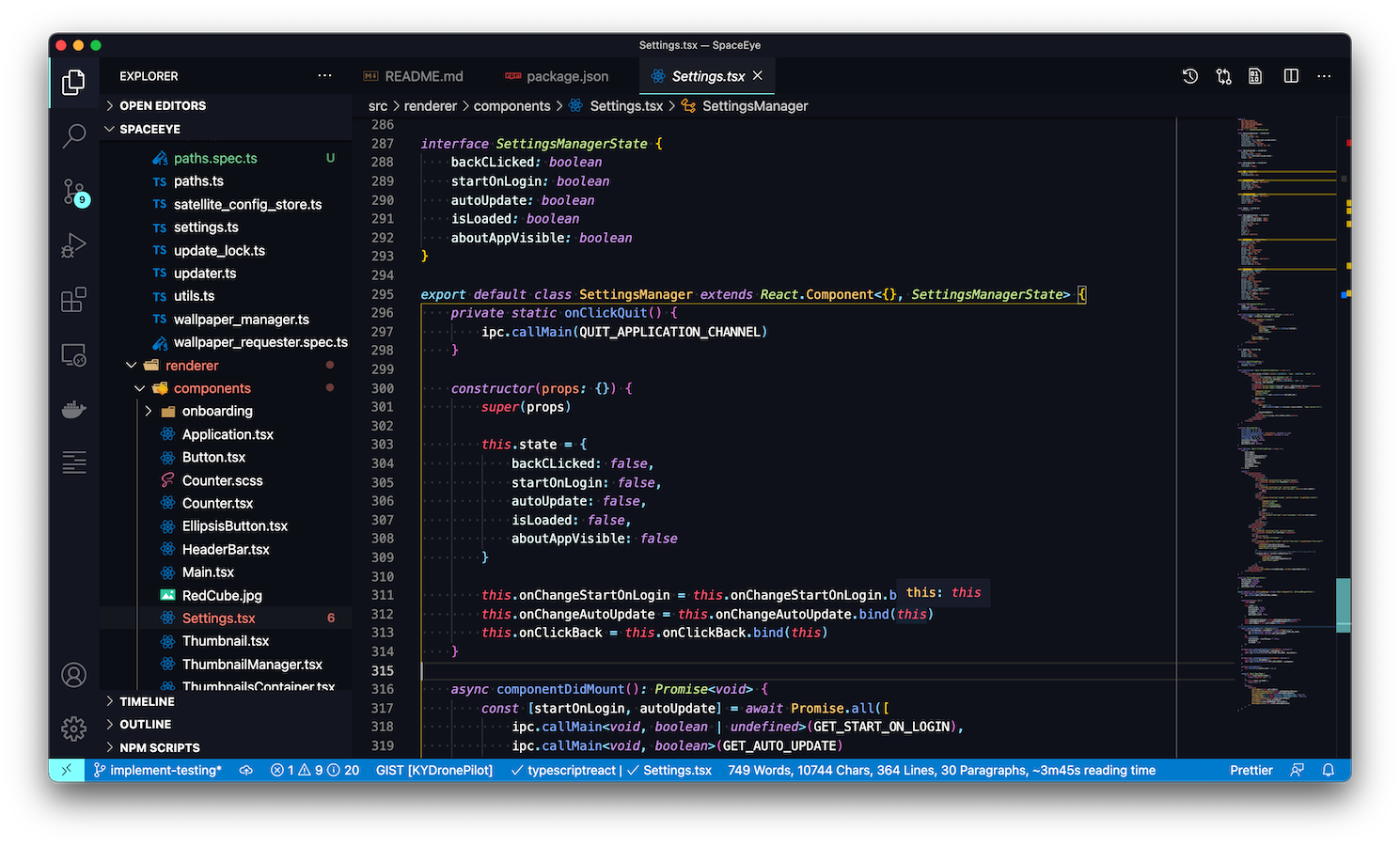
If you own/manage this project: install the Axe browser extension[2], run it on your site, go "...oh...oh no..." and then unfortunately, take accessibility seriously and get to revising =/
[1] https://www.w3.org/WAI/standards-guidelines/wcag/
[2] https://www.deque.com/axe/browser-extensions/