These extensions are killer, and are the primary reason I use Firefox. No other browsers have similar functionality at all that I've found.
For me, it's the best setup I've found in terms of cookie/session management. By default, I do want every new tab I open to come with a clean slate of no cookies, local storage, SQLite, or whatever other storage/tracking mechanisms are invented. If I need to open up a Google service, I simply open a new tab in my Google container. Combined with a good password manager to quickly login to lower security accounts, it is a marginal increase in work managing sessions, with the benefit of not tracking all your cookies and history around everywhere you go. The features aren't perfect since it's not a workflow optimized for consumer simplicity, but it works for me.
The key insight for me was that persistence should be opt-in—when I want a website to remember me, I take action to express that—the opposite of the current norm.
I sometimes wonder whether Google was strategically preempting this paradigm when they mainstreamed ephemeral sessions under the framing of sneaky mode.
Cookies aren’t inherently bad. If a second party asks me to hold on to something while I’m actively engaged with it, that’s typically fine. At the end of the day, though, I’m deciding what to take home.
Yes, also you can have FF drop cookies from all sites but a few at the end of the session. I use this on my other computers and for nontechnical friends.
I agree. Google and Firefox have a high number and quality of plugins, but Google Chrome has a larger market for plugins and it is easier to find plugins for specific features. However, Firefox supports plugins in the WebExtensions format, which is compatible with Google Chrome, but also supports other formats such as XUL and XPCOM that give developers more control
The answer is using Temporary Contains with "Automatic Mode" enabled in the preferences.
I just opened a new tab normally, with no shortcut, and it automatically created a fresh temp container "tmp2". I logged into HN and replied to this comment. I will close the tab now, and in 5 minutes, due to another Temp Containers setting, everything in the temp container will be wiped.
The whole silly "No Container" business goes away entirely.
You need to use Temporary Container's shortcut to open the tab, I think extensions cannot override builtin ones.. (And you need Temporary Containers in the first place: that's the bit that creates fresh new containers.)
In response to asking about supporting multiple profiles between different tabs.
>Extraordinarily difficult. I would expect person-years of effort for this, as the link between profile and window is deeply ingrained throughout the code.
Chrome doesn't support containers because it would take a big investment that no one is currently willing to make. Google doesn't want to spend millions of dollars and deprioritize more important work for a niche feature that not that many people benefit from.
It is a lie when we know ghost browsers essentially do the same. I think it is just not in the best interest of Google because it might hurt their bottom line i.e. ads.
In this writeup [1] about adding Rust to Chromium there is a note on the architecture shared state in the architure which may explain the difficulty
"... Chrome is built on foundational but really wide C++ APIs, such as the //content/public layer. We examined what it would mean for us to build Rust components against these types of APIs. At a high level what we found was that because C++ and Rust play by different rules, things can go sideways very easily.
For example, Rust guarantees temporal memory safety with static analysis that relies on two inputs: lifetimes (inferred or explicitly written) and exclusive mutability. The latter is incompatible with how the majority of Chromium’s C++ is written. We hold redundant mutable pointers throughout the system, and pointers that provide multiple paths to reach mutable pointers. ..."
No "what-if" is needed to pull of that kind of thing. As an advertisement company, just never prioritize this separation, and do not discourage this "integration" in PRs.
You're done. Build while fresh.
P.S.: Microsoft is actively rigging its software, lastly VS-Code just for these things, but it's another can of worms I have no desire to open again.
It does have profiles, which can be used in the same way. Haven't used it in a while, I think the limitation is that you can't use a different profile per tab; you need a whole new window
After reading about it repeatedly here, I finally tried Multi Account Containers and I'm disappointed. I want to press a button and get site X open in container Y. But as it is, after searching for the container, you then have to search for the website you want to open in it separately. It makes having lots of containers hard, plus there's the risk of accidentally opening sites in your "main container", etc. You have to do twice the work for every new site, maintaining bookmarks and containers.
There's a function to always open a site in a container, but this obviously falls over if you have multiple accounts (aws, gmail, etc), plus the UI is poorly communicated.
There are requests to make it so you can associate a container with a bookmark, for instance, but apparently Moz prevented Moz from doing this via browser apis, and have been powerless to do anything about it for years.
Anyway some tips and tricks from a long time user. First, you can use always open this site in container x. Which is useful for some sites. Then, I also used pinned tabs with various gmail accounts in different containers.
And you can right click on links, bookmarks, and tabs to (re)open in a particular container. I use containers a lot to test our app with various different users in different containers. I also use this with google drive to manage drives for various accounts. Also if you click on links in a particular container they open in the same container. So, for example if I have an online meeting in my company container, the video call opens in the same container.
The UX could be improved and it would indeed be nice to tie individual bookmarks to containers. I've also been looking for this very obvious feature that somehow is the hardest thing ever in Firefox. But it still beats what other browsers offer here, which is mostly nothing. Chrome has account profiles but it is a bit awkward to use and you have to work with different windows. This is much more powerful. You could do the same with Firefox by starting it with different user profiles but it's a bit painful to set that up. Account containers are much easier.
Felt the same exact way. I’ve tried multiple times to give Firefox containers a try, but the UX is just horribly designed. So much so that I don’t think they even care about it as a feature. It feels more like a publicity stunt. If a browser could deliver a usable container experience, I would instantly switch to it.
Folks, I realize it must be frustrating that it doesn't fit your use cases, and I agree the "multiple accounts for the same site" use case isn't well covered, but that they're "unusable" is simply not true. I for one (but apparently also many others) have been very happily using them as they are. For most of the sites I use them for I have exactly one account and would like to have zero.
Essentially, if I make a container for you're website, you've made it to my personal shit list. :)
> Essentially, if I make a container for you're website, you've made it to my personal shit list. :)
Ha, I'm the other way around: all websites go into temporary containers, and if I make a container for your website, it's a privilege that I'm allowing you to remember me.
Oh really? I find them excellent. I don't know how you're trying to use them - but I have a "work" window, which opens new containers in the "work" container (which has all my work accounts). It's a great way to keep accounts separate and it's one of my favorite parts of Firefox.
The last time I tried, which was a while back, two things that bothered me:
- there was no way to make CMD/CTRL+T open a new tab in the same container context as the one you were currently in. To me, this seems like an obvious UX flaw. If you’re browsing in a container, the actions you’re doing should keep you in that container unless you consciously want to switch.
- building on that, there was no option to right click and open a link in a different container. These two features would make container use feel far more natural, and likely make adoption much easier.
If those two features have been implemented, I will give Firefox and containers another go. If not, then I’d like to know what your workflow is and why it is a more natural UX.
Bonus points: make the first option configurable. Extra bonus points, for the second feature, have a right click option to open in a new container.
Edit: since I know I bookmarked it, I went and dug up the bug report for that first feature:
It’s 7 years old and still open. A quick glance shows that discussion is still ongoing today, so I assume it isn’t possible. Given how long it has been actively discussed, I don’t think it would be far fetched to say that my expected use case is not odd.
> - there was no way to make CMD/CTRL+T open a new tab in the same container context as the one you were currently in. To me, this seems like an obvious UX flaw. If you’re browsing in a container, the actions you’re doing should keep you in that container unless you consciously want to switch.
FWIW, the main add-on (Multi Account Containers) lets you do Cmd + Shift + {number} to open a new tab in a specific container -- but I admit that's still some cognitive overhead compared to just doing something like Cmd + Opt + T to open a tab in the same container as your current tab.
> - building on that, there was no option to right click and open a link in a different container.
This is absolutely in the main add-on now, and I use it regularly!
My flow is window-centric - there's a "new container tab" option that will give you a tab in the selected container. Any new tab opened while looking at that tab will be in the same container. That's how I maintain my "work window" - but the specific feature you want (which seems sensible) isn't possible as far as I know.
As others have said, you can right click -> open in container!
I use Alt+F+B+Down arrow to browse my containers when opening a new tab. For the most frequent ones, I use Ctrl+Maj+1/2/3/4, etc., I know which ones they are.
Those shortcuts are by default, I haven't had to tweak anything, and although they're not standard browser shortcuts, I prefer that option to a remapping of standards.
Worth noting that Chrome has multiple profile support too, so you can keep work separate if you like. I don't think it's quite as powerful as Firefox containers though.
Agreed, it's just a bit too clunky to be practical. In the end I have two containers I actually use, but only for special purposes. One is when I have to log in to facebook and one is for searching with a different language set. Neither of which happens more than once a month at most.
So yeah, everything else happens in the main browser as before.
I disagree. I think the current system works great.
When the "always open" setting conflicts with a current container, you get a prompt. If you want to open a specific container, long press the create tab button to get a selection of containers so you can browse to the website manually.
Using multiple accounts works great for me. Clicking on links will open in the same container, opening the website in a specific container is easy, I don't see the blocker here.
I don't know how many containers you intend on using but I don't find the feature problematic at all. Maybe the Tree Style Tabs integration is fixing a problem I don't know about, but it's working great for me.
Temporary containers are the final solution to cookie based tracking, just like how forwarding services like Simplelogin (not affiliated) is the final solution to email spam. They have very similar underlying principles: reduce exposure by reducing the power you grant and starting afresh every time to avoid information leakage. With temporary containers, only whitelisted sites can have persistent storage and they are isolated by containers. All other sites can have cookies only within the same session, after which temporary container cookies get cleared. Combined with general content and script blocking solutions like uBlock Origin and resistFingerprinting, we can have reasonably good privacy.. for now at least, until the trackers catch up.
Temporary containers are great but sometimes there are problems with logins or payments where a sote can't redirect back to where it has to. This leads me to temporarily turn off temporary containers which kind of defeats the whole point.
For me the solution is Cookie AutoDelete extension. It allows cookies but silently deletes them (and optionally other storage) after specified amount of time (5 hours for me). So the sites don't break and I don't have to close browser to clear cookies.
Facebook Container works by isolating your Facebook identity into a separate container that makes it harder for Facebook to track your visits to other websites with third-party cookies.
There is the internal container system in Firefox, and you need an extension to use it. At my work, we use this functionality to login into multiple accounts at once, for the same site.
I love these two, but I actually have a third, even more paranoid option for you to ponder: LibreWolf with default settings.
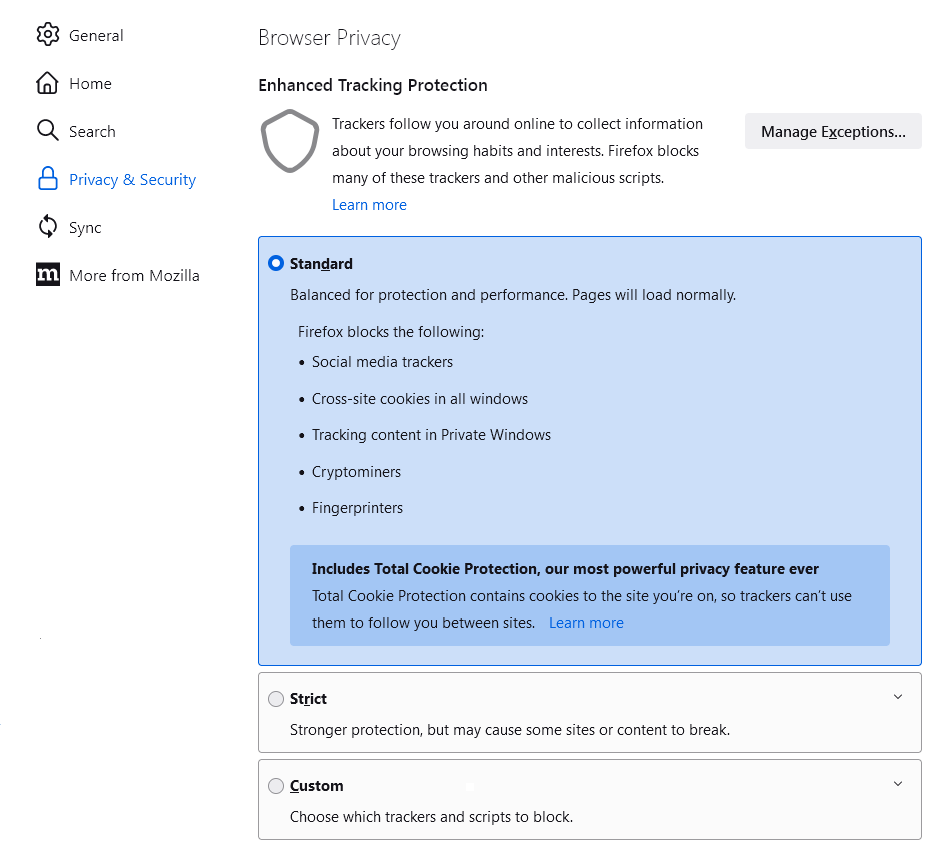
It has total cookie protection (meaning tabs don't co-mingle) and u-block origin is on by default. Finally, history is wiped on browser close. This, IMO, is on par with the aforementioned plug ins, but is more "uniform" in the sense that every librewolf install is identical.
Additionally, librewolf has WAY less telemetry out of the box than Firefox, which is always nice.
Truth is the first time I check this, but theoretically it was also deployed by default to Firefox some months ago (and I see it activated in my Nightly install).
Have any of you seen/noticed a difference when TCP is enabled? I wasn't paying attention when it was deployed.
The history (and other stuff) wiping is something I'm thinking about doing, but just for "health". I tend to accumulate open tabs to review later... that I never review. I started doing it in my cell phone, opening all links by default in private/expendable tabs. If the apps closes, they're gone. If the link is interesting, I'll do the effort of manually saving it somewhere.
Note that the version page only lists the 25 most recent versions, but the rest remain available via the API [1]. That said, this extension only has 26 versions, so it doesn't really matter for this particular case. The API also lists a creation date for the extension [2].
I'm not sure why this is even on the front-page now, given that it's been released for many years already, but in any case, here's my two cents about this topic:
Containers are a misunderstood technology. People think about them as a privacy feature, but that's far from real. The only benefit of containers is the ability to have different sessions of the same service in the same windows/profile. That's it. A good use case is when you need to work with multiple AWS accounts.
Cross-site tracking is already enabled by default since... 2018? So, using containers as a way of dealing with cross-site tracking is utterly unnecessary.
It is a privacy feature, specially when paired with Cookie Auto Delete. I have CAD setup to always delete cookies when I close all tabs of a website. But I can add exceptions per website and per container. So I have a Google container that is the only place where I allow Google to leave cookies on my browser. I do the same for a several other websites. Sure, Google can always track you somehow, like IP address, but it's not as easy to track you around the Internet when you always use a fresh new session on each tab.
Every time I try to use cool Firefox features and extensions to manage privacy, I wind up frustrated and lost in thought about just how good Firefox could be, if someone with vision and benevolent dictator status took charge.
1. Unify all of the various settings, addons, downloads, bookmark dialogs. They should all just be tabs, with consistent style. I should be able to "nav" to the others easily, and they should probably open as new tabs.
2. Multi-Account Container support baked in. This "containers are built in but borderline useless without more functionality from an addon" is... not great. It also means that no one seemingly "owns" containers to be able to do things like -- have static identifiers/ordering so that containers are actually portable.
3. There are Cookie management extensions, but the best is many years out of date and missing some obvious nice UX features. Many don't take into account containers. It's unclear what backup/restoring my settings will do here given, again, container identifiers don't map across Firefox instances, even when using Sync.
Imagine a Firefox with proper container + cookie management support built in. The same way I have this one Firefox instance tweaked, I could declaratively or Firefox-Sync-ly have the same settings for all of my Firefox instances. Even just some tab+session sync would make my life a lot easier. I've theorized about using SyncThings and "locks" to have a single Firefox profile ACTUALLY shared across machines, but that sounds like too much fighting against momentum.
I have a "money" container, my money apps open there, their cookies are whitelisted for that container, so I can start to "clear all cookies" and know that for certain sites, in certain containers, their cookies are whitelisted. This is ideal for privacy - I get to whitelist what stays, I get to isolate, I get to clear the rest of the trash at my whim.
I love Firefox, but I kinda hate it. I just don't hate it as much as I do Chrome (though, god forbid Chrome ever get proper Tree Style Tabs, it might be over). I just lament how good it COULD BE.
---
Ironically, I feel like the existence of a FB specific container extension is... exactly proof that Firefox itself left something on the table.
---
edit: to be clear, I don't fault anyone, I understand FOSS and priorities, and all of it. But, I see what could be [with inf resources] and want for better, that's all.
> 1. Unify all of the various settings, addons, downloads, bookmark dialogs. They should all just be tabs, with consistent style. I should be able to "nav" to the others easily, and they should probably open as new tabs.
they do want to do this but they are hamstrung by money and tech debt. they are a seriously old browser with as much tech debt as you could imagine. google chrome came about only fairly recently with all the lessons learned from firefox/internet explorer/opera/et.al.. the fact that we have a multiprocess firefox was a monumental rewrite of scores of core code. I do wish firefox was better too but also it's not the largest ad revenue company in the world with a vested interest in getting ads to people as easily as possible and controlling the way that happens.
The downloads and bookmarks code is some of the oldest in the entire codebase too. that's not easy to refactor.
I keep trying to give a discount for this, in some sense, but it's hard as time marches on and I've seen some of those deep improvements, while also seeing UX left on the table.
Don't get me wrong, afaict, Firefox will get decent wayland support, new fractional support, vaapi, etc, etc on Linux desktop before Chrome, and for that I can't say Thank You enough. All to say, thank you for this perspective. I wish I knew what to really do about it (I'm not qualified or blessed with the time for C++ contributions).
a lot of the ui that you are talking about is actually written in javascript so you can actually have an impact if you had the time. i've landed patches even though i haven't done any real c++ outside of schoolwork and playing.
I have so, so many tabs open. And when I need, I can reorganize in a tree structure and just collapse [other projects] tabs and leave them. Combined with "Auto Discard Tabs", I have hundreds+ of tabs open, with only a half-dozen using RAM. Works freakin' great for me, even on a laptop.
(note, this is Tree Style Tabs along with a userChrome.css hack to remove the tab bar; I'm okay with this tradeoff, normal extensions being able to hide the tab bar sounds like it would lead to issues.)
Makes a vertical list of your tabs in the side panel, and opening links from a page makes a node visually indented directly under that tab. Very nice for grouping tabs in a hierarchy as you descend through links on a topic.
Useful for general browsing and for sites like Hacker News: you can middle click links to interesting comments on the home page, then you can go through them one by one, opening the article (which is another tab one layer deeper), and any other links from there, all "contained" in that tree. You can collapse the tree to save space and resume at a later time. After you're done you pop the stack back to the comments and read, right click and close the whole tree when done and move on to the next article you "bookmarked".
It's quite funny that there is a specialized and exclusive "Facebook container" extension dedicated to stop Facebook and their services alone from tracking you lol.
> When it's needed for the website to work properly, it will automatically accept the cookie policy for you (sometimes it will accept all and sometimes only necessary cookie categories, depending on what's easier to do)
Not really unless I miss something you can bypass site isolation with just some basic chain redirection.
In the case of container even if you redirect to facebook you won't have much info unless you are logged in this container.
Ive switched to Firefox for my browning on desktop and phone. But I am still unable to use it for web development, local host won't store third party cookies.
I've tried switching off different settings with no luck. Does anyone know if anything can be done? I am trying to use Firefox developer edition
As mentioned in the other comments, the multi account container extension is more generic and is also one of the reasons I prefer to use Firefox. Chrome is unlikely to reproduce the feature anytime soon.
Facebook containers are a killer frature. As soon as I bought a new laptop and became able to afford using Firefox (it was too slow on the old one so I had to use Chrome-based browsers as they worked much faster) I don't have to use multiple browsers nor multiple browser users in separate windows to isolate specific websites. This is awesome.
By the way there is a more sophisticated version of the extension which would let you configure rules so specific websites would open in specific containers automatically.
I have containers for all the different data hungry services, the problem is that most things implement google login as their only login option. Just use a magic link.
In my experience surfing the web without adblockers or account containers, the whole "ads of stuff you may want" thing is bogus and has been utterly blown up to justify tracking.
Most Ads fall into a few categories:
- in-app ads that target you for known account demographics: those tend to be targeted at simple stereotypes and seldomly actually something i might want
- Ads on news websites or blogs that aren't much more targeted than what could be derived from the general interest group / general target audience
- And finally, the bulk of all the oh-so-perfectly-targeted ads: are actually mostly just retargeting automations that keep infuriatingly showing you the very things or similar things you just bought for the next few days
I'm yet to discover a product that would have been nice to have via ads
If I want ads, I want ads relevant to what I am doing at the moment. Not for what I bought last week already. Analyse the site the ad is on, not me. Just like the ads on Google search, which created their money printing machine.
Sure, I want ads that are useful to me. That doesn't mean I want a million companies to stalk me online, finding ways to sell me things I don't need.
Tracking ads are almost always trying to sell you something you don't need in ways that you specifically are considered susceptible to. I'm sure there are normal ads out there, but the ones I see are almost always A/B tested and designed to exploit one of my supposed weaknesses. I don't want your psychological warfare but that's what the modern ad landscape has become about.
If I read an article about TVs, I expect ads about TVs. If someone writes a social media post about fridges, I expect ads about fridges. Content-based ad libraries are out there for the people that are interested in the products that are being advertised. On the few websites that use them, I've actually clicked on a few.
Sadly, most of them were stopped by my adblocker anyway because the redirect the ads led to still tried to track me, but in a few cases the system just worked.
If you need to know who I am, where I live, what my gender and age are, how many kids I have, how many pets I have, where I work and where I'm going on holiday this summer in order to sell me something, you don't have anything I want.
I want to have useful search tools to find products when I have a need to fill, rather than being part of a machine to eat the planet's resources as quickly as possible in order to profit a small percentage of people whilst we all die from the effects of GCC.
Two minutes searching for a product on Google or Amazon should disavow anyone of the notion that they have any desire to match products to people that want them.
I had to move some money across EU country lines. I did a handful of searches to research my options, but quickly landed on a regular bank transfer. I was hounded by money transfer service ads for an entire year afterwards, at least the few times I used youtube without an ad blocked. A whole year after I no longer had any need for the service. "Useful" ads have never been useful to me.
Do you prefer your door-to-door salesman to know the sexual habits of your household and call you by the nickname only your spouse knows about, or not?
I don't want any ads, ever, but if I have to pick, then absolutely I want ads that are completely useless to me. My issue with ads is that they are trying to manipulate me and I think that is morally wrong. This is less likely to succeed if they show me things that I would never buy.



Multi Account Containers - Same thing as the facebook container but more generi - https://addons.mozilla.org/en-US/firefox/addon/multi-account...
Temporary Containers - Same container concept but you can create and destroy them on the fly - https://addons.mozilla.org/en-US/firefox/addon/temporary-con...